HanuiT Solutions

Online Courses-HanuiT solutions

SEO for Online Courses: How to Rank Higher and Get More Enrollments

SEO for Online Courses: How to Rank Higher and Get More Enrollments

Online courses have become a booming industry, with millions of learners turning to the Internet to acquire new skills and knowledge. If you’re an online course creator, standing out in this competitive market can be challenging. The key to gaining visibility and driving more enrollments lies in mastering Search Engine Optimization (SEO) for online courses.

In this guide, we’ll explore actionable strategies to help your courses rank higher on search engines, attract more traffic, and ultimately boost enrollments.

Learn how to boost visibility for your online courses with SEO! This comprehensive guide covers everything from keyword research and on-page optimization to creating high-quality content and building backlinks. Whether you’re a course creator or a platform owner, discover proven techniques to rank higher on Google, attract the right audience, and increase e

Understanding the Importance of SEO for Online Courses

SEO for online courses is more than just adding keywords to your content. It’s about creating an optimized experience that aligns with what potential learners are searching for. Search engines like Google prioritize user intent, so understanding your audience’s needs is key to ranking higher and getting more enrollments.

Here are some reasons why SEO matters for online courses:

  • Increased Visibility: Higher rankings mean more people will discover your course.
  • Higher Credibility: Ranking on the first page of search results builds trust among users.
  • Cost-Effective Marketing: Organic traffic is free, reducing your reliance on paid ads.

Step-by-Step Guide to SEO for Online Courses

Keyword Research: The Foundation of SEO for Online Courses

Effective keyword research is crucial for optimizing your course content. Start by identifying what your target audience is searching for. Tools like Google Keyword Planner, SEMrush, and Ahrefs can help you discover high-volume and low-competition keywords.

Key Steps in Keyword Research:

  1. Identify Primary Keywords: Focus on phrases like “best online Python course,” “digital marketing certification,” or “SEO for Online Courses: How to Rank Higher and Get More Enrollments.”
  2. Explore Long-Tail Keywords: These are more specific phrases such as “beginner-friendly Python programming course.”
  3. Analyze Competitor Keywords: Study the keywords used by successful competitors and incorporate them strategically.

Online Courses

On-Page SEO Strategies

Optimizing your course landing page is essential for improving its search engine ranking. Here’s how:

  1. Optimize Title Tags and Meta Descriptions:
    • Ensure your primary keyword appears in the title tag and meta description.
    • For example, “SEO for Online Courses: How to Rank Higher and Get More Enrollments” could be your title tag.
  2. Use Headings Effectively:
    • Structure your content with H1, H2, and H3 tags.
    • Include your primary and secondary keywords in these headings.
  3. Optimize Images:
    • Use descriptive file names and add alt text with relevant keywords.
    • Compress images to ensure faster page loading.
  4. Internal and External Links:
    • Link to other relevant content on your site.
    • Include authoritative external links for additional credibility.
  5. Improve Content Quality:
    • Write comprehensive, engaging, and value-driven content.
    • Address common questions or challenges your audience may have.

Content Marketing for SEO Success

Creating valuable content beyond your course landing page can drive more traffic and boost your SEO efforts.

  1. Start a Blog:
    • Write articles on topics related to your course.
    • Example: “5 Tips for Learning Python Online” or “How to Excel in Digital Marketing.”
  2. Create Video Content:
    • Platforms like YouTube can significantly enhance your visibility.
    • Optimize video titles and descriptions with relevant keywords.
  3. Leverage Social Media:
    • Share your content across platforms to attract more visitors.
    • Engage with your audience to build a community.
  4. Publish Case Studies or Testimonials:
    • Showcase success stories from students who took your course.

Technical SEO for Better Rankings

Technical SEO ensures your website is easy for search engines to crawl and index.

  1. Mobile Optimization:
    • Ensure your website is mobile-friendly, as most users access the internet via mobile devices.
  2. Page Speed:
    • Use tools like Google PageSpeed Insights to identify and fix performance issues.
  3. Secure Your Site:
    • Install an SSL certificate to make your site HTTPS-secured.
  4. Fix Broken Links:
    • Use tools like Screaming Frog to identify and correct broken links.

Also read: Enhancing School or Institution Listings with Google My Business Tools

Building Backlinks to Enhance Authority

Backlinks from reputable websites signal to search engines that your content is valuable. Here’s how to build quality backlinks:

  1. Guest Blogging:
    • Write guest posts for authoritative blogs in your niche.
  2. Collaborate with Influencers:
    • Partner with influencers to share your course link.
  3. Engage in Forums:
    • Participate in discussions on platforms like Reddit or Quora and link to your course where relevant.
  4. Create Shareable Content:
    • Infographics, ebooks, and research reports are excellent for earning backlinks.

Tracking and Optimizing Your SEO Performance

SEO is an ongoing process. Use analytics tools to track your performance and make necessary adjustments.

  1. Google Analytics:
    • Monitor traffic, bounce rate, and user behavior.
  2. Google Search Console:
    • Check for indexing issues and analyze search queries.
  3. A/B Testing:
    • Experiment with headlines, CTAs, and layouts to see what works best.

FAQ

What is SEO for online courses?

SEO for online courses involves optimizing your course website and content to improve its visibility on search engines, making it easier for potential students to find and enroll in your course.

How do I find the right keywords for my course?

Use keyword research tools like Google Keyword Planner, SEMrush, or Ahrefs to discover high-volume, low-competition keywords related to your course topic.

How long does it take to see results from SEO?

SEO is a long-term strategy. While you may see minor improvements in a few weeks, significant results can take 3-6 months or more.

Is blogging necessary for SEO success?

While not mandatory, blogging helps establish authority, drives traffic, and improves rankings for your course website.

How can I measure the success of my SEO efforts?

Use tools like Google Analytics and Google Search Console to monitor traffic, keyword rankings, and user engagement.

Conclusion

SEO for online courses is a powerful way to rank higher in search engine results and attract more enrollments. By focusing on keyword research, creating high-quality content, and optimizing your website, you can significantly improve your course’s visibility. Remember, SEO is an ongoing process, so stay updated with the latest trends and continuously refine your strategy. With persistence and the right techniques, your online course can achieve the visibility and success it deserves.

if you need any help with Digital Marketing then contact us
Google My Business Tools-HanuiT solutions

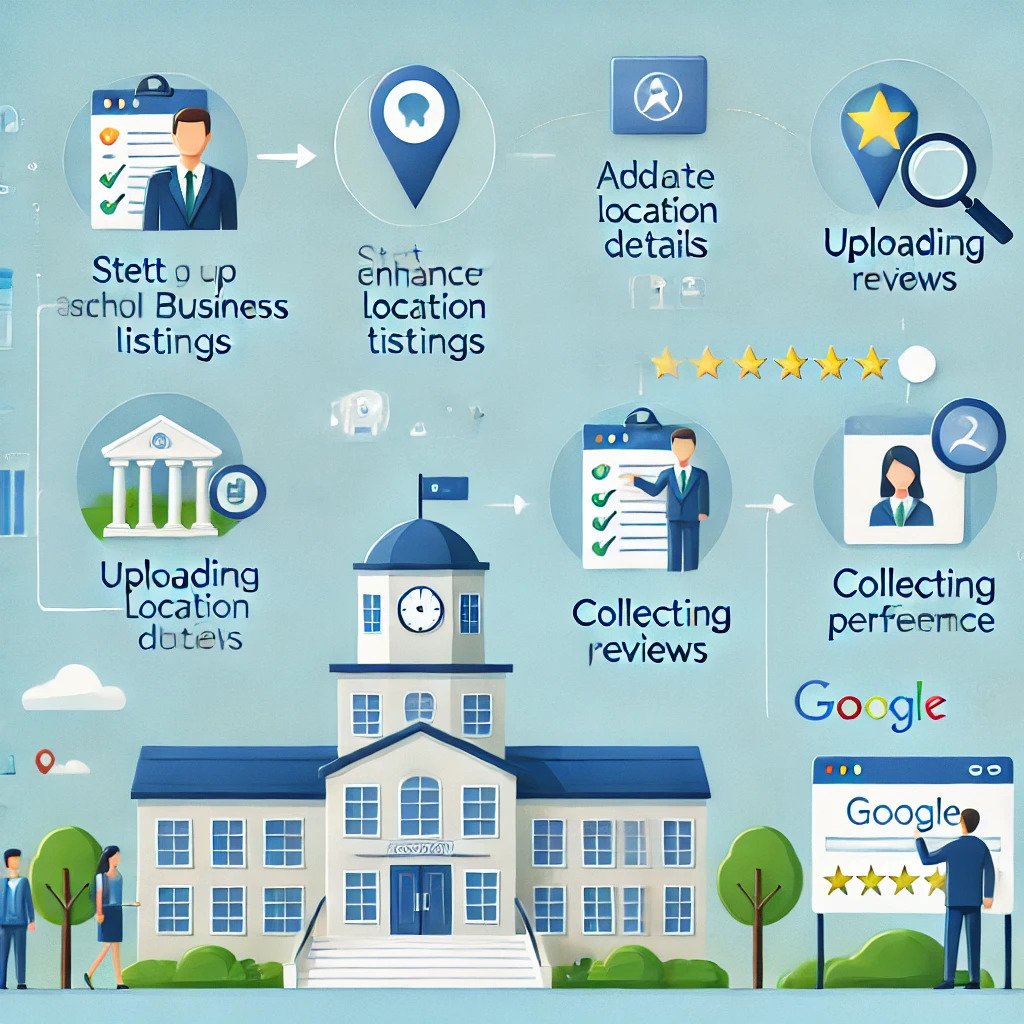
Enhancing School or Institution Listings with Google My Business Tools

Enhancing School or Institution Listings with Google My Business Tools

In today’s digitally-driven world, schools and educational institutions must leverage online tools to reach their audiences effectively. One of the most powerful and user-friendly tools for enhancing online visibility is Google My Business (GMB). By optimizing school or institution listings with Google My Business tools, educational organizations can establish their presence and build trust, attract more inquiries, and engage meaningfully with students and parents.

This article explores how schools and institutions can enhance their listings with Google My Business tools, ensuring they stand out in search results and provide relevant information to their audience.

Why Google My Business Matters for Schools and Institutions

Google My Business is a free platform that allows businesses and organizations to manage their online presence across Google Search and Maps. For schools and institutions, this tool is crucial because:

  1. Increased Visibility: GMB listings appear prominently in Google search results, increasing the chances of your institution being found by prospective students and parents.
  2. Accurate Information: GMB helps ensure your contact details, location, and other important information are easily accessible.
  3. Trust and Credibility: Verified listings with positive reviews build trust and enhance credibility.
  4. Engagement Opportunities: GMB allows institutions to interact with their audience via posts, FAQs, and reviews.

Google My Business

Steps to Enhance School or Institution Listings with Google My Business Tools

1. Claim and Verify Your Listing

The first step is to claim your school’s GMB profile. Search for your institution’s name on Google to check if a listing exists. If it does, claim ownership by following Google’s verification process. Verification ensures only authorized personnel can manage the profile, safeguarding its authenticity.

2. Complete Your Profile

A complete profile improves search rankings and user engagement. Key elements to include are:

  • Name: Use the official name of your institution.
  • Address: Ensure the address is precise and matches your website.
  • Phone Number: Provide a primary contact number.
  • Website: Link to your official website.
  • Category: Select an appropriate category, such as “School” or “Educational Institution.”
  • Operating Hours: Clearly define your working hours.

3. Use High-Quality Images and Videos

Visual content plays a significant role in attracting attention. Upload high-resolution photos of your campus, facilities, events, and classrooms. Adding videos that showcase your institution’s culture, achievements, and extracurricular activities can make your profile more engaging.

Also read: Web Design Features That Make Educational Websites More Engaging

4. Leverage Google Posts

Google Posts allows you to share updates, events, and announcements directly on your GMB profile. Use this feature to:

  • Promote open houses or admission events.
  • Share achievements, such as awards or recognitions.
  • Post about upcoming activities, such as sports meets or cultural festivals.

5. Encourage and Manage Reviews

Reviews significantly impact the perception of your institution. Encourage satisfied students, parents, and alumni to leave positive reviews. Respond to reviews promptly—thank users for positive feedback and address concerns in negative reviews to demonstrate your commitment to improvement.

6. Add Attributes

Attributes provide additional details about your institution. For example, you can highlight facilities like wheelchair accessibility, parking availability, or online class options.

7. Use the Q&A Feature

The Q&A section allows users to ask questions directly on your GMB profile. Be proactive in answering these questions to provide clarity and build trust. Common questions might include:

  • “What are the admission criteria?”
  • “Does the school offer extracurricular activities?”
  • “What is the student-teacher ratio?”

8. Monitor Insights

Google My Business provides insights into how users interact with your listing. Analyze these metrics to understand:

  • How users find your listing (search terms, location).
  • What actions do they take (calls, website visits, direction requests)?
  • Which posts or photos get the most engagement?

9. Utilize Messaging

GMB’s messaging feature allows users to send inquiries directly to your institution. Enable this feature to provide prompt responses, improving user satisfaction and engagement.

10. Regular Updates

Keep your profile updated with the latest information. Update hours during holidays, add new photos and post regular updates to keep your audience informed.

Best Practices for Optimizing GMB Listings for Schools

  1. Consistency: Ensure that the information on your GMB profile matches your website and other online platforms.
  2. SEO-Friendly Descriptions: Use keywords like “Enhancing School or Institution Listings with Google My Business Tools” in your descriptions and posts to improve search rankings.
  3. Use Keywords in Reviews: Encourage reviewers to mention specific aspects of your institution, such as “excellent STEM program” or “welcoming campus environment.”
  4. Monitor Competitors: Check how other schools use their GMB profiles for inspiration and competitive analysis.

Benefits of Enhancing School or Institution Listings with Google My Business Tools

Optimizing your GMB listing offers several advantages:

  • Higher Enrollment Rates: Enhanced visibility and accessibility lead to more inquiries and applications.
  • Improved Reputation: Positive reviews and professional visuals establish your institution as a reputable choice.
  • Better Community Engagement: Interaction through posts, Q&A, and reviews fosters a stronger connection with your audience.
  • Cost-Effective Marketing: GMB is free to use, making it an excellent option for institutions with limited marketing budgets.

FAQs

What is Google My Business, and why is it important for schools?

Google My Business is a free tool that allows organizations to manage their online presence on Google Search and Maps. For schools, it’s essential to increase visibility, provide accurate information, and engage with prospective students and parents.

How can I claim my school’s GMB listing?

Search for your school’s name on Google. If a listing exists, click “Claim this Business” and follow the verification process.

What type of content should I include in my GMB profile?

Include essential details such as your school’s name, address, contact number, website, operating hours, high-quality photos, and updates about events and activities.

Can reviews impact my school’s reputation?

Yes, reviews play a significant role in shaping perceptions. Positive reviews enhance credibility while addressing negative reviews shows your commitment to improvement.

How often should I update my GMB profile?

Update your profile regularly, especially during holidays, events, or changes in operating hours. Regular updates keep your listing fresh and relevant.

Is Google My Business free to use?

Yes, Google My Business is completely free to use. It’s a cost-effective tool for enhancing your online presence.

Conclusion

Enhancing school or institution listings with Google My Business tools is a powerful way to stay competitive in the digital age. By optimizing your GMB profile, maintaining consistent updates, and engaging with your audience, you can ensure that your institution remains accessible, trustworthy, and appealing to prospective families and stakeholders.

if you need any help with Digital Marketing then contact us
Educational Websites-HanuiT solutions

Web Design Features That Make Educational Websites More Engaging

Web Design Features That Make Educational Websites More Engaging

In the digital age, educational websites are pivotal in shaping how students, educators, and parents access and interact with knowledge. These websites are platforms for delivering information and gateways to immersive and interactive learning experiences. However, not all educational websites are created equal—some stand out due to their exceptional design features that make learning enjoyable and engaging. In this article, we’ll explore the web design features that make educational websites more engaging, explaining how to implement these elements effectively.

Importance of Engaging Web Design in Education

Engaging web design is essential for educational websites because it enhances user experience (UX), increases retention rates, and ensures that the learning objectives are met. Whether the site caters to preschoolers, college students, or professional learners, a well-designed platform can motivate users to explore more and deepen their understanding.

Educational Websites

Step-by-Step Guide to Web Design Features That Make Educational Websites More Engaging:

1. Responsive Design

With the rise of mobile and tablet usage, a responsive design is no longer optional. Educational websites must be accessible on various devices to cater to a diverse audience.

Why It Matters:

  • Ease of Access: Students and educators can access learning materials anytime, anywhere.
  • Improved SEO: Search engines prioritize mobile-friendly websites, increasing visibility.
  • Better User Experience: Content is presented in a clean and structured manner, regardless of screen size.

A responsive design ensures that navigation, readability, and interactivity are seamless across all devices, which is essential for maintaining user engagement.

2. Clear Navigation

An intuitive navigation system is a foundational web design feature for educational websites. Users should be able to find what they need with minimal effort.

Best Practices:

  • Use a logical menu structure with clear labels.
  • Include a search bar for quick access to specific resources.
  • Provide breadcrumb trails to help users track their location within the site.

Clear navigation reduces frustration, keeping users focused on learning rather than figuring out how to use the website.

.3. Interactive Elements

Interactive features such as quizzes, drag-and-drop activities, and live polls make learning more engaging. These elements turn the passive consumption of information into an active learning process.

Examples:

  • Quizzes and Assessments: Offer immediate feedback to learners.
  • Gamification: Incorporate rewards, badges, or points to motivate users.
  • Interactive Timelines: Allow users to explore historical events dynamically.

Such features encourage participation and ensure that users retain information more effectively.

4. Multimedia Integration

The use of multimedia—such as videos, images, animations, and audio—enhances comprehension and breaks the monotony of text-heavy content.

Why It’s Effective:

  • Visual Learning: Videos and infographics simplify complex concepts.
  • Engagement: Multimedia keeps users interested.
  • Accessibility: Audio features, such as read-aloud options, cater to users with visual impairments or reading difficulties.

Properly integrated multimedia fosters an immersive and inclusive learning experience.

5. User-Centric Design

Educational websites must prioritize the needs and preferences of their target audience. A user-centric design involves understanding and catering to the goals of students, teachers, and parents.

Key Features:

  • Personalized Dashboards: Tailor content based on user profiles.
  • Progress Tracking: Allow users to monitor their learning milestones.
  • Feedback Mechanisms: Include forms or surveys to gather user opinions for continual improvement.

By focusing on user-centric features, websites can ensure a satisfying and productive experience.

6. Fast Load Times

In a fast-paced world, slow-loading websites lose users. Speed is a crucial web design feature that impacts both user satisfaction and search engine rankings.

Optimization Tips:

  • Compress images and videos without sacrificing quality.
  • Use a reliable hosting service with robust performance.
  • Minimize the use of large, unnecessary scripts.

Quick load times create a smoother user experience, encouraging visitors to stay and explore more.

7. Accessibility Features

Educational websites should be inclusive, ensuring access for users with disabilities. Accessibility is not just a legal requirement but also a key component of good design.

Essential Features:

  • Alt Text: Describe images for screen readers.
  • Keyboard Navigation: Enable navigation without a mouse.
  • Color Contrast: Ensure text is readable against the background.

Incorporating accessibility ensures that all users can benefit from the website’s resources, regardless of their abilities.

Also read: SEO for E-commerce: Best Practices to Improve Product Visibility

8. Engaging Typography

Typography affects readability and visual appeal. A mix of clean fonts, appropriate text sizes, and balanced spacing enhances the learning experience.

Best Practices:

  • Use sans-serif fonts for body text, as they are easier to read.
  • Highlight important points with bold or colored text.
  • Maintain consistency across the site for a professional look.

Well-designed typography ensures that users focus on the content rather than struggling with readability.

9. Call-to-Action Buttons

Call-to-action (CTA) buttons guide users toward desired actions, such as signing up for a course or downloading materials.

How to Design Effective CTAs:

  • Use clear and concise text (e.g., “Start Learning Now”).
  • Place them prominently without disrupting the user’s flow.
  • Use contrasting colors to make them stand out.

CTAs help streamline the user journey, ensuring that visitors achieve their goals efficiently.

10. Secure and Reliable Hosting

Security is a vital web design feature, especially for educational websites that store sensitive user data.

Key Considerations:

  • Use HTTPS to encrypt data and build trust.
  • Regularly update software and plugins to avoid vulnerabilities.
  • Choose hosting providers with strong uptime guarantees.

A secure and reliable website fosters trust and protects users’ information, ensuring long-term success.

FAQs

What are the key web design features for an engaging educational website?

Key features include responsive design, clear navigation, interactive elements, multimedia integration, user-centric design, fast load times, and accessibility features.

Why is responsive design important for educational websites?

Responsive design ensures that the website functions smoothly across all devices, improving accessibility and user experience.

How do interactive elements enhance engagement?

Interactive elements like quizzes and gamification encourage active participation, making the learning process more enjoyable and effective.

What accessibility features should educational websites include?

Accessibility features such as alt text, keyboard navigation, and adequate color contrast ensure inclusivity for users with disabilities.

How does secure hosting benefit educational websites?

Secure hosting protects user data, prevents cyberattacks, and builds trust with visitors, ensuring a reliable online learning environment.

Conclusion

Designing an educational website that stands out requires a careful blend of functionality, aesthetics, and user-centric features. By incorporating the web design features outlined in this article, you can create a platform that not only delivers knowledge but also keeps users engaged and motivated. Whether you’re building a new site or revamping an existing one, these steps will ensure your website meets the expectations of today’s digital learners.

if you need any help with Digital Marketing then contact us
SEO for E-commerce-HanuiT solutions

SEO for E-commerce: Best Practices to Improve Product Visibility

SEO for E-commerce: Best Practices to Improve Product Visibility

In the competitive world of online retail, mastering SEO for E-commerce is essential to ensure your products get the attention they deserve. Search Engine Optimization tailored for e-commerce platforms can help improve product visibility, attract targeted traffic, and boost sales. By implementing the right strategies, you can make your online store stand out and turn visitors into loyal customers.

This guide focuses on the best practices for optimizing your e-commerce store for search engines, helping you achieve better rankings and connect with your audience effectively.

Learn how to boost your online store’s performance with SEO for E-commerce! In this video, we cover:

  • Proven techniques to enhance product visibility.
  • Best practices for optimizing e-commerce websites.
  • Effective strategies for keyword research and implementation.
  • Tips to improve site speed, structure, and mobile-friendliness.

If you want to drive more traffic to your online store and increase your sales, this is the ultimate guide to mastering SEO for E-commerce. Subscribe now for expert insights and actionable tips!

SEO for E-commerce

Understanding SEO for E-commerce

SEO for e-commerce involves optimizing your online store and product pages to increase visibility in search engine results pages (SERPs). Unlike traditional websites, e-commerce platforms have unique challenges such as duplicate content, thin product descriptions, and high competition. Addressing these challenges with targeted SEO techniques can significantly impact your site’s performance and revenue.

Why SEO Matters for E-commerce

Search Engine Optimization (SEO) is the process of improving your website’s ranking on search engines like Google. For e-commerce businesses, this is crucial because:

  • Increased Visibility: Most online shoppers start their journey with a search engine query. A high-ranking website attracts more organic traffic.
  • Higher ROI: SEO is cost-effective compared to paid advertising. Once optimized, your site can drive consistent traffic without ongoing ad expenses.
  • Improved User Experience: Many SEO practices, such as fast loading times and mobile optimization, enhance user experience, encouraging shoppers to stay longer and purchase more.

Now, let’s delve into the best practices for optimizing your e-commerce store.

Best Practices to Improve Product Visibility

1. Perform Comprehensive Keyword Research

Effective keyword research lays the foundation for any successful e-commerce SEO strategy. Follow these steps:

  • Identify Long-tail Keywords: Focus on long-tail keywords (e.g., “women’s waterproof hiking boots”) to target niche audiences with high purchase intent.
  • Use SEO Tools: Tools like Google Keyword Planner, Ahrefs, or SEMrush can help identify relevant keywords with high search volume and low competition.
  • Analyze Competitor Keywords: Study competitors in your niche to discover opportunities to rank for overlooked keywords.

Incorporate these keywords naturally into your product titles, descriptions, and meta tags to improve visibility.

2. Optimize Product Pages

Your product pages are the heart of your e-commerce website. Here’s how to optimize them:

  • Write Unique Product Descriptions: Avoid duplicate content by crafting original, detailed, and engaging descriptions for each product. Include primary and secondary keywords naturally.
  • Use Descriptive Titles: Product titles should include relevant keywords and clearly describe the item (e.g., “Men’s Black Leather Jacket – Slim Fit”).
  • Leverage High-quality Images: Optimize images with descriptive file names and alt tags containing relevant keywords. Compress images to reduce loading times.
  • Add Customer Reviews: Positive reviews build trust and contribute to fresh, user-generated content, which search engines favor.

3. Improve Site Structure

A well-organized site structure enhances user experience and makes it easier for search engines to crawl your website.

  1. Categorization: Group products into logical categories and subcategories.
  2. Breadcrumb Navigation: Enable breadcrumb navigation to help users and search engines understand your site hierarchy.
  3. URL Structure: Use clean, descriptive URLs that include keywords,

4. Optimize for Mobile Users

With the majority of e-commerce traffic coming from mobile devices, mobile optimization is critical:

  • Responsive Design: Ensure your website adapts seamlessly to different screen sizes.
  • Fast Loading Times: Compress images and leverage caching to reduce page load times.
  • Mobile-friendly Navigation: Use a simple menu structure and large, tappable buttons.

Google prioritizes mobile-friendly sites in its rankings, so neglecting this aspect could harm your visibility.

Also read: Google My Business Optimization for Brick-and-Mortar Stores: A Checklist

5. Focus on Technical SEO

Technical SEO ensures that search engines can easily crawl and index your website:

  • Improve Site Speed: Use tools like Google PageSpeed Insights to identify and fix performance issues.
  • Optimize URLs: Use clean, descriptive URLs with keywords (e.g., “example.com/black-leather-jacket”).
  • Fix Broken Links: Regularly audit your site for 404 errors and update or remove broken links.
  • Submit a Sitemap: Provide a sitemap to search engines to help them discover your pages more efficiently.

6. Build High-Quality Backlinks

Backlinks from reputable websites boost your domain authority:

  • Collaborate with Influencers: Partner with influencers in your niche to review and link to your products.
  • Submit Guest Posts: Write articles for industry blogs with backlinks to your e-commerce site.
  • Engage in Online Communities: Participate in forums and answer questions on platforms like Quora, including links to your store where relevant.

7. Leverage Content Marketing

Engaging content attracts visitors and improves your site’s authority:

  • Start a Blog: Write articles about industry trends, product tutorials, and buying guides. For instance, a clothing store might publish “How to Style a Leather Jacket.”
  • Create Videos: Product demos and reviews can rank well on both Google and YouTube.
  • Share on Social Media: Promote your content on social platforms to drive traffic and build backlinks.

8. Encourage Customer Reviews

Customer reviews not only build trust but also improve search visibility. Encourage satisfied customers to leave reviews and respond to them to show engagement. Highlight reviews on your product pages to enhance their appeal.

9. Monitor Analytics and Performance

Regularly assess your SEO efforts to identify areas for improvement.

  1. Analytics Tools: Use Google Analytics and Google Search Console to monitor traffic and performance.
  2. A/B Testing: Test different strategies to see what works best for your audience.
  3. SEO Audits: Conduct periodic audits to ensure your site remains optimized.

Adjust your SEO strategies based on the data to continually improve.

10. Optimize for Local SEO

If you have a physical store or cater to specific regions, local SEO can drive targeted traffic:

  • Claim Your Google My Business Listing: Include accurate details about your business location, hours, and contact information.
  • Use Local Keywords: Incorporate location-based keywords (e.g., “organic groceries in Los Angeles”) in your content.
  • Encourage Local Reviews: Positive reviews on platforms like Google and Yelp improve your local search rankings.

FAQ:

What is SEO for E-commerce?

SEO for e-commerce involves optimizing your online store to improve its visibility on search engines, making it easier for potential customers to find your products.

Why is keyword research important for e-commerce SEO?

Keyword research identifies the terms shoppers use to find products like yours. By targeting these keywords, you can attract more relevant traffic to your site.

How do I optimize product images for SEO?

Use descriptive file names, add keyword-rich alt tags, and compress images to improve loading times and visibility on search engines.

What role does mobile optimization play in e-commerce SEO?

Mobile optimization ensures your site provides a seamless shopping experience on mobile devices, which is essential as most online shoppers use smartphones.

How can I measure the success of my e-commerce SEO efforts?

Use analytics tools to track metrics like organic traffic, keyword rankings, CTR, and conversion rates to gauge your SEO performance.

Conclusion

SEO for e-commerce is a powerful tool that can significantly enhance product visibility and drive sales. By implementing these best practices—from thorough keyword research to technical optimization and content marketing—you can ensure your online store stands out in a crowded marketplace. Staying consistent and adapting to evolving trends will keep your e-commerce business competitive. Start optimizing your site today to attract more customers and achieve long-term growth.

if you need any help with Digital Marketing then contact us
Brick-and-Mortar Stores-HanuiT solutions

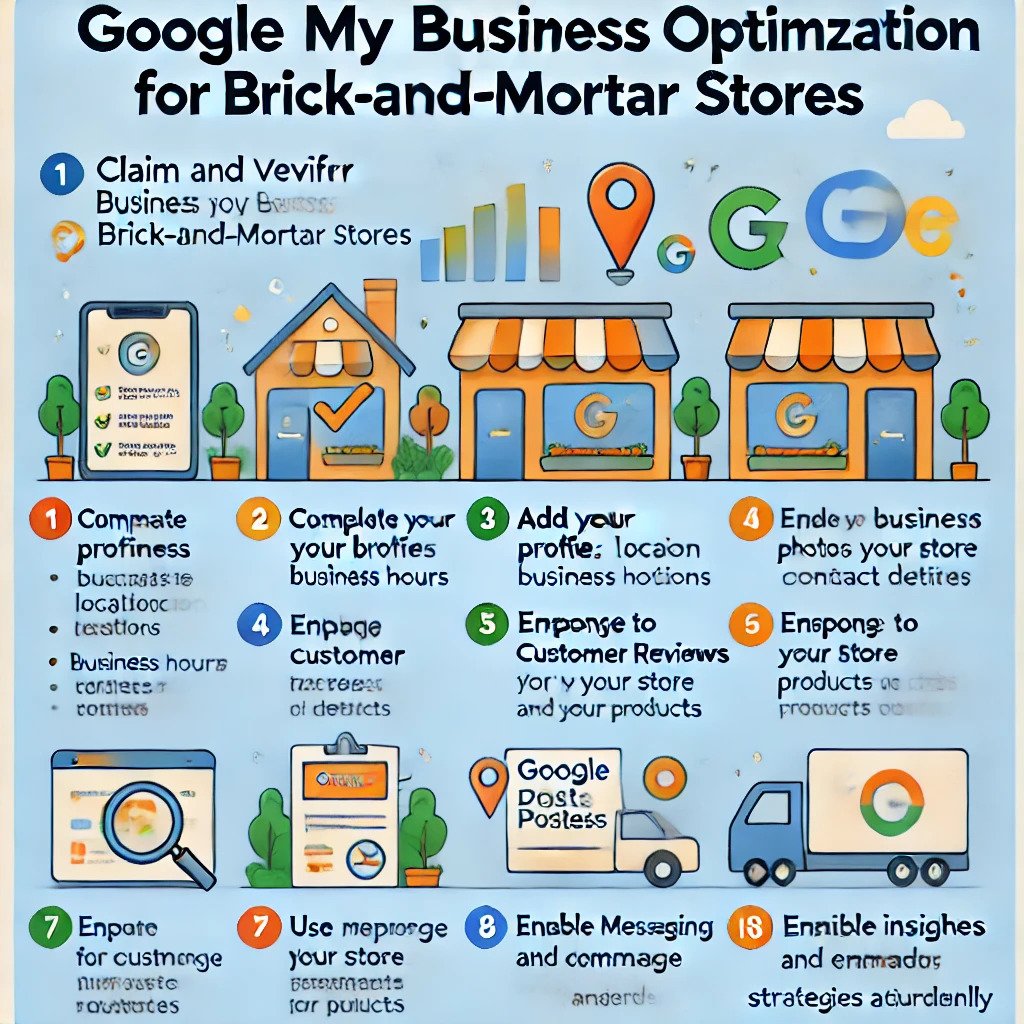
Google My Business Optimization for Brick-and-Mortar Stores: A Checklist

Google My Business Optimization for Brick-and-Mortar Stores: A Checklist

Brick-and-mortar stores thrive on local visibility, and optimizing your Google My Business profile is the key to attracting nearby customers. Whether you’re looking to enhance your local search ranking or drive more foot traffic, this checklist covers all the essential steps to make your GMB listing stand out. From updating contact details to managing reviews, we’ve got you covered!

Discover the ultimate checklist to optimize your Google My Business profile for brick-and-mortar stores. From claiming your listing and adding accurate business details to leveraging photos, reviews, and posts, this guide covers everything you need to know to attract more customers and grow your local presence. Perfect for business owners and marketers looking to drive foot traffic and stand out in local searches!

Why Google My Business Optimization Matters

Google My Business is a free tool that enables businesses to manage their online presence on Google Search and Maps. Optimizing your GMB profile for brick-and-mortar stores ensures your store appears prominently when customers search for related products or services in your area. This can increase your store’s visibility, boost customer engagement, and improve your chances of converting searchers into visitors.

Brick-and-Mortar Stores

Also read: The Role of Responsive Web Design in Increasing Online Retail Sales

Google My Business Optimization for Brick-and-Mortar Stores: A Checklist

Follow this step-by-step checklist to ensure your GMB profile is optimized for maximum visibility and customer engagement:

1. Claim and Verify Your Business Listing

  • Visit Google My Business.
  • Create an account or log in with your Google credentials.
  • Please search for your business to ensure it’s not already listed.
  • If your business is listed, claim it by following the verification process.
  • Verification methods include mail, phone, email, or instant verification (if eligible).

2. Complete Every Section of Your Profile

  • Business Name: Use your business name as it appears in the real world.
  • Address: Ensure your address is accurate and matches your store’s signage and website.
  • Phone Number: Provide a local phone number that connects directly to your store.
  • Business Category: Choose the most relevant primary category for your business. Add secondary categories if applicable.
  • Website: Link to your business’s main website or landing page.

3. Add High-Quality Photos and Videos

  • Upload professional, high-resolution photos of your storefront, interior, products, and services.
  • Add a logo and cover photo to reinforce your branding.
  • Include videos showcasing your store’s ambiance, products, or customer testimonials.
  • Regularly update your gallery to keep it fresh and engaging.

4. Write a Compelling Business Description

  • Use up to 750 characters to describe your business. Focus on what makes your store unique.
  • Include relevant keywords to improve local search visibility.
  • Highlight key offerings, services, and any special promotions.

5. Keep Your Hours Updated

  • Set accurate business hours, including special holiday hours.
  • Update your hours promptly if they change to avoid frustrating customers.

6. Enable Messaging

  • Turn on the messaging feature to allow customers to contact you directly.
  • Respond promptly to inquiries to improve customer satisfaction.

7. Encourage and Manage Reviews

  • Ask satisfied customers to leave reviews on your GMB profile.
  • Respond to all reviews, both positive and negative, professionally.
  • Use feedback to improve your products and services.

8. Leverage Google Posts

  • Create posts to share updates, promotions, events, and news.
  • Use eye-catching images, clear calls-to-action, and links to your website or landing pages.
  • Post consistently to maintain engagement.

9. Optimize for Local SEO

  • Use location-based keywords throughout your GMB profile.
  • Ensure your business information (NAP: Name, Address, Phone) is consistent across all online platforms.
  • Build local backlinks to enhance your search ranking.

10. Monitor Insights and Analytics

  • Use GMB’s Insights feature to track profile views, search queries, customer actions, and more.
  • Analyze the data to identify trends and improve your strategy.

11. Utilize Attributes and Amenities

  • Add relevant attributes such as “Wheelchair Accessible,” “Pet-Friendly,” or “Free Wi-Fi.”
  • Highlight amenities that enhance the customer experience.

12. Stay Active and Engage with Customers

  • Regularly update your profile with new content.
  • Reply to questions in the Q&A section to provide quick, helpful answers.
  • Show appreciation to customers who interact with your profile.

Benefits of Google My Business Optimization for Brick-and-Mortar Stores

Optimizing your GMB profile offers several advantages:

  • Increased Visibility: Your store is more likely to appear in local search results and on Google Maps.
  • Higher Foot Traffic: Accurate and engaging information can attract more customers to your store.
  • Improved Customer Engagement: Features like reviews, messaging, and posts help you connect with customers.
  • Enhanced Credibility: A well-maintained profile instills trust and confidence in potential customers.

Common Mistakes to Avoid

  • Incomplete Profiles: Neglecting to fill out all sections can lower your visibility.
  • Inconsistent Information: Discrepancies in NAP details can harm your local SEO.
  • Ignoring Reviews: Failing to respond to reviews can hurt your reputation.
  • Irregular Updates: Infrequent updates can make your business appear inactive.

FAQs

How do I verify my Google My Business listing?

You can verify your listing via mail, phone, email, or instant verification, depending on your business’s eligibility. Google provides instructions during the setup process.

Can I manage multiple locations with one Google My Business account?

Yes, you can manage multiple locations from a single account. Use the bulk upload feature for efficiency.

How often should I update my GMB profile?

Regular updates are recommended. Add new photos, respond to reviews, and post updates weekly to keep your profile fresh and engaging.

What should I do if I receive a negative review?

Respond professionally and courteously. Apologize for the customer’s experience and offer a solution if possible. Avoid being defensive.

Are Google My Business posts free to use?

Yes, creating and sharing posts on GMB is free. Use this feature to promote events, sales, and updates.

Can I add products and services to my GMB profile?

Yes, you can list products and services directly in your GMB profile. Include detailed descriptions and prices for better customer engagement.

What are GMB Insights, and why are they important?

GMB Insights provides data on how customers find and interact with your profile. Use these metrics to evaluate your performance and optimize your strategy.

Conclusion

Optimizing your Google My Business profile is a vital step for brick-and-mortar stores to thrive in today’s competitive market. By ensuring your GMB listing is accurate, engaging, and up-to-date, you can increase your visibility, attract more local customers, and provide them with a seamless experience. Use this checklist as a guide to maximize the potential of your GMB profile and drive success for your brick-and-mortar store.

if you need any help with Digital Marketing then contact us
Responsive Web Design-HanuiT solutions

The Role of Responsive Web Design in Increasing Online Retail Sales

The Role of Responsive Web Design in Increasing Online Retail Sales

In today’s digital age, online retail sales are at the forefront of the global economy. With more people shopping online than ever before, businesses must prioritize their websites’ usability and accessibility to remain competitive. One of the most critical strategies for achieving this is adopting Responsive Web Design (RWD). By ensuring a seamless user experience across all devices, RWD has become a cornerstone of e-commerce success. This article delves into the pivotal role of Responsive Web Design in increasing online retail sales and explores how businesses can leverage it to maximize their revenue.

What is Responsive Web Design?

Responsive web design is a web development approach that creates websites optimized to provide an ideal viewing experience across various devices. Whether a user accesses the site on a desktop, tablet, or smartphone, responsive web design ensures that the content adjusts dynamically to fit the screen size and orientation. This adaptability eliminates the need for separate mobile and desktop versions, providing a unified and consistent user experience.

Responsive Web Design

Why Responsive Web Design is Essential for E-commerce

  1. Mobile-First Shopping Trends:  Over the past decade, mobile devices have overtaken desktops as the primary medium for online shopping. According to recent studies, over 70% of e-commerce traffic comes from mobile devices. Without a responsive website, businesses risk alienating this massive audience, resulting in lost sales opportunities.
  2. Improved User Experience (UX):  A responsive website eliminates the need for users to zoom, scroll horizontally, or deal with distorted images. By offering a consistent and enjoyable browsing experience, businesses can significantly reduce bounce rates and encourage customers to explore their offerings.
  3. Search Engine Optimization (SEO):  Search engines like Google prioritize responsive websites in their rankings. A higher search ranking translates to greater visibility, increased traffic, and more sales. Google’s Mobile-First Index further underscores the importance of RWD for online retailers.

Also read: Mastering Local SEO for Real Estate: A Guide to Better Online Rankings

How Responsive Web Design Drives Online Retail Sales

  1. Higher Conversion Rates: Conversion rates are directly linked to how easily customers can navigate a website and complete their purchases. Responsive Web Design streamlines this process by ensuring that call-to-action buttons, product pages, and checkout forms are optimized for all devices. This convenience reduces friction and encourages customers to finalize their transactions.
  2. Broader Audience Reach: A responsive website caters to users across a wide range of devices and screen sizes, making it accessible to a more diverse audience. This inclusivity can translate into higher sales as businesses tap into new customer segments.
  3. Reduced Cart Abandonment: One of the leading causes of cart abandonment is poor website usability on mobile devices. A responsive design minimizes this issue by providing a smooth and intuitive checkout process, regardless of the device used.
  4. Enhanced Customer Trust: A professional and well-designed website fosters trust and credibility. Customers are more likely to purchase from a business that demonstrates attention to detail and prioritizes their convenience.

Key Elements of Responsive Web Design for Retail Success

  1. Flexible Grid Layouts: Flexible grids allow website elements to resize and reorganize based on the screen size. This ensures that content remains readable and visually appealing on all devices.
  2. Scalable Images and Media: Images and videos should automatically adjust their size to fit different screen resolutions without compromising quality. This prevents distortion and ensures a polished appearance.
  3. Touch-Friendly Navigation: Mobile users rely on touchscreens, making it essential for websites to have large, easily tappable buttons and intuitive gestures.
  4. Fast Loading Speeds: Speed is a critical factor for online shoppers. Optimizing a responsive website for quick loading times not only enhances user experience but also positively impacts SEO rankings.
  5. Consistent Branding: A cohesive brand identity across all devices strengthens customer trust and reinforces brand recognition.

Real-World Examples of Responsive Web Design Success

Several leading e-commerce brands have reaped the benefits of adopting Responsive Web Design:

  • Amazon: The retail giant’s responsive design ensures a seamless shopping experience across devices, contributing to its massive global sales figures.
  • Zappos: Known for its user-friendly website, Zappos employs RWD to enhance navigation and customer satisfaction, leading to higher conversion rates.
  • Etsy: By prioritizing mobile responsiveness, Etsy has successfully tapped into the growing mobile shopping market.

Implementing Responsive Web Design: Best Practices

  1. Adopt a Mobile-First Approach: Design your website with mobile users in mind before scaling it up for larger screens. This approach ensures that the most critical features are optimized for the majority of users.
  2. Test Across Devices: Regularly test your website on various devices and screen sizes to identify and resolve any usability issues.
  3. Leverage Analytics: Use analytics tools to monitor user behavior and identify areas where the responsive design can be improved.
  4. Invest in Professional Development: Work with experienced web designers and developers to create a responsive website that aligns with your business goals and customer needs.

Case Studies Highlighting the Impact of Responsive Web Design

Example 1: Retailer A

Retailer A implemented a responsive web design to revamp its outdated website. The result was a 35% increase in mobile traffic and a 20% improvement in overall sales within six months. The simplified navigation and mobile-friendly layout allowed customers to complete purchases more efficiently.

Example 2: Retailer B

Retailer B, a mid-sized online store, struggled with high bounce rates and low conversion rates. After adopting a responsive web design, the bounce rate decreased by 25%, and conversion rates improved by 18%. Customers appreciated the improved usability and consistent design across devices.

FAQs

What is Responsive Web Design, and why is it important for e-commerce?

Responsive Web Design ensures a website adapts seamlessly to various screen sizes and devices, providing an optimal user experience. It’s essential for e-commerce as it improves usability, boosts SEO rankings, and increases conversion rates.

How does Responsive Web Design impact SEO?

Google prioritizes responsive websites in its search rankings. A responsive design enhances mobile usability and loading speed, which are critical factors for SEO.

Can Responsive Web Design reduce cart abandonment?

Yes, a responsive design streamlines the checkout process on all devices, minimizing usability issues that often lead to cart abandonment.

Is it expensive to implement Responsive Web Design?

While there may be upfront costs, the long-term benefits of increased sales, improved customer retention, and higher SEO rankings make it a worthwhile investment.

How can businesses ensure their website is responsive?

Businesses can work with professional developers, adopt a mobile-first approach, and regularly test their websites on various devices to ensure responsiveness.

Conclusion

The role of Responsive Web Design in increasing online retail sales cannot be overstated. As mobile shopping continues to dominate, businesses must prioritize creating responsive websites to stay competitive and meet customer expectations. By improving user experience, boosting SEO rankings, and driving conversions, RWD is a powerful tool for maximizing e-commerce success. For online retailers looking to thrive in a crowded marketplace, adopting Responsive Web Design is not just an option—it’s a necessity.

if you need any help with Digital Marketing then contact us
Local SEO-HanuiT solutions

Mastering Local SEO for Real Estate: A Guide to Better Online Rankings

Mastering Local SEO for Real Estate: A Guide to Better Online Rankings

In today’s competitive real estate market, establishing a strong online presence is crucial for success. Prospective buyers and sellers increasingly turn to the Internet to find local agents, properties, and real estate services. To stay ahead, mastering local SEO for real estate is not just a luxury but a necessity. This comprehensive guide, presented by Hanu IT Solutions, will walk you through strategies to enhance your online visibility and achieve better search engine rankings.

Understanding Local SEO for Real Estate

Local SEO (Search Engine Optimization) is a targeted digital marketing strategy that helps businesses appear in location-specific search results. For real estate professionals, local SEO ensures that when someone searches for “real estate agents near me” or “homes for sale in [city],” your business is among the top results.

Hanu IT Solutions specializes in optimizing local SEO strategies tailored for real estate professionals. By focusing on geo-specific keywords and ensuring your online profiles are accurate and engaging, we help you connect with potential clients right in your target area.

Local SEO

Why Local SEO Matters in Real Estate

Local SEO (Search Engine Optimization) is a digital marketing strategy focused on improving a business’s visibility in local search results. For real estate professionals, local SEO is particularly important because real estate transactions are inherently location-specific. Prospective buyers and sellers often search for agents, brokers, or listings within a specific geographic area.

By mastering local SEO for real estate, you can:

  1. Increased Visibility: Your business appears in search results for queries like “top real estate agents in [city]” or “houses for sale in [neighborhood].”
  2. More Leads: Attract more prospective clients who are actively searching for the services you offer.
  3. Competitive Edge: Stand out among competitors who neglect local SEO strategies.
  4. Enhanced Trust: A strong online presence with positive reviews builds credibility and trust among potential clients.

Key Strategies to Master Local SEO for Real Estate

1. Optimize Your Google Business Profile

Your Google Business Profile (GBP) is a cornerstone of local SEO. It appears in Google Maps and local search results, making it a powerful tool for attracting local clients.

  • Complete Your Profile: Include your business name, address, phone number (NAP), and website.
  • Use Keywords: Incorporate relevant keywords, such as “real estate agent in [city],” into your business description.
  • Add Photos: Showcase high-quality images of properties, your office, and your team.
  • Encourage Reviews: Ask satisfied clients to leave positive reviews on your GBP. Respond to all reviews promptly to build engagement.

2. Leverage Local Keywords

Targeting local keywords is vital for improving your rankings. Use tools like Google Keyword Planner to identify phrases potential clients are searching for. Examples include:

  • “Luxury homes in [city]”
  • “Best real estate agents in [neighborhood]”
  • “Condos for sale in [area]”

Include these keywords in your website content, meta descriptions, blog posts, and social media.

3. Create Location-Specific Content

Content is king, and creating valuable, localized content is essential for real estate SEO. Blog ideas include:

  • “Top Neighborhoods to Buy a Home in [City]”
  • “Real Estate Market Trends in [Area]”
  • “Tips for First-Time Homebuyers in [Location]”

Hanu IT Solutions can assist in developing a content strategy that resonates with your audience and enhances your SEO.

4. Build Local Citations

A citation is any online mention of your business’s NAP. Consistent citations across directories like Yelp, Zillow, and Realtor.com improve your credibility and local search rankings.

  • Ensure accuracy and consistency across all platforms.
  • Avoid duplicate or incomplete listings.

5. Optimize for Mobile Devices

Most real estate searches happen on mobile devices. Ensure your website is mobile-friendly by:

  • Using responsive design.
  • Reducing page load times.
  • Creating easy-to-navigate layouts.

6. Utilize Social Media for Local Engagement

Social media platforms like Facebook, Instagram, and LinkedIn are excellent for connecting with local audiences. Share:

  • Listings
  • Client testimonials
  • Community events

Hanu IT Solutions can help manage your social media accounts to ensure maximum engagement.

Using Google My Business to Increase Foot Traffic for Real Estate Agents

7. Invest in High-Quality Backlinks

Backlinks from reputable websites improve your domain authority and SEO rankings. Strategies include:

  • Guest blogging on local websites.
  • Collaborating with local businesses for cross-promotion.
  • Being featured in local news articles.

8. Track and Analyze Performance

Use tools like Google Analytics and SEMrush to monitor your local SEO efforts. Key metrics to track include:

  • Website Traffic
  • Keyword rankings
  • Conversion rates

Hanu IT Solutions provides detailed reports to help you understand what’s working and where improvements are needed.

Measuring the Success of Your Local SEO Efforts

To determine whether your local SEO strategy is working, track key performance indicators (KPIs) such as:

  • Organic traffic: Monitor the number of visitors coming to your website from search engines.
  • Local search rankings: Use tools like Google Search Console or SEMrush to track your position for target keywords.
  • Conversion rates: Measure how many visitors are turning into leads or clients.
  • Review ratings and quantity: Higher ratings and more reviews contribute to better rankings.

Common Mistakes to Avoid

  1. Ignoring mobile optimization: A poorly designed mobile site can deter potential clients.
  2. Inconsistent NAP information: Mismatched details can confuse search engines and users.
  3. Neglecting reviews: Failing to solicit and respond to reviews can hurt your credibility.
  4. Overstuffing keywords: Focus on natural, valuable content rather than forcing keywords.
  5. Skipping analytics: Without tracking your efforts, you won’t know what’s working.

FAQs

What is local SEO, and why is it important for real estate?

Local SEO focuses on optimizing your online presence to attract local clients. It’s essential for real estate because most buyers and sellers search for agents and properties in specific locations.

How does Hanu IT Solutions help with local SEO?

Hanu IT Solutions offers comprehensive local SEO services, including optimizing Google Business Profiles, conducting keyword research, creating localized content, and monitoring performance to ensure your real estate business ranks higher in search results.

What are local keywords, and how can I find them?

Local keywords are search phrases that include location-specific terms, like “homes for sale in [city].” Use tools like Google Keyword Planner to identify relevant keywords.

How long does it take to see results from local SEO?

While results vary, most businesses notice improvements within 3-6 months of implementing a solid local SEO strategy.

How important are online reviews for local SEO?

Online reviews significantly impact local SEO rankings and trust. Encourage happy clients to leave reviews and respond to them promptly.

Why should I hire a professional for local SEO?

Local SEO is complex and time-consuming. Partnering with experts like Hanu IT Solutions ensures your strategy is effective and saves you time to focus on your clients.

Conclusion

Mastering local SEO for real estate with Hanu IT Solutions is a proven way to improve your online rankings and attract more clients. By optimizing your online presence with targeted strategies, engaging content, and expert support, you’ll gain a competitive edge in your local market. Contact Hanu IT Solutions today to transform your real estate business and achieve unparalleled success in local search rankings.

if you need any help with Digital Marketing then contact us
Google My Business-HanuiT solutions

Using Google My Business to Increase Foot Traffic for Real Estate Agents

Using Google My Business to Increase Foot Traffic for Real Estate Agents

In today’s digital-driven world, real estate agents constantly search for innovative ways to connect with potential clients. One of the most effective tools for achieving this is Google My Business (GMB). By leveraging this platform, real estate agents can significantly boost their visibility and drive more foot traffic to open houses, offices, or property listings. In this article, we’ll explore how “Using Google My Business to Increase Foot Traffic for Real Estate Agents” can transform your real estate business.

What is Google My Business?

Google My Business is a free tool provided by Google that allows businesses to manage their online presence on Google Search and Maps. It’s essentially a digital storefront where potential clients can find key information about your business, including location, hours of operation, and customer reviews. For real estate agents, having a well-optimized GMB profile can significantly boost local visibility and drive more foot traffic to your office or open houses.

Why Google My Business Matters for Real Estate Agents

Google My Business is a free tool that helps businesses manage their online presence on Google Search and Maps. For real estate agents, GMB provides an excellent opportunity to showcase properties, share contact information, and highlight client reviews. When optimized effectively, GMB can position your agency as a trusted local expert and attract potential buyers and sellers to your listings or office.

Google My Business

Key Benefits of Using Google My Business to Increase Foot Traffic for Real Estate Agents

  1. Improved Local Search Visibility: When someone searches for “real estate agents near me” or “homes for sale,” a fully optimized GMB listing ensures your business appears at the top of the search results.
  2. Showcase Properties and Services: GMB allows you to add photos, videos, and posts highlighting your listings, open house events, or real estate services.
  3. Build Trust Through Reviews: Positive client reviews on GMB can enhance your credibility and encourage more foot traffic.
  4. Engage with Clients: The Q&A section and messaging features allow real estate agents to interact directly with potential buyers or sellers.
  5. Free Marketing Tool: Unlike paid advertising, GMB is a free platform offering significant returns when used strategically.

Setting Up Your Google My Business Profile

To start using Google My Business to increase foot traffic for real estate agents, follow these steps:

Step 1: Create or Claim Your GMB Listing

Visit the Google My Business website and sign in with your Google account. If your business is already listed, claim it. If not, create a new listing by providing accurate business information such as your name, address, phone number, and category.

Step 2: Optimize Your Profile

Optimization is key when using Google My Business to increase foot traffic for real estate agents. Ensure your profile is complete and includes:

  • High-quality photos of properties, your office, and your team.
  • Accurate contact details and working hours.
  • A compelling business description with relevant keywords like “real estate,” “homes for sale,” and “local realtor.”

Step 3: Add Properties and Events

Use the “Photos” and “Posts” sections to highlight:

  • Featured property listings.
  • Upcoming open house events.
  • Real estate tips and updates.

Step 4: Encourage and Respond to Reviews

Ask satisfied clients to leave positive reviews on your GMB profile. Respond to reviews promptly to show you value client feedback.

Step 5: Monitor Insights

Use the GMB dashboard to analyze performance metrics such as profile views, calls, and direction requests. This data helps refine your strategy.

Also read: Real Estate Web Design Trends That Convert More Leads in 2025

How to Use Google My Business Posts Effectively

Posts are a powerful feature when using Google My Business to increase foot traffic for real estate agents. They allow you to share updates, events, and promotions directly on your profile. Here are some tips:

  • Highlight Open Houses: Share posts with dates, times, and photos of upcoming open houses.
  • Promote New Listings: Create posts showcasing new properties with captivating descriptions and images.
  • Share Client Success Stories: Post testimonials or case studies to build trust.
  • Use Keywords: Incorporate phrases like “Using Google My Business to Increase Foot Traffic for Real Estate Agents” to improve search visibility.

Leveraging GMB Insights for Real Estate Success

Google My Business offers detailed insights to help you understand how clients interact with your profile. Key metrics include:

  • Search Queries: Learn what terms people use to find your business.
  • Views: See how often your profile is viewed on search and maps.
  • Actions: Track how many people visit your website, request directions, or call your business.
  • Photo Views: Analyze the popularity of your uploaded photos.

By monitoring these metrics, real estate agents can adjust their strategies to attract more local traffic.

Best Practices for Real Estate Agents Using Google My Business

  1. Keep Information Updated: Regularly update your business hours, contact details, and address to ensure accuracy.
  2. Utilize High-Quality Visuals: Invest in professional photography to showcase properties.
  3. Be Responsive: Reply promptly to reviews, messages, and questions.
  4. Leverage Local Keywords: Use location-specific terms like “Chicago real estate agent” or “Austin homes for sale” to improve local SEO.
  5. Promote Special Offers: Highlight limited-time offers or incentives for buyers and sellers.

Real-Life Examples of Success

Real estate agents across the globe have seen tremendous success by using Google My Business to increase foot traffic. For example, a realtor in Miami used GMB to promote waterfront properties, generating 50% more inquiries and doubling attendance at open houses. Similarly, an agency in New York leveraged positive reviews to establish trust and attract more walk-ins.

Common Mistakes to Avoid

While using Google My Business to increase foot traffic for real estate agents is straightforward, some common mistakes can limit your success. Avoid:

  • Providing inconsistent or inaccurate information.
  • Neglecting to update your profile regularly.
  • Ignoring customer reviews or failing to respond promptly.
  • Overlooking the importance of high-quality photos and engaging posts.

FAQs

How can Google My Business help real estate agents?

Google My Business improves local search visibility, showcases property listings, builds credibility through reviews, and drives foot traffic to your office or open houses.

Is Google My Business free for real estate agents?

Yes, Google My Business is a free platform. However, investing time in optimizing your profile and creating engaging content can yield significant returns.

What type of content should real estate agents post on GMB?

Post photos of properties, announcements about open houses, client testimonials, market updates, and real estate tips to engage potential clients.

How often should I update my GMB profile?

Regular updates are essential. Aim to post new content weekly and update business information as needed.

Can I track the performance of my GMB profile?

Yes, the GMB dashboard provides insights into profile views, search queries, and user actions, allowing you to measure your success.

How do reviews impact foot traffic for real estate agents?

Positive reviews enhance your credibility, encouraging more people to visit your office or attend open houses.

Conclusion

Using Google My Business to increase foot traffic for real estate agents is a proven strategy that delivers results. By optimizing your GMB profile, sharing engaging content, and leveraging client reviews, you can attract more clients, boost your local visibility, and grow your real estate business. Start today and watch your foot traffic soar!

if you need any help with Digital Marketing then contact us
Real Estate Web Design-HanuiT solutions

Real Estate Web Design Trends That Convert More Leads in 2025

Real Estate Web Design Trends That Convert More Leads in 2025

As the real estate market continues to evolve, so do the expectations of buyers and sellers. In 2025, real estate web design trends are all about enhancing user experience, boosting engagement, and driving conversions. A well-designed website can be the difference between a casual visitor and a converted lead. Let’s dive into the top trends shaping real estate websites this year and how they’re designed to capture more leads.

Discover the top real estate web design trends shaping 2025, including interactive 3D virtual tours, advanced search filters, AI-driven personalization, and enhanced security measures. Learn how incorporating these cutting-edge features can elevate your website, boost engagement, and drive more conversions. Whether you’re a real estate agent, broker, or developer, these trends will help you stay ahead in a dynamic industry.

Here are the top real estate web design trends in 2025 that can help you attract and convert more leads:

1. Mobile-First Design

In 2025, mobile devices dominate how people search for properties online. Mobile-first design has shifted from being a bonus to a necessity. Websites that prioritize a seamless mobile experience not only rank higher on search engines but also provide a smoother journey for users.

Key Features:

  • Simplified navigation optimized for small screens.
  • Fast-loading pages to prevent high bounce rates.
  • Click-to-call buttons for instant communication.

Why it Converts: A mobile-friendly site ensures that users can easily browse listings, schedule viewings, or contact agents from their smartphones, enhancing accessibility and convenience.

2. AI-Driven Personalization

Artificial Intelligence (AI) is revolutionizing the way real estate websites interact with users. AI-driven personalization delivers tailored property recommendations, search results, and content based on user behavior and preferences. For example, if a user frequently searches for properties with large backyards in urban areas, the website can prioritize showcasing such listings.

Applications in Real Estate:

  • Dynamic property recommendations.
  • Chatbots that provide instant answers to common questions.
  • Personalized email follow-ups triggered by user activity.

Why it Converts: Personalization builds trust and provides a seamless experience, making users feel understood and valued.

3. High-quality visuals with Virtual Tours

Visual content remains king in real estate web design. High-resolution images, 3D tours, and interactive floor plans give potential buyers a clear view of properties from the comfort of their homes.

Tips for Implementation:

  • Invest in professional photography and videography.
  • Use 360-degree virtual tours for immersive property showcases.
  • Ensure visuals are optimized for both desktop and mobile devices.

4. Interactive Features

Engagement is key to converting leads. Interactive features like mortgage calculators, live chat, and property comparison tools keep users on your site longer and encourage them to take action.

Must-Have Tools:

  • Interactive maps that show property locations and nearby amenities.
  • Filters to refine property searches based on user criteria.
  • Lead capture forms integrated into interactive elements.

5. Emphasis on Speed and Performance

A slow website can be a deal-breaker. In 2025, speed is more crucial than ever. Potential buyers won’t wait for a sluggish site to load, especially when browsing on mobile devices.

How to Optimize Speed:

  • Use a reliable hosting service.
  • Compress images and enable lazy loading.
  • Leverage content delivery networks (CDNs) for faster data delivery.

Also read: SEO Tips for Hospitality Websites: How to Attract More Local Guests

6. SEO and Voice Search Optimization

With advancements in technology, voice search is gaining traction. Optimizing for both traditional SEO and voice search ensures your site remains visible in search engine results.

Strategies to Implement:

  • Use conversational keywords to align with voice search queries.
  • Structure content with FAQs to answer common questions directly.
  • Optimize local SEO to target buyers and sellers in specific areas.

7. Sustainable and Green Design

Sustainability is not just a trend; it’s a movement. Real estate websites highlighting eco-friendly properties and sustainable practices resonate more with environmentally conscious buyers.

Incorporate Sustainability by:

  • Featuring properties with green certifications.
  • Use eco-friendly themes and colors in your design.
  • Sharing content about sustainable living.

8. Video-First Approach

Videos are an essential tool for storytelling and property showcasing. A video-first approach ensures properties are presented in the most engaging way possible.

Best Practices:

  • Use short, engaging videos for social media and property listings.
  • Include testimonial videos to build trust.
  • Create neighborhood tour videos to showcase the surrounding area.

9. User-Friendly CMS Platforms

Real estate professionals need websites that are easy to update and manage. Content Management Systems (CMS) like WordPress, combined with real estate-specific plugins, provide the perfect solution.

Benefits:

  • Easy property listing updates.
  • Integration with CRM tools for lead management.
  • Customizable themes to match branding.

10. Integration of Social Proof

Buyers are more likely to trust your brand if they see positive reviews and testimonials. Social proof is a powerful tool for building credibility.

Ways to Highlight Social Proof:

  • Showcase client reviews and success stories.
  • Display logos of certifications and awards.
  • Include real-time data like properties sold or inquiries made.

FAQs

Why is mobile-first design important in 2025?

Mobile-first design ensures your website performs well on mobile devices, which are the primary tools for property searches. It improves user experience and boosts SEO rankings.

How does AI improve lead conversion on real estate websites?

AI personalizes user experiences by recommending properties based on behavior and preferences. It also provides instant support through chatbots and triggers automated follow-ups.

What role do visuals play in real estate web design?

High-quality visuals, including images and virtual tours, help potential buyers visualize properties and make informed decisions. They are essential for engaging visitors.

How can I optimize my website for voice search?

Use conversational keywords, structure content with FAQs, and focus on local SEO to align with voice search queries.

What is the significance of sustainability in real estate web design?

Highlighting sustainable properties and practices appeals to environmentally conscious buyers and sets your brand apart in the market.

Conclusion

Embracing these real estate web design trends that convert more leads in 2025 is key to staying competitive in the digital landscape. From leveraging AI and personalization to prioritizing accessibility and speed, these strategies help create a seamless user experience that attracts and retains clients.

As technology continues to advance, keeping your website up to date with these trends ensures you remain a leader in the real estate market. Start implementing these changes today to capture more leads and grow your business.

if you need any help with Digital Marketing then contact us
Hospitality Websites-HanuiT solutions

SEO Tips for Hospitality Websites: How to Attract More Local Guests

SEO Tips for Hospitality Websites: How to Attract More Local Guests

In today’s competitive hospitality industry, having a strong online presence is crucial for attracting local guests. With most people relying on search engines to find accommodations, restaurants, and event venues, effective Search Engine Optimization (SEO) can make or break your success. This article provides actionable SEO tips for hospitality websites, helping you to reach more local guests and drive bookings, reservations, or visits.

Hospitality Websites

Why Local SEO Matters for Hospitality Businesses

Local SEO is optimizing your website to attract customers in specific geographic areas. This is essential for hospitality businesses because your target audience often searches for services near their current location. For example, travelers looking for a hotel or locals searching for a venue for an event are likely to include geographic terms in their queries, such as “hotels near me” or “banquet halls in [city].” By leveraging local SEO, you can ensure your Hospitality website appears prominently in these searches.

1. Optimize Your Google Business Profile

One of the most important steps in local SEO is claiming and optimizing your Google Business Profile (formerly Google My Business). This profile appears in Google’s local pack, maps, and search results, making it a key factor in attracting local guests.

  • Provide Accurate Information: Ensure your business name, address, and phone number (NAP) are accurate and consistent across all online platforms.
  • Add Photos and Videos: High-quality images of your property, amenities, and rooms can make a strong impression.
  • Encourage Reviews: Positive customer reviews boost your profile’s credibility and improve your rankings.
  • Use Keywords: Incorporate relevant keywords like “[City] hotel with pool” or “[City] restaurant for families” in your business description.

2. Leverage Local Keywords

Identify and use local keywords that align with the services your hospitality business provides. Tools like Google Keyword Planner or SEMrush can help you find popular search terms related to your location and industry.

  • Incorporate Keywords in Key Areas: Use these keywords in your website’s titles, meta descriptions, headers, and content. For example, phrases like “pet-friendly hotel in [City]” or “best wedding venues in [City]” should be strategically placed.
  • Create Location-Specific Content: Publish blog posts or pages highlighting local attractions, events, or guides, such as “Top 10 Things to Do in [City].”

3. Optimize for Mobile Users

Most local searches are conducted on mobile devices. If your hospitality website isn’t mobile-friendly, you risk losing potential customers.

  • Use Responsive Design: Ensure your website adjusts seamlessly to different screen sizes.
  • Improve Load Times: Compress images, enable browser caching, and minimize code to speed up your site.
  • Simplify Navigation: Make it easy for users to find essential information like contact details, pricing, and booking forms.

4. Focus on Local Backlinks

Backlinks from reputable local websites can significantly boost your SEO. These links signal to search engines that your site is relevant and authoritative within your local area.

  • Partner with Local Businesses: Collaborate with nearby attractions, event planners, or travel agencies to exchange links.
  • Get Listed in Directories: Ensure your business is listed in online directories like Yelp, TripAdvisor, and local tourism boards.
  • Sponsor Local Events: By sponsoring events or participating in community activities, you can earn mentions and backlinks from local media and websites.

Also read: Optimize Your Restaurant’s Google My Business Listing for More Reservations

5. Utilize Schema Markup

Schema markup helps search engines understand your content better, which can improve your visibility in search results. For hospitality websites, use schema types like “Hotel” or “Restaurant” to highlight key information.

  • Add Booking Information: Include details about check-in and check-out times, room availability, and pricing.
  • Highlight Amenities: Use schema to showcase amenities such as free Wi-Fi, parking, or accessibility features.

6. Create High-Quality Content

Publishing valuable and engaging content can drive organic traffic and keep visitors on your site longer.

  • Start a Blog: Share tips, guides, and updates that cater to your audience’s interests. For instance, write about “How to Plan a Perfect Weekend in [City]” or “The Best Time to Visit [City].”
  • Use Visuals: High-quality images and videos can enhance user experience and make your content more shareable.
  • Update Regularly: Keep your website’s content fresh by adding new posts, updating old information, and removing outdated material.

7. Encourage Online Reviews

Customer reviews not only influence potential guests but also impact your local SEO rankings.

  • Request Reviews: Politely ask satisfied customers to leave reviews on Google, TripAdvisor, or Yelp.
  • Respond to Reviews: Engage with reviewers by thanking them for positive feedback or addressing concerns in negative reviews.
  • Showcase Testimonials: Highlight positive reviews on your website to build trust with new visitors.

8. Optimize Your Website’s Technical SEO

Technical SEO ensures that search engines can crawl and index your website efficiently.

  • Fix Broken Links: Regularly check for and resolve broken links.
  • Use a Sitemap: Submit a sitemap to Google to help it navigate your site.
  • Enable HTTPS: Secure your website with an SSL certificate to improve trust and rankings.

9. Use Social Media to Boost Local Visibility

Social media platforms can complement your local SEO efforts by driving traffic to your website.

  • Share Local Content: Post about local events, attractions, or seasonal promotions.
  • Engage with Followers: Respond to comments, answer questions, and encourage user-generated content.
  • Use Geo-Tags: Add location tags to your posts to increase visibility among local audiences.

10. Monitor and Adjust Your SEO Strategy

SEO is not a one-time task but an ongoing process. Regularly analyze your website’s performance to identify areas for improvement.

  • Track Metrics: Use tools like Google Analytics to monitor traffic, bounce rates, and conversions.
  • Perform SEO Audits: Periodically review your site for technical issues, keyword rankings, and backlink quality.
  • Stay Updated: Keep up with the latest SEO trends and algorithm updates to maintain your rankings.

FAQ

Why is local SEO important for Hospitality websites?

Local SEO helps hospitality businesses target potential customers in specific geographic areas, increasing their visibility in local search results and driving more bookings or visits.

How can I optimize my Google Business Profile for local SEO?

Ensure your business information is accurate, add high-quality photos, encourage customer reviews, and use local keywords in your business description.

What are some examples of local keywords for Hospitality websites?

Examples include “beachfront hotel in [City],” “family-friendly restaurants in [City],” and “event venues near [Neighborhood].”

How can I improve my Hospitality websites’ mobile experience?

Use responsive design, optimize load times, and make navigation simple to enhance the mobile user experience.

What is schema markup, and how does it help with SEO?

Schema markup is a type of structured data that helps search engines understand your website’s content. It can improve visibility by displaying rich snippets, such as star ratings and pricing, in search results.

How often should I update my Hospitality websites content?

Update your content regularly by adding new blog posts, refreshing existing information, and removing outdated material to maintain relevance and improve SEO.

How do online reviews impact local SEO?

Online reviews build trust with potential customers and signal to search engines that your business is reputable, which can improve your local SEO rankings.

Conclusion

Optimizing your Hospitality website for local SEO is a game-changer in attracting nearby guests. By focusing on accurate local listings, optimizing for mobile, leveraging local keywords, and encouraging positive guest reviews, you can significantly boost your visibility and credibility in local searches. Don’t forget to make use of location-specific content and ensure your website is user-friendly and fast-loading.

With these tips, your website can stand out in local search results, drawing in more local guests and helping your hospitality business thrive in today’s competitive landscape. Start implementing these strategies today, and watch your bookings grow!

if you need any help with Digital Marketing then contact us