HanuiT Solutions

SQL Databases- HanuiT solutions

NoSQL vs. SQL Databases :What Are the Pros/Cons of Using?

What Are the Pros and Cons of Using NoSQL vs. SQL Databases

Choosing the right database for your application is a critical decision impacting performance, scalability, and development efficiency. SQL (Structured Query Language) databases and NoSQL (Not Only SQL) databases represent two different approaches to data storage and management. This article will explore the key pros and cons of using NoSQL and SQL databases to help you make an informed decision for your next project.

Understanding SQL Databases

Pros:

1. Structured Data Storage: SQL databases use a fixed schema, which ensures data consistency and accuracy. This structure is beneficial for applications requiring complex queries and transactions.

2. ACID Compliance: SQL databases typically adhere to ACID (Atomicity, Consistency, Isolation, Durability) properties, ensuring reliable transactions and data integrity.

3. Mature Technology: SQL databases have been around for decades and offer robust support, extensive documentation, and a large pool of skilled developers.

4. Powerful Query Language: SQL provides a powerful and standardized query language that supports complex queries, joins, and aggregations.

Cons:

1. Scalability Limitations: SQL databases often face challenges with horizontal scaling, which can impact performance as your application grows.

2. Schema Rigidity: The fixed schema can make it difficult to adapt to changing data requirements or structures, leading to potential issues with flexibility.

3. Overhead: Maintaining and managing a relational database can be complex, especially for large datasets or high-transaction environments.

Understanding NoSQL Databases

Pros:

1. Scalability: NoSQL databases are designed for horizontal scalability, making them well-suited for handling large volumes of data and high-traffic applications.

2. Flexibility: NoSQL databases support various data models (document, key-value, column-family, graph), allowing developers to store and manage unstructured or semi-structured data more effectively.

3. Performance: Many NoSQL databases offer optimized performance for specific use cases, such as high-speed read/write operations or real-time analytics.

Cons:

1. Consistency Challenges: Many NoSQL databases sacrifice ACID compliance for scalability, which can lead to eventual consistency issues and complexity in managing data integrity.

2. Limited Query Capabilities: NoSQL databases may not support complex queries or joins as effectively as SQL databases, which can impact data retrieval and analysis.

3. Newer Technology: As a newer technology, NoSQL databases may have less mature support and fewer resources compared to traditional SQL databases.

4. Learning Curve: The variety of NoSQL databases and their unique query languages or data models can pose a learning curve for developers familiar with SQL.

What Are SQL Databases

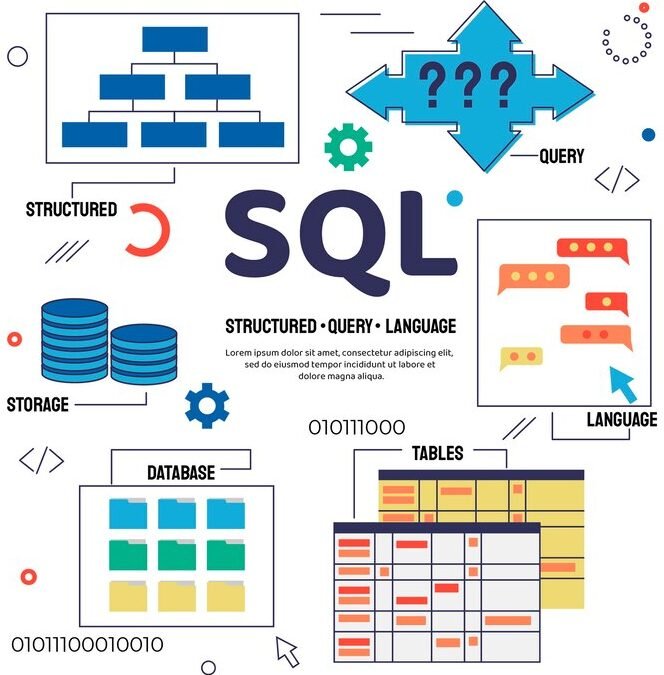
SQL databases, also known as relational databases, use Structured Query Language (SQL) for defining and manipulating data. They store data in structured tables with rows and columns, where each table has a predefined schema.
SQL Databases

1. Structured Data: Data is organized into tables with a fixed schema, including data types and constraints.

2. ACID Compliance: SQL databases typically adhere to ACID (Atomicity, Consistency, Isolation, Durability) properties, ensuring reliable transactions and data integrity.

3. Relationships: SQL databases support relationships between tables through foreign keys, allowing for complex queries and data retrieval.

4. Standard Query Language: SQL provides a powerful and standardized language for querying and manipulating data, including operations like joins, aggregations, and subqueries.

Advantages of SQL Databases

Structured Data Management: SQL databases use a structured schema, making them ideal for managing and organizing large volumes of structured data.

ACID Compliance: SQL databases ensure data integrity and reliability through ACID (Atomicity, Consistency, Isolation, Durability) properties, guaranteeing that transactions are processed reliably.

Complex Queries: SQL allows for complex queries and data manipulation using structured query language, making it powerful for retrieving and analyzing data.

Data Integrity: SQL databases enforce integrity through constraints and relationships, ensuring accurate and consistent data.

Standardized Language: SQL is a widely accepted and standardized query language, making it easier for developers and administrators to work across different SQL databases.

Robust Security: SQL databases offer advanced security features, including user authentication, access control, and encryption, to protect sensitive data.

Scalability: Many SQL databases support horizontal scaling through clustering and replication, allowing them to handle increasing data loads efficiently.

Backup and Recovery: SQL databases provide reliable backup and recovery options, helping to safeguard data against loss or corruption.

Also read: How do you Measure Email Marketing ROI effectively

Examples:

MySQL

PostgreSQL

Microsoft SQL Server

Oracle Database

What Are NoSQL Databases

NoSQL databases, or “Not Only SQL” databases, offer a more flexible approach to data storage compared to traditional relational databases. They are designed to handle a variety of data models, including document, key-value, column-family, and graph formats.

1. Flexible Schema: NoSQL databases often support schema-less or dynamic schemas, allowing for more flexible data storage and adaptation to changing requirements.

2. Scalability: They are designed for horizontal scaling, meaning they can handle large volumes of data and high-traffic applications more efficiently.

3. Varied Data Models: NoSQL databases support different data models, such as:

Document Stores (e.g., MongoDB) store data in documents (e.g., JSON).

Key-value stores (e.g., Redis) store data as key-value pairs.

Column-Family Stores (e.g., Apache Cassandra) store data in columns rather than rows.

Graph Databases (e.g., Neo4j) store data as nodes and edges, optimized for relationships and graph queries.

Eventual Consistency: Many NoSQL databases prioritize availability and partition tolerance over strict consistency, using eventual consistency models to ensure data consistency over time.

Top Web Design Company in Yamuna Nagar

Examples:

MongoDB

Redis

Cassandra

Neo4j

Choosing Between SQL and NoSQL:

SQL Databases are ideal for applications requiring complex queries, structured data, and strong transactional integrity.

NoSQL Databases are suited for applications with flexible data requirements, high scalability needs, and varied data types.

FAQs

1. Can I use SQL and NoSQL databases together?

Yes, many applications use a combination of both SQL and NoSQL databases to leverage the strengths of each. This approach is known as polyglot persistence.

2.  Which database is better for real-time analytics?

NoSQL databases, particularly those designed for high-speed read/write operations and flexible data models, are often better suited for real-time analytics.

3. Are NoSQL databases less secure than SQL databases?

Security features vary by database. While SQL databases typically offer strong security measures, NoSQL databases can also be secured effectively with proper configuration and practices.

4. How do I decide between SQL and NoSQL for my project?

Consider factors such as data structure, scalability needs, query complexity, and transaction requirements. Evaluate each database’s strengths and how they align with your project’s goals.

Conclusion

Both SQL and NoSQL databases offer unique advantages and disadvantages depending on your application’s requirements. SQL databases excel in scenarios that demand structured data, complex queries, and transactional integrity, while NoSQL databases are ideal for applications requiring flexibility, scalability, and high performance. Assess your project’s needs, including data structure, scalability, and query requirements, to choose the most appropriate database solution.


Book  a consultation with us

Email Marketing- HanuiT solutions

How to Integrate Email Marketing with Your Social Media Tips

How to Integrate Email Marketing with Your Social Media: Tips

Integrating email marketing with social media can create a cohesive digital strategy that maximizes your reach and engagement. By leveraging the strengths of both platforms, you can enhance your marketing efforts and drive better results. Here’s a guide to effectively combining email marketing with social media, along with some frequently asked questions to help you navigate this integration.

1. Sync Your Messaging Across Platforms

To maintain a unified brand voice and message, ensure that your email campaigns and social media posts are aligned. Use similar language, visuals, and calls-to-action (CTAs) to reinforce your message and make it easier for your audience to recognize and engage with your content across different channels.

2. Promote Your Social Media Channels in Your Emails

Encourage your email subscribers to connect with you on social media by including social media icons and links in your email signatures. Highlight the benefits of following your social media profiles, such as exclusive content, real-time updates, or special promotions. This can help you grow your social media following and increase engagement across platforms.

3. Leverage Social Media for Email List Building

Use your social media channels to drive email sign-ups. Share compelling content, exclusive offers, or lead magnets that entice your social media audience to subscribe to your email list. Consider running social media contests or promotions that require users to provide their email addresses to participate.

4. Share Email Content on Social Media

Repurpose and share valuable content from your email campaigns on your social media profiles. This could include excerpts from your newsletter, special offers, or blog posts. By doing so, you can reach a broader audience and give your social media followers a taste of what they can expect from your email communications.

5. Test and Iterate

Regularly test different strategies for integrating email marketing with social media to find what works best for your audience. Experiment with different types of content, CTAs, and campaign structures, and use the insights gained from these tests to continuously improve your approach.

Top Web Design Company in Yamuna Nagar

What Is Email Marketing?

Email Marketing is a digital marketing strategy that involves sending targeted messages to a list of subscribers via email. It’s used to communicate with customers, prospects, or leads to build relationships, promote products or services, and drive engagement. Here’s a breakdown of what email marketing entails.

Key Components of Email Marketing

1. Email List: A collection of email addresses gathered from subscribers who have opted in to receive communications. Building and maintaining a high-quality list is crucial for effective email marketing.

2. Campaigns: Specific email messages or series of messages sent to your subscribers. Campaigns can be one-time promotions, newsletters, product updates, or automated sequences based on user behavior.

3. Personalization: Tailoring emails to individual recipients based on their preferences, past interactions, or demographic information. Personalization can increase engagement and conversion rates.

4. Segmentation: Dividing your email list into smaller groups based on specific criteria, such as purchase history, location, or interests. This allows for more targeted and relevant messaging.

5. Automation: Using software to send emails automatically based on predefined triggers, such as user actions or specific dates. Automation helps streamline communication and ensure timely delivery.

6. Analytics: Tracking and analyzing metrics such as open rates, click-through rates, and conversion rates to measure the effectiveness of your email campaigns and make data-driven decisions.

7. Design and Content: Crafting compelling email content and design that resonates with your audience. This includes writing engaging copy, creating visually appealing layouts, and including strong calls to action.

Benefits of Email Marketing

Cost-Effective: Email marketing is relatively low-cost compared to other marketing channels, making it accessible for businesses of all sizes.

Direct Communication: Emails go directly to the recipient’s inbox, allowing for personalized and targeted communication.

Measurable Results: Detailed analytics provide insights into how well your campaigns are performing, enabling continuous improvement.

High ROI: Email marketing often yields a high return on investment (ROI) due to its ability to drive conversions and nurture customer relationships.

Engagement and Retention: Regular email communication helps keep your brand top-of-mind, encouraging repeat purchases and fostering customer loyalty.

Common Types of Email Marketing Campaigns

Newsletters: Regular updates sent to subscribers with news, content, and offers.

Promotional Emails: Emails designed to drive sales or highlight special offers and discounts.

Transactional Emails: Automated emails triggered by user actions, such as order confirmations, shipping notifications, or account updates.

Welcome Emails: Messages sent to new subscribers or customers to introduce them to your brand and set expectations.

What Is Social Media Marketing?

Social Media Marketing involves using social media platforms to promote a brand, product, or service, engage with customers, and drive business objectives. It leverages the reach and interactive nature of social media to build brand awareness, drive traffic, and foster customer relationships. Here’s a detailed look at what social media marketing encompasses:

Email Marketing

Key Components of Social Media Marketing

1. Platforms: Social media marketing is conducted on various platforms, such as Facebook, Instagram, Twitter, LinkedIn, Pinterest, TikTok, and Snapchat. Each platform has its unique audience and features.

2. Content Creation: Developing engaging content tailored to each platform and audience. This includes text posts, images, videos, infographics, stories, and more.

3. Social Media Strategy: A plan that outlines your goals, target audience, content strategy, posting schedule, and key performance indicators (KPIs). A well-defined strategy helps guide your social media efforts and measure success.

4. Engagement: Interacting with your audience through comments, messages, and likes. Engaging with users helps build relationships, address concerns, and foster a sense of community.

5. Advertising: Using paid promotions to reach a broader audience or target specific demographics. Social media ads can be highly targeted based on user behavior, interests, and location.

6. Analytics and Reporting: Tracking and analyzing performance metrics such as reach, engagement, clicks, conversions, and follower growth. Analytics help measure the effectiveness of your campaigns and inform future strategies.

7. Influencer Marketing: Collaborating with social media influencers to leverage their reach and credibility. Influencers can help promote your brand to their followers, often resulting in increased visibility and engagement.

Benefits of Social Media Marketing

Increased Brand Awareness: Social media platforms provide a wide reach and can help boost visibility and recognition for your brand.

Enhanced Customer Engagement: Direct interaction with your audience allows for real-time feedback, relationship building, and personalized communication.

Cost-Effective: Social media marketing can be relatively low-cost compared to traditional advertising methods, especially with organic strategies.

Targeted Advertising: Social media platforms offer advanced targeting options to reach specific demographics, interests, and behaviors, improving ad effectiveness.

Increased Traffic: Engaging content and effective promotions can drive traffic to your website or landing pages, increasing potential leads and sales.

Insights and Analytics: Detailed analytics help track performance, understand audience preferences, and refine your strategy based on data-driven insights.

Common Types of Social Media Marketing Activities

Content Posting: Regularly sharing posts, updates, and media to engage your audience and keep them informed about your brand.

Social Media Ads: Running targeted ad campaigns to promote products, services, or brand messages to specific audiences.

Contests and Giveaways: Hosting interactive contests or giveaways to increase engagement, grow your follower base, and generate buzz.

Live Streaming: Using live video to engage with your audience in real-time, answer questions, or showcase events and behind-the-scenes content.

Social Listening: Monitoring social media conversations and mentions to gather insights, track brand sentiment, and address customer concerns.

FAQ

Why should I integrate email marketing with social media?

Integrating email marketing with social media can amplify your reach, increase engagement, and create a more cohesive marketing strategy. It allows you to leverage the strengths of both platforms and reach your audience through multiple touchpoints.

How can I use social media to build my email list?

You can use social media to build your email list by promoting lead magnets, exclusive content, or special offers that encourage users to subscribe. Additionally, running contests or promotions on social media that require email sign-ups can help grow your list.

What types of content should I share from my emails on social media?

Share valuable and engaging content from your emails, such as excerpts from newsletters, special offers, or blog posts. Make sure the content is relevant and enticing to your social media audience.

How can I use social media data to improve my email marketing?

Analyze social media interactions to gain insights into your audience’s preferences and behaviors. Use this data to personalize your email campaigns and tailor your content to better meet the needs and interests of your subscribers.

 What metrics should I track to measure the success of my integrated campaigns?

Track metrics such as open rates, click-through rates, social media engagement, and conversion rates to measure the success of your integrated campaigns. Analyzing these metrics will help you understand what works best and optimize your strategy.

 Conclusion

Integrating email marketing with social media is a powerful strategy that can enhance your overall marketing efforts, amplify your reach, and drive meaningful engagement. By aligning your messaging, promoting cross-channel interactions, and leveraging data insights, you can create a cohesive and effective approach that resonates with your audience across multiple touchpoints

Book  a consultation with us

Graphic Design- HanuiT solutions

Graphic Design Workflow: Can AI Tools Transform Your Graphic Design

How Can AI Tools Transform Your Graphic Design Workflow:

In the fast-paced world of Graphic Design, staying ahead of trends and technology is crucial. Artificial Intelligence (AI) tools are revolutionizing the industry by automating tedious tasks, enhancing creativity, and streamlining workflows. From intelligent design suggestions to advanced image editing capabilities, AI tools are becoming indispensable for graphic designers. This article explores how AI can transform your graphic design workflow, making it more efficient and innovative.

1. Automated Design Suggestions:

AI tools can analyze existing design trends and user preferences to offer intelligent design suggestions. These tools can generate color palettes, suggest layouts, and even create mockups based on the initial input. This automation helps designers save time and focus more on creative aspects.

2. Enhanced Image Editing:

Advanced AI algorithms can perform complex image editing tasks, such as background removal, object recognition, and image enhancement, with high precision. This capability reduces the manual effort needed for editing, allowing designers to achieve high-quality results faster.

3. Personalized User Experiences:

AI tools can analyze user data and behavior to create personalized design experiences. By understanding user preferences, AI can suggest customized design elements and layouts that resonate more with the target audience, improving engagement and satisfaction.

4. Efficient Workflow Management:

AI can automate repetitive tasks such as resizing images, organizing files, and managing assets. This automation helps designers maintain consistency across projects and focus on more strategic aspects of their work.

5. Creative Assistance:

AI tools can assist in brainstorming and generating creative ideas. By analyzing patterns and trends, AI can offer inspiration and new design directions, helping designers push their creative boundaries.

6. Intelligent Design Assistance:

AI-driven design tools can offer intelligent design assistance by analyzing current trends and user preferences. These tools can generate design suggestions, recommend color schemes, and even propose layout variations based on the content you provide. By integrating these suggestions into your graphic design workflow, you can explore creative options more efficiently and make informed design decisions.

What is Graphic Design?

Graphic design is a creative discipline focused on visual communication. It involves the use of imagery, typography, color, and layout to convey messages, ideas, and information effectively. Graphic designers combine these elements to create designs that are visually engaging and functional across various mediums, including print, digital, and multimedia.

Graphic Design

Key Components of Graphic Design:

1. Visual Communication:

Graphic design aims to convey messages clearly and effectively through visual means. This includes creating visual content that informs, persuades, or entertains.

2. Typography:

The art of selecting and arranging typefaces (fonts) to make written content readable and visually appealing. Typography involves choices related to font style, size, spacing, and alignment.

3. Color Theory:

Understanding how colors work together and how they impact emotions and perceptions. Designers use color to create contrast, harmony, and visual interest.

4. Layout and Composition:

The organization of visual elements on a page or screen. Effective layout ensures that content is presented in a clear, balanced, and engaging manner.

5. Brand Identity:

Creating visual elements that represent and reinforce a brand’s identity, such as logos, color schemes, and other brand assets.

6. Print and Digital Media:

Graphic design applies to both printed materials (e.g., brochures, posters) and digital platforms (e.g., websites, social media). Each medium has specific design considerations and requirements.

7. User Experience (UX) Design:

In digital design, UX focuses on designing interfaces and interactions that provide a positive and intuitive experience for users.

Applications of Graphic Design:

Marketing and Advertising: Creating visuals for promotional materials, advertisements, and branding campaigns.

Web Design: Designing the layout, look, and functionality of websites and online platforms.

Print Media: Designing materials like magazines, books, and posters.

Social Media: Crafting graphics and visual content for social media platforms to engage audiences and build brand presence.

Product Packaging: Designing the packaging for products to attract consumers and convey information.

 Also read: Top Web Design Company in Yamuna Nagar: Best IT Solutions

FAQ:

Q: What are some popular AI tools for graphic design?

A: Some popular AI tools for graphic design include Adobe Sensei, Canvas Magic Resize, Fotor’s AI Background Remover, and Runway ML. These tools offer various features like automated design suggestions, image editing, and more.

Q:  How do AI tools integrate with existing graphic design software?

A: AI tools often integrate with popular graphic design software through plugins or APIs. For instance, Adobe Sensei is integrated into Adobe Creative Cloud applications, enhancing their functionality with AI-powered features.

Q:  Are AI tools suitable for all types of graphic design projects?

A:  AI tools are versatile and can be used for various graphic design projects, including branding, social media content, web design, and more. However, the effectiveness of AI tools can depend on the complexity and specific requirements of the project.

Q:  Can AI tools replace human graphic designers?

A:  While AI tools can significantly enhance and streamline the design process, they are not a replacement for human graphic designers. AI tools are best used to complement the skills and creativity of designers, automating repetitive tasks and offering new creative possibilities.

Q:  How can I get started with using AI tools in my graphic design workflow?

A:  To get started, explore popular AI tools and choose ones that align with your needs. Many AI tools offer free trials or basic versions that allow you to experiment with their features. Additionally, consider taking online courses or tutorials to learn how to integrate AI tools effectively into your workflow.

Conclusion:

AI tools are transforming the graphic design industry by automating tasks, enhancing creativity, and streamlining workflows. By incorporating AI into your design process, you can achieve faster results, higher-quality designs, and more personalized user experiences. Embracing these technologies not only improves efficiency but also opens up new creative possibilities, allowing graphic designers to focus on what they do best—creating innovative and impactful designs.

Book  a consultation with us

Microservices- HanuiT solutions

How Do Microservices Impact Back End Architecture

What is Microservices Back End Architecture

Microservices Back End Architecture refers to a design approach where a back-end system is structured as a collection of small, independent services, each responsible for a specific functionality within an application. This architecture contrasts with monolithic systems, where the entire application is built as a single, interconnected unit.

What Are Microservices?

Microservices are an architectural style where a complex application is composed of small, independent services that communicate over a network. Each is designed to handle a specific business function and can be developed, deployed, and scaled independently. This contrasts with a monolithic architecture, where all components are tightly integrated into a single application

Microservices

Key Characteristics

Modular Design: The application is divided into distinct microservices, each handling a specific business function or domain. For example, an e-commerce application might have separate for user management, product catalog, and order processing.

Independence: Each microservice operates independently of others. This means they can be developed, deployed, and scaled separately. They communicate through well-defined APIs, often using HTTP/REST, gRPC, or messaging queues.

Technology Diversity: Microservices allow different technologies to be used for various services. This means a service might be built using one programming language or framework, while another service uses something entirely different, based on what best fits its needs.

Decentralized Data Management: Unlike monolithic architectures that usually rely on a single database,  often use separate databases or data stores for each service. This decentralization helps to manage data more effectively and supports the independent operation of each service.

Fault Isolation: The isolation of services helps contain failures within the individual. If one service encounters a problem, it does not necessarily bring down the entire system, thus improving the overall reliability of the application.

Scalability: Microservices enable targeted scaling. Instead of scaling the entire application, only the services experiencing high demand can be scaled. This approach optimizes resource utilization and performance.

 Also read: How Can You Optimize E-Commerce Website for Mobile Users

Advantages

Flexibility: Teams can work on different microservices concurrently without interfering with each other’s work.

Faster Deployment: Individual services can be updated and deployed independently, leading to more frequent releases.

Enhanced Fault Tolerance: Failures in one service are isolated, minimizing the impact on the overall system.

Challenges

Complexity: Managing multiple services can introduce complexity in terms of communication, data consistency, and overall system orchestration.

Operational Overhead: Each microservice may require its monitoring, logging, and management tools, adding operational overhead.

Inter-Service Communication: Ensuring reliable and efficient communication between services can be challenging.

 Also read: Top Web Design Company in Yamuna Nagar

Also read: How do you Measure Email Marketing ROI effectively

How Do Microservices Impact Back-End Architecture

The rise of microservices has revolutionized the way modern applications are built and managed. Breaking down a monolithic application into smaller, manageable services, offers scalability, flexibility, and resilience. But how exactly does it impact back-end architecture? This article explores the transformative effects of back-end architecture, highlighting their benefits, challenges, and best practices.

The Impact of Microservices on Back-End Architecture

1. Scalability

Microservices enhance scalability by allowing individual components to be scaled independently. Unlike monolithic systems where scaling requires duplicating the entire application, enable targeted scaling of only the services experiencing high demand. This efficiency can lead to more responsive and cost-effective systems.

2. Flexibility and Technology Diversity

One of the key benefits of microservices is the flexibility they offer in terms of technology stack. Each can be built using the best-suited technology for its specific task. This means developers can choose different programming languages, databases, and tools for different services, optimizing performance and productivity.

3. Resilience and Fault Isolation

Microservices promote resilience in back-end architecture by isolating faults within individual services. If one service fails, it does not bring down the entire system, unlike in a monolithic architecture where a failure can affect the whole application. This isolation enhances the overall reliability and uptime of the application.

4. Deployment and Continuous Integration

Microservices streamline the deployment process by enabling continuous integration and delivery (CI/CD). Services can be deployed independently, allowing for faster releases and updates. This modular approach also simplifies testing and reduces the risk of deployment failures impacting the entire application.

5. Complexity Management

While microservices provide many benefits, they also introduce complexity in terms of service management, inter-service communication, and data consistency. Developers must handle issues related to service discovery, load balancing, and distributed transactions, which can complicate the development process.

6. Data Management and Consistency

Managing data consistency across microservices can be challenging. Unlike monolithic systems where a single database handles all data,  often relies on decentralized data storage. Ensuring data consistency and integrity across services requires implementing strategies like eventual consistency or distributed transactions.

Best Practices for Implementing Microservices

1. Define Clear Boundaries

Establish well-defined boundaries for each to avoid overlap and ensure clear responsibilities. This helps maintain modularity and reduces interdependencies.

2. Implement Robust APIs

Develop APIs with proper versioning and documentation. This facilitates smooth communication between services and ensures compatibility as services evolve.

3. Adopt a DevOps Approach

Implement continuous integration and continuous deployment (CI/CD) pipelines to streamline development and deployment processes. This helps manage the increased complexity of microservices.

4. Monitor and Log Effectively

Use comprehensive monitoring and logging tools to track the performance and health of each. This helps in identifying issues and ensuring the reliability of the system.

5. Ensure Data Consistency

Implement strategies for maintaining data consistency across services, such as event-driven architecture or distributed transactions, to handle the challenges of decentralized data management.

FAQ

What is the main advantage of using microservices over a monolithic architecture?

The main advantage of microservices is scalability. allow for independent scaling of services, which leads to more efficient resource use and can handle high traffic better than a monolithic architecture.

How do microservices affect deployment processes?

Microservices simplify deployment processes by allowing independent deployment of services. This enables continuous integration and delivery (CI/CD), resulting in faster updates and reduced risk of system-wide failures.

What challenges come with adopting a microservices architecture?

Key challenges include managing service complexity, ensuring reliable inter-service communication, handling distributed data consistency, and dealing with increased overhead for service management.

Can microservices be used with any programming language?

Yes, microservices can be developed using different programming languages and technologies. Each can be built with the technology best suited for its specific function, which enhances flexibility and optimization.

Hire Back End Developers

Conclusion

Microservices have a profound impact on back-end architecture, offering scalability, flexibility, and resilience. However, they also introduce new complexities that developers must navigate. By understanding these impacts and challenges, back-end developers can leverage to build more efficient and adaptable systems.

Book  a consultation with us

E-Commerce- HanuiT solutions

How Can You Optimize E-Commerce Website for Mobile Users?

How Can You Optimize Your E-Commerce Website for Mobile Users:

In today’s digital landscape, mobile optimization is crucial for any e-commerce business. With the increasing use of smartphones and tablets for online shopping, ensuring that your e-commerce website is optimized for mobile users is not just an option—it’s a necessity. In this article, we’ll explore how to optimize your e-commerce website for mobile users to enhance their experience and boost your sales.

What is Mobile Optimization?

Mobile optimization refers to the process of designing and adjusting a website or application to ensure it provides an optimal user experience on mobile devices such as smartphones and tablets. With the increasing use of mobile devices for browsing and shopping online, mobile optimization has become essential for businesses aiming to reach and engage users effectively.

E-Commerce

Key Aspects of Mobile Optimization:

1. Responsive Design:

A responsive design ensures that your e-commerce website adapts seamlessly to various screen sizes and orientations. This approach allows your site to automatically adjust its layout, images, and content to fit the user’s device. Using responsive design frameworks like Bootstrap or Foundation can simplify this process and ensure a consistent experience across different devices.

Key Points:

Fluid Grids: Use flexible grid layouts that resize according to screen dimensions.

Flexible Images: Scale images proportionally to fit various screen sizes.

Media Queries: Apply different styles based on the device’s screen size and resolution.

2. Fast Loading Times:

Mobile users expect quick loading times. Slow websites can frustrate users and lead to higher bounce rates. To optimize your e-commerce website for mobile users, focus on reducing load times by:

Image Optimization: Compress images and use appropriate formats.

Minified Code: Reduce the size of CSS, JavaScript, and HTML files.

Browser Caching: Store frequently accessed resources to speed up load times.

Key Points:

Page Speed Tools: Utilize tools like Google PageSpeed Insights to analyze and enhance loading performance.

Content Delivery Networks (CDNs): Use CDNs to distribute content more efficiently.

3. Mobile-Friendly Navigation:

Mobile screens have limited space, so it’s crucial to simplify navigation on your e-commerce website. Consider the following::

Simplified Menus: Use collapsible or hamburger menus to maximize screen space.

Sticky Navigation Bars: Keep navigation elements accessible as users scroll.

Touch-Friendly Controls: Ensure that buttons and links are large enough to be easily tapped.

Key Points:

Search Functionality: Make the search bar prominent and functional.

Large Tap Targets: Design buttons and interactive elements that are easy to tap without accidental clicks.

4. Touchscreen Optimization:

Mobile users interact with your site using touch gestures. Design your e-commerce website with touch interactions in mind:

Touchable Elements: Ensure buttons and links are appropriately sized and spaced.

Gestures: Implement swipe and pinch-to-zoom gestures where applicable.

Key Points:

Avoid Hover Effects: Hover effects do not work on touch screens; use alternative methods for displaying additional information.

Smooth Scrolling: Optimize scrolling to be fluid and responsive.

5. Content Prioritization:

Prioritize content to ensure that the most important information is easily accessible on mobile devices. This includes:

Concise Text: Use shorter paragraphs and concise language.

Legible Fonts: Choose readable font sizes without zooming.

Adaptive Layouts: Adjust content placement to ensure important information is visible without excessive scrolling.

Key Points:

Above-the-Fold Content: Place critical content, such as call-to-action buttons and key information, in the upper part of the screen.

Mobile-Friendly Forms: Simplify forms and use auto-fill where possible.

Benefits of Mobile Optimization:

1. Improved User Experience: A well-optimized mobile site provides a smooth and enjoyable experience, leading to higher user satisfaction and engagement.

2. Increased Conversion Rates: Optimized mobile sites make it easier for users to complete actions such as making purchases or filling out forms, resulting in higher conversion rates.

3. Lower Bounce Rates: Fast-loading, mobile-friendly sites reduce bounce rates by keeping users engaged and preventing them from leaving due to poor performance.

4. Better Search Engine Rankings: Search engines like Google prioritize mobile-friendly websites in their rankings. Optimizing for mobile can improve your site’s visibility in search results.

Why Mobile Optimization Matters

In today’s digital era, mobile optimization has become an essential element of web design and development. As more consumers turn to their smartphones and tablets for online activities, including shopping, browsing, and information gathering, ensuring that your website is optimized for mobile devices is no longer optional—it’s crucial. Here’s why mobile optimization matters and how it impacts your business.

1. Increased Mobile Usage

The number of mobile users has surged dramatically in recent years. Mobile devices account for over half of all global web traffic, and this trend is only expected to grow. As people increasingly rely on their smartphones and tablets for internet access, having a mobile-optimized website ensures that you can reach and engage this large and growing audience effectively.

Mobile Dominance: Mobile devices are now the primary method for accessing the internet.

User Behavior: Mobile users expect a seamless experience when browsing or shopping.

Also read: How do you Measure Email Marketing ROI effectively

2. Enhanced User Experience

A mobile-optimized website provides a smoother, more enjoyable experience for users on smaller screens. This includes faster loading times, easy navigation, and content that is accessible without excessive zooming or scrolling. A positive user experience is critical for retaining visitors and encouraging them to take desired actions, such as making a purchase or signing up for a newsletter.

Usability: A mobile-optimized site ensures that all elements are functional and accessible.

Engagement: Improved user experience leads to higher engagement and longer session durations.

3. Improved Conversion Rates

Optimizing your website for mobile users can significantly boost conversion rates. Mobile users are often looking to make quick decisions, and a website that is easy to navigate and interact with can facilitate faster transactions. By streamlining the mobile shopping experience, you reduce friction and make it easier for users to complete purchases or other desired actions.

Streamlined Checkout: Simplified forms and mobile payment options increase conversion rates.

Accessibility: Ensuring that call-to-action buttons and forms are easily accessible encourages user actions.

 Also read: Top Web Design Company in Yamuna Nagar

4. Lower Bounce Rates

A website that is not optimized for mobile can lead to high bounce rates, where users leave the site after viewing only one page. Mobile users who encounter slow loading times, difficult navigation, or poorly formatted content are more likely to abandon the site in favor of a competitor. Mobile optimization helps reduce bounce rates by providing a more engaging and user-friendly experience.

Friction Reduction: Faster load times and easy navigation keep users on your site.

Competitive Advantage: A mobile-optimized site can outperform competitors with less user-friendly mobile experiences.

5. Better Search Engine Rankings

Search engines like Google prioritize mobile-friendly websites in their search results. Google’s mobile-first indexing means that the mobile version of your site is considered the primary version for ranking purposes. By optimizing your website for mobile, you improve your chances of ranking higher in search results, leading to increased visibility and traffic.

FAQ

Q: Why is mobile optimization important for e-commerce websites?

A: Mobile optimization is crucial because a significant portion of online shoppers use mobile devices. A mobile-friendly site enhances user experience, reduces bounce rates, and increases conversion rates

Q: What is responsive design?

A: Responsive design is a web design approach that ensures a website adapts to various screen sizes and orientations. It provides a consistent user experience across devices by using flexible layouts and media queries.

Q: How can I improve my website’s loading speed on mobile?

A: To improve loading speed, optimize images, minimize code, use browser caching, and employ content delivery networks (CDNs) to deliver content more efficiently.

Q: What are some best practices for mobile-friendly navigation?

A:  Best practices include using sticky navigation bars, dropdown menus, and easily accessible search functionality. Ensure that navigation elements are touch-friendly and easy to interact with.

Q: How can I make the checkout process more mobile-friendly?

A: Simplify the checkout process by reducing form fields, enabling mobile payment options, and providing clear instructions. Consider one-click payment options to expedite the process.

Conclusion

Optimizing your e-commerce website for mobile users is crucial for enhancing user experience and driving conversions. By implementing responsive design, improving loading times, simplifying navigation, streamlining the checkout process, optimizing for touch, and prioritizing content, you can ensure that your mobile users have a seamless and enjoyable shopping experience

Book  a consultation with us

Landscape of Cybersecurity- HanuiT solutions

How Is AI Changing the Landscape of Cybersecurity?

How Is AI Changing the Landscape of Cybersecurity:

Artificial Intelligence (AI) is revolutionizing various sectors, and cybersecurity is no exception. The landscape of cybersecurity has evolved significantly with the integration of AI technologies, providing new ways to detect, prevent, and respond to cyber threats. This article explores how AI is reshaping the landscape of cybersecurity, highlighting its benefits, challenges, and future implications.

AI’s influence on the landscape of cybersecurity is profound, as it introduces innovative approaches to managing and mitigating cyber threats. Traditionally, cybersecurity relied heavily on static rules and manual monitoring to detect and respond to threats. However, AI brings a dynamic and adaptive layer to security, offering capabilities that can outpace traditional methods.

AI in Threat Detection and Prevention:

One of the most significant contributions of AI to the landscape of cybersecurity is its ability to enhance threat detection and prevention. Traditional security systems often rely on predefined rules and signatures to identify threats. However, with the increasing complexity and sophistication of cyber attacks, these systems are becoming less effective. AI, with its ability to learn and adapt, offers a more robust solution.

Machine Learning and Pattern Recognition:

AI-powered systems utilize machine learning algorithms to analyze vast amounts of data and identify patterns that may indicate malicious activities. These systems can detect anomalies and potential threats in real time, significantly reducing the response time to cyber incidents. For instance, AI can identify unusual network traffic patterns, flagging them for further investigation before they escalate into full-blown attacks.

 Also read: How do you Measure Email Marketing ROI effectively

Behavioral Analysis:

Another way AI is transforming the landscape of cybersecurity is through behavioral analysis. By continuously monitoring user behavior, AI can establish a baseline of normal activities and detect deviations that may indicate a security breach. This proactive approach allows organizations to mitigate threats before they cause significant damage.

AI in Incident Response:

In addition to threat detection and prevention, AI is also revolutionizing incident response. When a cyber-attack occurs, a timely and effective response is crucial to minimize damage. AI-powered systems can automate many aspects of incident response, ensuring faster and more efficient mitigation of threats.

Automated Threat Hunting:

AI can assist in automated threat hunting, where it continuously searches for signs of compromise within an organization’s network. This allows security teams to focus on more complex tasks, improving overall efficiency and effectiveness.

Incident Analysis and Remediation:

AI can also aid in incident analysis by quickly correlating data from various sources to determine the root cause of an attack. This accelerates the remediation process, allowing organizations to patch vulnerabilities and strengthen their defenses against future attacks.

Challenges and Considerations:

While AI offers numerous benefits to the landscape of cybersecurity, it also presents certain challenges and considerations. Understanding these challenges is essential for organizations looking to leverage AI in their security strategies.

False Positives and Negatives:

AI systems are not infallible and may produce false positives or negatives. False positives can lead to unnecessary alerts and resource allocation, while false negatives can result in missed threats. Continuous refinement and training of AI models are necessary to minimize these issues.

Adversarial AI:

Cybercriminals are also leveraging AI to enhance their attack strategies. Adversarial AI involves using AI techniques to deceive and bypass security systems. Organizations must stay vigilant and continuously update their AI models to counteract these evolving threats.

Privacy Concerns:

The use of AI in cybersecurity often involves analyzing large volumes of data, raising privacy concerns. Organizations must ensure that they comply with relevant regulations and implement measures to protect sensitive information.

The Future of AI in Cybersecurity:

The landscape of cybersecurity will continue to evolve as AI technologies advance. Future developments may include more sophisticated AI models capable of autonomously managing security operations, reducing the need for human intervention. Additionally, AI-powered collaborative defense mechanisms, where organizations share threat intelligence in real-time, could become more prevalent, enhancing collective security.

What is AI?

Landscape of Cybersecurity

Artificial Intelligence (AI) refers to the simulation of human intelligence in machines programmed to think, learn, and make decisions like humans. AI encompasses a broad range of technologies and techniques to enable machines to perform tasks that typically require human intelligence. These tasks include understanding natural language, recognizing patterns, solving problems, and making decisions.

Key Components of AI:

1. Machine Learning (ML): A subset of AI that involves training algorithms to recognize patterns and make predictions based on data. Machine learning models improve their performance over time as they are exposed to more data.

2. Deep Learning: A specialized form of machine learning that uses neural networks with many layers (hence “deep”) to model complex patterns in data. Deep learning is particularly effective in tasks like image and speech recognition.

3. Natural Language Processing (NLP): A field of AI focused on enabling machines to understand, interpret, and respond to human language. NLP is used in chatbots, language translation, and sentiment analysis applications.

4. Computer Vision: This area of AI enables machines to interpret and make decisions based on visual input, such as images or videos. It is used in applications like facial recognition and autonomous vehicles.

5. Robotic Process Automation (RPA): AI technologies are used to automate repetitive and routine tasks in business processes, improving efficiency and accuracy.

Applications of AI:

Healthcare: AI is used for diagnosing diseases, personalizing treatment plans, and analyzing medical images.

Finance: AI algorithms help in fraud detection, risk assessment, and algorithmic trading.

Retail: AI enhances customer experiences through personalized recommendations and inventory management.

Transportation: AI powers autonomous vehicles and optimizes logistics and route planning.

Customer Service: AI-driven chatbots and virtual assistants provide support and handle inquiries.

AI systems can be categorized into two types:

Narrow AI (Weak AI): AI designed to perform a specific task or set of tasks. Most AI applications today fall into this category, such as virtual assistants like Siri or Alexa.

General AI (Strong AI): AI with the ability to understand, learn, and apply intelligence across a broad range of tasks, similar to human cognitive abilities. General AI is still largely theoretical and not yet realized.

FAQ:

Q: What is the role of AI in cybersecurity?

A: AI plays a crucial role in cybersecurity by enhancing threat detection, prevention, and incident response through machine learning, pattern recognition, and behavioral analysis.

Q: How does AI improve threat detection?

A: AI improves threat detection by analyzing vast amounts of data to identify patterns and anomalies that may indicate malicious activities, allowing for real-time detection and response.

Q: What are the benefits of using AI for incident response?

A: AI aids in incident response by automating threat hunting, quickly analyzing incidents, determining root causes, and facilitating faster remediation processes.

Q: What are the challenges of using AI in cybersecurity?

A: Challenges include false positives and negatives, adversarial AI used by cybercriminals, and privacy concerns related to data analysis.

Q: How is AI expected to shape the future of cybersecurity?

A: AI is expected to lead to more autonomous security operations, enhanced collaborative defense mechanisms, and continuous advancements in threat detection and prevention capabilities.

Conclusion:

The integration of AI into the landscape of cybersecurity marks a significant shift in how organizations address cyber threats. By leveraging machine learning, behavioral analytics, and automated response mechanisms, AI enhances threat detection, prevention, and response capabilities. However, this transformation also brings challenges, including managing false positives, countering adversarial AI, and ensuring privacy and compliance. As AI technology continues to evolve, its role in cybersecurity will likely expand, offering even more sophisticated solutions to protect against an ever-changing threat landscape. Embracing AI’s potential while addressing its challenges will be key to securing the future of cybersecurity.

Book  a consultation with us

Top Web Design Company in Yamuna Nagar- HanuiT solutions

Top Web Design Company in Yamuna Nagar: Best IT Solutions

Top Web Design Company in Yamuna Nagar: Best IT Solutions for Your Business:

In the bustling business hub of Yamuna Nagar, having a strong online presence is crucial for success. A well-designed website can make all the difference in attracting and retaining customers. When it comes to finding the top web design company in Yamuna Nagar, you want a partner who understands your needs and delivers exceptional results. This article will guide you to the best IT solutions provider in the region, showcasing their expertise, services, and why they are the top choice for your web design needs.

Why Choose the Top Web Design Company in Yamuna Nagar?

Choosing the right web design company can significantly impact your business. Here are key reasons to opt for the top web design company in Yamuna Nagar:

1. Tailored Solutions: They provide customized web design solutions to meet the unique requirements of your business.

2. Expertise and Experience: With years of experience, they have the knowledge and skills to create effective and attractive websites.

3. Cutting-Edge Technology: They use the latest web design technologies and trends to ensure your website is modern and functional.

4. SEO Optimization: Their designs are optimized for search engines, enhancing your website’s visibility and ranking.

5. Ongoing Support: They offer continuous support and maintenance to keep your website up-to-date and secure.

Also read: How do you Measure Email Marketing ROI effectively

Services Offered by the Top Web Design Company in Yamuna Nagar:

Custom Web Design and Development:

The top web design company in Yamuna Nagar is known for providing custom web design and development services. They create websites that are not only visually appealing but also highly functional and user-friendly. Their team works closely with clients to understand their business goals and design websites that effectively communicate their brand message.

Responsive Web Design:

In today’s mobile-driven world, having a responsive website is crucial. This company ensures that your website looks and functions perfectly on all devices, including desktops, tablets, and smartphones. A responsive design improves user experience and boosts your site’s search engine rankings.

SEO Services

To help your website rank higher in search engine results, this company offers comprehensive SEO services. From keyword research to on-page optimization and link building, they employ proven strategies to drive organic traffic to your site.

Content Management Systems (CMS)

Managing your website content should be easy and efficient. This company implements user-friendly CMS solutions like WordPress, Joomla, and Drupal, allowing you to update your site content effortlessly.

E-commerce Solutions

For businesses looking to sell products or services online, this company offers robust e-commerce solutions. They design and develop secure, scalable online stores that provide a seamless shopping experience for your customers.

Web Hosting and Maintenance

Reliable web hosting and regular maintenance are essential for keeping your website running smoothly. This company provides dependable hosting services and ongoing maintenance to ensure your site remains fast, secure, and up-to-date.

Why They Stand Out

Client-Centric Approach

What truly sets this company apart is its client-centric approach. They prioritize understanding your business needs and delivering solutions that align with your objectives. Their commitment to excellence and customer satisfaction has earned them the reputation of being the top web design company in Yamuna Nagar.

Proven Success

With a portfolio of successful projects and a long list of satisfied clients, this company has a proven track record of delivering high-quality web design and IT solutions. Their attention to detail and dedication to staying ahead of industry trends ensure that your website will be modern, functional, and effective.

Top Best Web Design  Company  in Yamuna Nagar

Top Web Design Company in Yamuna Nagar

Yamuna Web Solutions

Specialty: Custom web design, e-commerce solutions, and SEO services. Overview: Renowned for its creative designs and user-friendly interfaces, Yamuna Web Solutions excels in providing bespoke web solutions that drive business growth.

2. Creative Minds Web Design

Specialty: Innovative web design and mobile app development. Overview: Creative Minds Web Design focuses on delivering cutting-edge designs and seamless mobile experiences, ensuring your business stands out online.

3. Tech Wave Digital

Specialty: Full-service digital agency offering web design, development, and digital marketing. Overview: With a team of experienced professionals, Tech Wave Digital offers comprehensive digital solutions tailored to meet your business needs.

4. DesignXperts

Specialty: Responsive web design and branding services. Overview: DesignXperts is dedicated to creating visually stunning websites that are optimized for all devices, enhancing user engagement and brand identity.

5. Web Innovators

Specialty: E-commerce website development and CMS solutions. Overview: Web Innovators specializes in building robust e-commerce platforms and easy-to-manage content management systems, empowering businesses to succeed online.

Frequently Asked Questions (FAQ)

Q: What makes this company the top web design company in Yamuna Nagar?

A: Their innovative solutions, comprehensive range of services, client-centric approach, and proven success make them the top choice in Yamuna Nagar.

Q: Do they offer SEO services?

A:  Yes, they provide SEO services to help your website rank higher in search engine results and attract more organic traffic.

Q: Can they create an e-commerce website for my business?

A:  Absolutely! They specialize in developing robust e-commerce solutions that provide a seamless shopping experience for your customers.

Q: Do they provide ongoing support and maintenance?

A:  Yes, they offer reliable web hosting services and ongoing maintenance to ensure your website remains up-to-date and secure.

Q: Are their designs responsive?

A:  Yes, they ensure that all websites they design are responsive, meaning they look and function perfectly on all devices.

Q: What content management systems do they work with?

A:  They work with various CMS solutions, including WordPress, Joomla, and Drupal, to provide user-friendly website management options.

Get in Touch

Ready to elevate your online presence? Contact us today to discuss your project and discover how we can help you achieve your business objectives. Reach out to us via email at [harinderchouhan96@gmail.com] or call us at [+(91)7082069620].

Conclusion:

In the digital age, having a robust and attractive online presence is crucial for business success. Partnering with the top web design company in Yamuna Nagar ensures you receive the best IT solutions tailored to your specific needs. With their expertise in custom web design, responsive layouts, SEO optimization, e-commerce solutions, and reliable web hosting and maintenance, this company stands out as the go-to choice for businesses looking to enhance their online presence.
Figma's Auto Layout- HanuiT solutions

How Do You Master Figma’s Auto Layout?

What is Figma’s Auto Layout

Figma’s Auto Layout is a dynamic feature designed to automate the alignment, spacing, and resizing of elements within a design frame. This tool is essential for creating responsive and adaptable layouts that maintain consistency and precision across different screen sizes and content variations.

Auto Layout is particularly useful for creating elements like buttons, lists, and cards that need to respond dynamically to content variations. By setting predefined rules, you can ensure that these elements maintain consistent spacing and alignment, regardless of the content they contain. This makes Auto Layout an invaluable tool for creating flexible and responsive designs.

Key Features of Figma’s Auto Layout:

To fully harness the power of Figma’s Auto Layout, it’s important to understand its key features. These features provide the foundation for creating responsive and adaptable designs.

1. Dynamic Resizing: Auto Layout allows elements to resize based on the content they contain. This is particularly useful for buttons and text containers that need to adjust to varying text lengths.

2. Spacing and Padding: You can set consistent spacing between elements and padding around them, ensuring a uniform look and feel across your design.

3. Alignment Options: Auto Layout offers various alignment options (top, middle, bottom, left, center, right) to position elements precisely within a frame.

4. Direction Control: Elements can be arranged in either horizontal or vertical directions, providing flexibility in layout design.

5. Nested Auto Layouts: Auto Layouts can be nested within each other, allowing for the creation of complex, responsive layouts.

How to Use Figma’s Auto Layout:

Applying Auto Layout in Figma is a straightforward process. By following a few simple steps, you can leverage this feature to create responsive and adaptable designs.

1. Select Elements: Begin by selecting the elements you want to include in an Auto Layout frame. These can be text layers, shapes, or other components.

2. Apply Auto Layout: Click the Auto Layout button in the right-hand properties panel or use the shortcut Shift + A.

3. Adjust Settings: After applying Auto Layout, adjust the settings in the properties panel. Specify the direction (horizontal or vertical), spacing between items, and padding around the frame.

4. Customize Alignment: Use alignment options to position your elements as desired. Determine whether elements should stretch to fill the container or maintain a fixed size.

5. Refine and Nest: Refine your Auto Layout by adding more elements or nesting additional Auto Layouts within the frame. This enhances the complexity and responsiveness of your design.

Tips for Mastering Figma’s Auto Layout:

To truly master Figma’s Auto Layout, it’s helpful to follow best practices and utilize advanced features. These tips will enhance your efficiency and the quality of your designs.

1. Consistent Spacing: Ensure consistent spacing and padding to maintain a cohesive design throughout your project.

2. Responsive Design: Use Auto Layout to create designs that adapt seamlessly to different screen sizes and orientations.

3. Nested Layouts: Experiment with nested Auto Layouts to build sophisticated and responsive components.

4. Keyboard Shortcuts: Familiarize yourself with keyboard shortcuts, such as Shift + A, to speed up your workflow.

Practical Uses:

1. Buttons: Auto Layout can resize buttons to fit varying text lengths, ensuring they look consistent regardless of content changes.

2. Lists: Easily manage the spacing and alignment of list items, making it simple to create well-organized and visually appealing lists.

3. Cards: Create responsive card layouts that adjust to different screen sizes and content amounts, maintaining a professional appearance.

Benefits:

Efficiency: Reduces the time spent manually adjusting element positions and sizes, allowing designers to focus on creativity and overall design quality.

Consistency: Ensures uniformity across the design, with elements maintaining consistent spacing, alignment, and resizing rules.

Adaptability: Facilitates the creation of designs that adapt seamlessly to different devices and screen sizes, improving the user experience.

How to Add Auto Layout to a Design in Figma:

Adding Auto Layout to your design in Figma can greatly enhance the responsiveness and adaptability of your elements. Here’s a step-by-step guide to help you incorporate Auto Layout into your designs effectively.

 Also read: What’s New in Figma: Latest Features Reviewed

 Also read: What Is Figma Used For

Step-by-Step Guide:

1. Select Your Elements

Start by selecting the elements you want to include in an Auto Layout frame. These could be text layers, shapes, or other components that you want to align or resize dynamically.

2. Apply Auto Layout

Via the Properties Panel:

1. With the elements selected, navigate to the right-hand properties panel.

2. Click on the “Auto Layout” button. This will convert your selected elements into an Auto Layout frame.

Using Keyboard Shortcut:

1. Select the elements.

2. Press Shift + A on your keyboard to apply Auto Layout quickly.

3. Adjust Auto Layout Settings

Once Auto Layout is applied, you’ll see new settings in the properties panel. Configure the following:

Direction: Choose whether elements should be arranged horizontally or vertically.

Spacing: Set the spacing between elements. This defines the gap between items within the Auto Layout frame.

Padding: Define the padding around the frame’s edges. This controls the space between the frame’s border and its contained elements.

Alignment: Adjust the alignment options to position elements as needed. You can align items to the top, middle, bottom, left, center, or right.

4. Customize Item Resizing

You can specify how items within the Auto Layout frame should resize:

Fixed Size: Set items to maintain a fixed size regardless of content changes.

Fill Container: Allow items to stretch and fill the container’s width or height.

Hug Contents: Adjust the size of items to fit their content, maintaining minimal space around them.

5. Refine and Nest Auto Layouts

Refine: Adjust the Auto Layout settings as needed to fine-tune your design. You can modify spacing, padding, and alignment until you achieve the desired look.

Nest: If your design requires more complexity, you can nest Auto Layout frames within each other. This allows for the creation of more intricate and responsive designs.

Example Use Case

Imagine you are designing a button component that needs to adapt to different text lengths.

1. Select the Button Elements: Select the button’s text layer and background shape.

2. Apply Auto Layout: Click the Auto Layout button or use Shift + A.

3. Adjust Settings: Set the direction to horizontal, add padding around the button, and configure spacing if you have additional elements like icons.

4. Customize Resizing: Set the text layer to “Hug Contents” and the background shape to “Fill Container” to ensure the button adjusts based on the text length.

5. Refine: Adjust padding and spacing to ensure the button looks consistent across different text lengths.

FAQs:

Q: What is Figma’s Auto Layout used for?

A: Figma’s Auto Layout is used to create responsive and adaptive designs by automating the alignment and spacing of elements within a frame. It ensures consistency and precision in your layouts, making it ideal for buttons, lists, cards, and other components.

Q: How do I add Auto Layout to a frame?

A: To add Auto Layout to a frame, select the elements you want to include, then click the Auto Layout button in the properties panel or use the shortcut Shift + A.

Q: Can I nest Auto Layouts within each other?

A: Yes, you can nest Auto Layouts within each other to create complex and responsive designs. This allows for greater flexibility and control over your layout.

Q: How do I adjust spacing and padding in Auto Layout?

A: You can adjust spacing and padding in the properties panel after applying Auto Layout. Set the desired values for spacing between items and padding around the frame to achieve the look you want.

Q: Can I change the direction of elements in Auto Layout?

A: Yes, you can change the direction of elements in Auto Layout. You can switch between horizontal and vertical directions in the properties panel.

Q: Are there keyboard shortcuts for Auto Layout?

A: Yes, there are keyboard shortcuts for Auto Layout. The shortcut Shift + A applies Auto Layout to selected elements. Familiarizing yourself with other shortcuts can further enhance your efficiency.

Hire Figma Developer

Conclusion:

Mastering Figma’s Auto Layout is essential for any designer aiming to create responsive and adaptable designs efficiently. By understanding the key features and following best practices, you can streamline your workflow and ensure consistency in your projects. Experiment with different settings, and nest layouts, and utilize keyboard shortcuts to unlock the full potential of Auto Layout in Figma.

Book  a consultation with us

Figma for Prototyping- HanuiT solutions

How to Use Figma for Prototyping Effectively?

What is Figma for Prototyping

Figma for Prototyping” refers to using Figma, a cloud-based design tool, specifically for creating and testing interactive prototypes of digital products like websites and mobile applications. Figma offers various features ideal for prototyping, allowing designers to create realistic and interactive representations of their designs.

Key Features of Figma for Prototyping:

1. Interactive Components: Figma enables the creation of reusable components with interactive states, such as buttons that change appearance when hovered over or clicked.

2. Transitions and Animations: Designers can define transitions between different screens or states, and add animations to elements, making the prototype feel more dynamic and realistic.

3. Real-Time Collaboration: Multiple team members can work on the same prototype simultaneously, making it easier to collaborate and iterate on designs quickly.

4. Prototyping Links and Flows: Figma allows designers to link different frames and define interaction flows, enabling users to navigate through the prototype as they would in the final product.

5. Usability Testing: Prototypes created in Figma can be shared via a link, allowing stakeholders and users to interact with the design in their web browsers and provide feedback.

6. Cloud-Based Accessibility: Being cloud-based means that your prototypes are always accessible, and changes are saved in real time, ensuring that everyone on the team is always on the same page.

 Also read: How to Create a WordPress Backup? Step-by-Step solution

Benefits of Using Figma for Prototyping:

1. Efficiency: Figma streamlines the prototyping process with its intuitive interface and powerful features, allowing designers to create interactive prototypes quickly.

2. Consistency: Interactive components ensure consistency across different parts of the prototype, making it easier to maintain a cohesive design.

3. Collaboration: The ability to collaborate in real-time makes it easier to gather feedback and make adjustments, speeding up the design process.

4. User Testing: Easy sharing and interaction capabilities make Figma prototypes ideal for user testing, helping to identify usability issues early in the design process.

5. Cross-Platform: As a cloud-based tool, Figma is accessible on any platform with a web browser, making it versatile and convenient for teams with diverse device preferences.

What Are Prototypes?

Prototypes are early models or simulations of a product used to test and validate design concepts, functionality, and usability before full-scale production or development begins. They serve as a bridge between initial ideas and the final product, allowing designers, developers, stakeholders, and users to explore and refine the design iteratively. Prototypes can vary in fidelity, ranging from simple sketches or wireframes to fully interactive digital models.

Types of Prototypes:

1. Paper Prototypes: Simple sketches or drawings on paper that represent the user interface and flow of a product. These are often used in the early stages of design to quickly visualize ideas and gather feedback.

2. Wireframes: Low-fidelity digital representations of a product that focus on layout and structure without detailed design elements. Wireframes are useful for mapping out the basic flow and organization of content.

3. Mockups: High-fidelity static images that represent the visual design of a product. Mockups include detailed design elements like colors, typography, and imagery, but do not have interactive features.

4. Interactive Prototypes: High-fidelity digital models that simulate the user experience of a product. These prototypes include interactive elements like buttons, links, and animations, allowing users to navigate through the design as they would in the final product.

5. Functional Prototypes: Early versions of a product that include actual code and functionality. These prototypes are used to test specific features and interactions in a more realistic environment.

Benefits of Prototyping:

Validation: Prototypes allow designers and stakeholders to test and validate ideas early in the design process, reducing the risk of costly changes later.

User Feedback: By presenting prototypes to users, designers can gather valuable feedback on usability and functionality, ensuring the final product meets user needs.

Collaboration: Prototyping facilitates collaboration among team members, enabling them to share and refine ideas more effectively.

Iteration: Prototypes support iterative design, allowing designers to make and test changes quickly, improving the design with each iteration.

Communication: Prototypes serve as a visual and interactive representation of the product, making it easier to communicate design concepts to stakeholders and developers.

Prototyping in Figma:

Figma, a popular design tool, offers robust prototyping features that enable designers to create interactive and high-fidelity prototypes. With Figma, designers can:

Link Frames: Connect different screens or frames to simulate user interactions and navigation.

Add Interactivity: Incorporate interactive elements like buttons, hover states, and transitions to create a realistic user experience.

Collaborate in Real-Time: Work with team members simultaneously, gathering feedback and making changes on the fly.

Share Prototypes: Generate shareable links to allow stakeholders and users to interact with the prototype in their web browsers.

Test and Iterate: Conduct usability tests and iterate on the design based on feedback and testing results.

How to Use Figma for Prototyping Effectively:

Prototyping is a crucial part of the design process, allowing designers to test and refine their ideas before finalizing them. Figma has emerged as a powerful tool for prototyping, thanks to its intuitive interface and robust features. In this article, we will explore how to use Figma for prototyping effectively, ensuring that your designs are not only visually appealing but also functional and user-friendly.

Steps to Use Figma for Prototyping Effectively:

1. Plan Your Prototype

Before diving into Figma, it’s essential to plan your prototype. Determine the primary goal of your prototype and outline the key user flows and interactions you want to test. This will help you stay focused and ensure that your prototype addresses the most critical aspects of your design.

2. Create a Wireframe

Figma for Prototyping

Start by creating a wireframe of your design. Wireframes are low-fidelity representations of your design that focus on layout and functionality rather than visual details. This step allows you to map out the structure and flow of your prototype without getting bogged down by aesthetics.

 3. Design High-Fidelity Screens

Once your wireframe is complete, you can start designing high-fidelity screens. Use Figma’s design tools to create visually appealing and detailed screens. Pay attention to typography, color schemes, and other design elements to ensure a cohesive and attractive design.

4.  Add Interactive Components

With your high-fidelity screens ready, it’s time to add interactivity. Use Figma’s interactive components to create buttons, links, and other elements that users can interact with. Ensure that these components are consistent throughout your design to provide a seamless user experience.

5. Define Transitions and Animations

Transitions and animations can make your prototype feel more polished and realistic. In Figma, you can define transitions between different screens and add animations to interactive elements. Experiment with different effects to find the ones that best suit your design.

6. Test Your Prototype

Testing is a crucial step in the prototyping process. Share your Figma prototype with stakeholders and users to gather feedback and identify any issues or areas for improvement. Use Figma’s built-in commenting and collaboration features to streamline the feedback process.

7.  Iterate and Refine

Based on the feedback you receive, make the necessary adjustments to your prototype. Iteration is key to creating a successful design, so be prepared to go through several rounds of testing and refinement.

FAQ:

Q: What is Figma?

A: Figma is a cloud-based design tool that allows designers to create, prototype, and collaborate in real-time. It is widely used for web and mobile design projects.

Q: Why should I use Figma for prototyping?

A: Figma offers a range of features that make it an excellent choice for prototyping, including interactive components, transitions and animations, real-time collaboration, and usability testing.

Q: How can I share my Figma prototype with others?

A: You can share your Figma prototype by generating a shareable link. This link allows stakeholders and users to view and interact with the prototype in their web browser.

Q: Can I use Figma for user testing?

A: Yes, Figma prototypes can be used for user testing. You can share your prototype with users and gather feedback on its usability and functionality.

Hire Figma Developer

Conclusion:

Figma for prototyping offers a comprehensive and efficient way to bring your design ideas to life. Its robust features, including interactive components, transitions, animations, and real-time collaboration, make it an indispensable tool for designers aiming to create user-friendly and visually appealing prototypes. By leveraging Figma’s capabilities, you can streamline your design process, enhance team collaboration, and gather valuable feedback through usability testing.

Book  a consultation with us

Figma- HanuiT solutions

What’s New in Figma: Latest Features Reviewed

What’s New in Figma

Figma continues to be a leading choice for designers due to its collaborative features and continuous updates. In this article, we’ll dive into the latest features introduced in Figma, exploring how they enhance the design experience and provide new opportunities for creativity. We’ll cover each update in detail, and wrap up with a comprehensive FAQ section to address common questions about these new features.

Figma has established itself as a powerful design tool favored for its real-time collaboration and cloud-based versatility. As the platform evolves, it frequently rolls out new features to address the needs of modern designers. In this review, we’ll explore the most recent updates in Figma, focusing on how these enhancements can impact your design workflow and collaboration efforts.

New Features in Figma

1. Advanced Auto Layout Enhancements:

Figma’s Auto Layout has received a significant upgrade, providing more flexibility and control over design elements. The latest improvements include:

Spacing and Padding Control: Designers can now fine-tune the spacing between items and padding within frames more precisely.

Stacking and Alignment Options: Enhanced stacking options allow for more complex layouts, and new alignment controls ensure elements are positioned exactly as needed.

Responsive Design Features: Auto Layout now better supports responsive design, making it easier to create adaptive layouts that adjust seamlessly across different screen sizes.

2. Component Variants and Overrides:

Managing design components has become more streamlined with the introduction of component variants. Key features include:

Variant Support: Create multiple variations of a component (e.g., different states of a button) within a single component set.

Simplified Overrides: Easily adjust specific properties of variants without breaking the overall component structure.

Enhanced Organization: Group and organize variants to simplify component management and reduce redundancy.

3. Improved Prototyping Tools:

Figma’s prototyping capabilities have been expanded to offer more interactive and realistic design previews:

Micro-Interactions: Add micro-interactions and animations to your prototypes, providing a more accurate representation of how users will experience your design.

Conditional Navigation: Define conditional navigation rules to create more dynamic and responsive prototypes.

Prototype Performance Enhancements: Experience faster and more fluid prototype interactions with the latest performance improvements.

4. Collaboration and Feedback Features:

Collaboration remains a core strength of Figma, and the latest updates make it even easier to work with teams:

Comment Moderation: Manage and moderate comments more effectively, with options to resolve or delete feedback as needed.

Improved Version History: Access and revert to previous versions of your designs with a more intuitive version history interface.

Team Libraries Enhancements: Share and synchronize design assets across teams more efficiently with upgraded library management tools.

5. Accessibility Improvements:

Figma has made strides in improving accessibility, ensuring that the platform is usable by everyone:

Keyboard Navigation: Enhanced keyboard navigation support for users relying on assistive technologies.

Color Contrast Tools: Integrated tools to check and improve color contrast to ensure designs meet accessibility standards.

Screen Reader Compatibility: Better compatibility with screen readers to assist users with visual impairments.

What Is Figma Used For?

1. User Interface (UI) Design:

Figma is widely recognized for its capabilities in user interface design. It provides designers with powerful tools to create visually appealing and functional interfaces for websites, applications, and software. Key features include:

Vector Editing: Create scalable and precise UI elements with vector-based design tools.

Components: Build reusable design elements to maintain consistency across screens and projects.

Design Systems: Develop and manage design systems with global styles and shared components to ensure uniformity.

Figma

2. User Experience (UX) Design:

Beyond UI design, Figma excels in user experience design, which focuses on optimizing the overall experience of users interacting with a product. Figma’s UX design tools include:

Wireframing: Sketch out low-fidelity wireframes to plan the layout and structure of interfaces.

Prototyping: Create interactive prototypes to visualize user flows and interactions, testing usability and functionality.

Feedback and Iteration: Utilize real-time collaboration and commenting features to gather feedback and make iterative improvements.

Also read: How do you Measure Email Marketing ROI effectively

3. Collaboration and Team Work:

One of Figma’s standout features is its emphasis on collaboration. It allows teams to work together seamlessly on design projects, regardless of their physical location. Benefits include:

Real-Time Collaboration: Multiple users can work on the same file simultaneously, seeing changes and updates in real time.

Commenting and Feedback: Team members can leave comments directly on the design, facilitating clear communication and actionable feedback.

Version Control: Track changes and maintain a history of design iterations, making it easier to manage updates and revisions.

4. Design Prototyping:

Figma’s prototyping capabilities enable designers to create interactive and animated prototypes that simulate the user experience. This helps in:

User Testing: Test and validate design concepts with stakeholders and users before development begins.

Presentation: Showcase design ideas and user flows in a visually engaging manner to clients or team members.

Interaction Design: Define and visualize complex interactions and transitions between different screens or states.

Advantages:

1. Increased Productivity:

2. Improved Collaboration

3. Greater Flexibility

4. Consistency and Scalability

5. Enhanced Performance

Disadvantages:

1. Learning Curve

2. Feature Overload

3. Subscription Costs

4. Compatibility Issues

5. Over-Reliance on New Features

FAQ:

Q: What is Figma and why is it popular among designers?

A: Figma is a cloud-based design tool used for creating user interfaces, prototypes, and collaborative design projects. Its real-time collaboration features, cross-platform accessibility, and extensive design capabilities make it popular among designers and teams.

Q: How do the new Auto Layout features benefit my design process?

A: The new Auto Layout features offer greater precision in managing spacing, alignment, and responsiveness. This helps in creating flexible and adaptive layouts that can easily adjust to different screen sizes and design needs.

Q: What are component variants and how do they improve design efficiency?

A: Component variants allow you to create and manage different versions of a component within a single set, streamlining the design process and making it easier to apply consistent changes across multiple components.

Q: How can the new prototyping tools enhance user experience testing?

A: The updated prototyping tools enable you to create more interactive and dynamic prototypes with micro-interactions and conditional navigation, providing a more realistic preview of user interactions and improving user experience testing.

Q: What accessibility improvements have been made in the latest Figma updates?

A: Figma has improved keyboard navigation, added color contrast tools, and enhanced screen reader compatibility, making the platform more accessible to users with various needs and ensuring designs meet accessibility standards.

Hire Figma Developer

Conclusion:

Figma’s latest features represent a significant step forward in design technology, offering new tools and improvements that cater to the evolving needs of designers. From enhanced Auto Layout options to interactive components and improved performance, these updates are set to streamline workflows and elevate the design experience. By leveraging these new capabilities, designers can create more dynamic, responsive, and efficient designs. Stay tuned for future updates and continue to explore how Figma can support your creative journey.

Book  a consultation with us