HanuiT Solutions

Figma Plugins-HanuiT solutions

What Are the Best Figma Plugins for Designers in 2025?

What Are the Best Figma Plugins for Designers in 2025?

Figma has become an essential tool for designers worldwide, offering a cloud-based, collaborative environment that makes UI/UX design seamless. However, to truly unlock Figma’s potential, plugins are a must-have. In 2025, Figma plugins have evolved to enhance productivity, streamline workflows, and make designing easier and more efficient than ever before.

In this article, we will explore the best Figma plugins for designers in 2025, covering different categories such as wireframing, prototyping, accessibility, automation, and collaboration.

Best Figma Plugins for Designers in 2025

1. Autoflow – Seamless Flowchart and User Flow Design

Autoflow is a powerful plugin that helps designers create seamless user flows and wireframes by automatically connecting objects with arrows. It’s an excellent tool for UX designers who need to illustrate user journeys quickly.

Key Features:

  • Automatically connects frames and shapes
  • Customizable arrows and colors
  • Simplifies flowchart creation

2. Unsplash – Free High-Quality Images

Visuals play a crucial role in UI/UX design, and Unsplash remains one of the best sources for royalty-free images. The Figma plugin allows designers to access a vast collection of high-resolution images directly within Figma.

Key Features:

  • Direct access to Unsplash’s extensive image library
  • One-click image insertion
  • High-quality and royalty-free images

3. Content Reel – Fast and Efficient Content Population

Filling your designs with realistic content can be time-consuming. Content Reel makes it easy by allowing designers to insert text, images, avatars, and other content quickly.

Key Features:

  • Insert real-world data such as names, emails, and profile pictures
  • Supports custom content creation
  • Enhances rapid prototyping

4. Blush – Beautiful Illustrations for UI/UX Design

Illustrations can make designs more engaging and visually appealing. Blush offers a collection of customizable illustrations from world-class artists.

Key Features:

  • Access to a vast collection of illustrations
  • Customizable styles and colors
  • Drag-and-drop functionality for quick insertion

Also read: What Are the Most Effective Marketing Strategies for E-Commerce Websites?

5. Iconify – Thousands of Icons at Your Fingertips

Icons are a vital part of any UI design. Iconify provides access to an extensive library of icons, including Material Design, FontAwesome, and many more.

Key Features:

  • Over 100,000 icons from various libraries
  • Scalable and customizable icons
  • Direct search and insert functionality

6. Similayer – Efficient Layer Selection

Managing layers in Figma can be tedious, especially in complex projects. Similayer helps designers select multiple layers based on properties like fill color, stroke, or text style.

Key Features:

  • Select layers based on similar attributes
  • Improves workflow efficiency
  • Reduces repetitive tasks

7. Contrast – Ensure Accessibility Compliance

Designing with accessibility in mind is crucial. Contrast helps designers check color contrast ratios to ensure readability and compliance with WCAG guidelines.

Key Features:

  • Checks contrast against accessibility standards
  • Highlights areas that need improvement
  • Helps create inclusive designs

8. Figmotion – Advanced Animation and Prototyping

Figmotion is an advanced animation tool within Figma, allowing designers to create stunning motion graphics without switching to other software.

Key Features:

  • Intuitive animation timeline
  • Keyframe-based animations
  • Seamless integration with Figma’s design environment

9. Master – Design System Management Made Easy

Maintaining consistency in design systems is essential for large projects. Master helps manage reusable components effectively.

Key Features:

  • Sync components across different files
  • Prevents design inconsistencies
  • Simplifies component management

10. Remove BG – Automatic Background Removal

Remove BG is a handy plugin for designers who need to remove backgrounds from images quickly. It uses AI to cut out backgrounds with precision.

Key Features:

  • One-click background removal
  • AI-powered accuracy
  • Saves time in image editing

FAQ

What are the best Figma plugins for UI/UX designers?

In 2025, the best Figma plugins for UI/UX designers include AutoflowBlushContent Reel, and Figmotion. These plugins help streamline workflows, enhance creativity, and improve efficiency.

How do I install Figma plugins?

To install Figma plugins, go to the Figma Community, search for the plugin you need, and click on the “Install” button. Once installed, you can access it from the Plugins menu within Figma.

Are Figma plugins free?

Many Figma plugins are free, but some offer premium features that require a subscription or one-time purchase.

Which Figma plugin is best for prototyping?

Figmotion is the best plugin for prototyping animations, while Autoflow helps with user flow diagrams.

What is the best Figma plugin for design systems?

Master is an excellent plugin for managing design systems, ensuring consistency across projects.

Can Figma plugins improve my workflow?

Yes, plugins like Similayer, Remove BG, and Content Reel can significantly improve workflow efficiency by automating repetitive tasks and enhancing design capabilities.

How do I find new Figma plugins?

You can discover new Figma plugins by exploring the Figma Community, where designers regularly share and review new tools.

Conclusion

Using the right plugins can transform your Figma experience, making your design process more efficient, creative, and user-friendly. Whether you need better prototyping tools, illustration libraries, or automation features, the best Figma plugins for designers in 2025 offer something for everyone. Explore these plugins today and take your design projects to the next level!

If you need any help with Digital Marketing, then contact us

E-Commerce Websites-HanuiT solutions

What Are the Most Effective Marketing Strategies for E-Commerce Websites?

What Are the Most Effective Marketing Strategies for E-Commerce Websites?

In today’s highly competitive online marketplace, having an e-commerce website is not enough—you need the right marketing strategies to attract customers and drive sales. Businesses that implement effective digital marketing techniques can enhance their brand visibility, increase conversions, and build long-term customer relationships. So, what are the most effective marketing strategies for e-commerce websites? This guide explores key tactics to help you maximize your online store’s success.

Discover the best e-commerce marketing strategies to grow your online store. Learn how SEO, social media, email marketing, PPC advertising, and conversion optimization can boost sales. Find out what are the most effective marketing strategies for e-commerce websites and how to apply them to attract and retain customers. Maximize your store’s potential with proven digital marketing tactics.

Here are some of the best strategies:

1. Search Engine Optimization (SEO)

SEO is the foundation of any successful e-commerce marketing strategy. By optimizing your website for search engines, you increase your chances of appearing in organic search results when potential customers search for products you sell. Here’s how you can optimize your e-commerce website for SEO:

1. Keyword Research: Identify relevant keywords that your target audience is searching for, including long-tail keywords.

2. On-Page SEO: Optimize product pages with meta descriptions, title tags, and high-quality product descriptions.

3. Technical SEO: Improve website speed, mobile responsiveness, and site structure.

4. Backlink Building: Acquire high-quality backlinks from authoritative websites to boost your domain authority.

5. Content Marketing: Publish blogs, guides, and tutorials to attract organic traffic.

2. Pay-Per-Click (PPC) Advertising

PPC advertising is an effective way to get instant visibility for your e-commerce website. Platforms like Google Ads and Facebook Ads allow you to target specific demographics and interests. To maximize your PPC campaigns:

1. Use Google Shopping Ads to showcase your products in search results.

2. Leverage retargeting ads to re-engage visitors who didn’t make a purchase.

3. Optimize your ad copy and landing pages to improve conversion rates.

4. Monitor and adjust bids based on performance analytics.

3. Social Media Marketing

Social media platforms like Instagram, Facebook, TikTok, and Pinterest play a crucial role in e-commerce marketing. Effective strategies include:

1. Influencer Marketing: Partnering with influencers to promote your products.

2. User-Generated Content (UGC): Encouraging customers to share their experiences with your products.

3. Social Commerce: Using Instagram and Facebook Shops to enable direct purchases.

4. Live Shopping: Hosting live-stream shopping events to showcase products in real-time.

4. Email Marketing

Email marketing is one of the highest ROI-generating marketing strategies for e-commerce websites. A well-executed email campaign can drive repeat sales and improve customer retention. Effective email marketing tactics include:

1. Welcome Emails: Engage new subscribers with exclusive discounts.

2. Abandoned Cart Emails: Remind customers to complete their purchase.

3. Personalized Product Recommendations: Use AI to suggest products based on browsing history.

4. Loyalty Programs: Reward customers for repeat purchases with discounts and special offers.

5. Content Marketing

Content marketing helps position your brand as an authority while driving organic traffic. Some effective content marketing strategies include:

Blogging: Writing informative articles about your products and industry trends.

1. How-To Guides & Tutorials: Creating valuable content that educates potential buyers.

2. Video Marketing: Producing product demos, unboxing videos, and customer testimonials.

3. Infographics & Ebooks: Offering downloadable resources in exchange for email subscriptions.

6. Affiliate Marketing

Affiliate marketing involves partnering with bloggers, influencers, and websites to promote your products in exchange for a commission. This can significantly increase your brand’s reach without a massive upfront investment. To start with affiliate marketing:

1. Join an affiliate network like ShareASale or CJ Affiliate.

2. Offer competitive commission rates to attract high-quality affiliates.

3. Provide affiliates with marketing materials like banners and product links.

Also read: What Are the Best Lead Generation Strategies for a Cleaning Service Website?

7. Conversion Rate Optimization (CRO)

Getting traffic to your website is just the first step. You also need to ensure visitors convert into paying customers. Here’s how you can optimize your e-commerce website for conversions:

1. Simplify Navigation: Make it easy for users to find products.

2. Improve Product Descriptions: Highlight benefits, features, and customer reviews.

3. Optimize Checkout Process: Reduce friction by offering guest checkout and multiple payment options.

4. A/B Testing: Experiment with different layouts, CTAs, and pricing strategies.

8. Customer Reviews and Testimonials

Online shoppers rely heavily on reviews before making a purchase. Positive customer reviews can increase trust and boost sales. Encourage customers to leave reviews by:

1. Sending follow-up emails after purchase.

2. Offering discounts for leaving reviews.

3. Showcasing testimonials on product pages and social media.

9. Influencer and Micro-Influencer Collaborations

Working with influencers and micro-influencers can help you reach a wider audience. Micro-influencers (influencers with 1,000-50,000 followers) often have highly engaged followers and can provide a more authentic endorsement of your products.

1. Find influencers who align with your brand.

2. Offer them free products in exchange for reviews and promotions.

3. Track campaign success using affiliate links or promo codes.

10. Mobile Optimization

More people are shopping via mobile devices than ever before. Ensuring your e-commerce website is mobile-friendly can improve user experience and boost sales. Optimize your site by:

1. Using a responsive design.

2. Ensuring fast page load times.

3. Implementing mobile-friendly checkout options like Apple Pay and Google Pay.

FAQs

What is the most effective marketing strategy for e-commerce websites?

The most effective strategy depends on your goals, but SEO, PPC advertising, social media marketing, and email marketing are among the top-performing methods for driving traffic and conversions.

How can I increase traffic to my e-commerce website?

You can increase traffic through SEO, content marketing, social media advertising, and influencer collaborations. Running paid ads and engaging with your audience through multiple channels also helps.

Is email marketing still effective for e-commerce?

Yes! Email marketing has one of the highest ROI rates among all digital marketing strategies. Personalized emails, abandoned cart reminders, and exclusive discounts can significantly boost sales.

What role do influencers play in e-commerce marketing?

Influencers help promote your products to their audience, increasing brand awareness and credibility. Micro-influencers, in particular, often have highly engaged followers that trust their recommendations.

How important is mobile optimization for e-commerce?

Extremely important! A large percentage of online shopping happens on mobile devices. A mobile-optimized website improves user experience, reduces bounce rates, and increases sales.

Conclusion

Implementing the right Marketing Strategies for E-Commerce Websites can help you drive traffic, increase conversions, and grow your online store. A combination of SEO, PPC advertising, social media marketing, email campaigns, and conversion optimization will give your business a competitive edge. By continuously analyzing performance and adapting to new trends, your e-commerce website can achieve long-term success.

If you need any help with Digital Marketing, then contact us
Cleaning Service Website-HanuiT solutions

What Are the Best Lead Generation Strategies for a Cleaning Service Website?

What Are the Best Lead Generation Strategies for a Cleaning Service Website?

The Best Lead Generation Strategies are essential for any cleaning service website looking to attract more customers and grow its business. Whether you offer residential or commercial cleaning, implementing effective lead generation techniques can significantly boost your online presence and customer inquiries. This step-by-step guide will walk you through the most effective strategies to generate quality leads and turn website visitors into loyal clients..

In this guide, we explore the Best Lead Generation Strategies for a Cleaning Service Website by breaking them down into actionable steps. From optimizing your website for local SEO to leveraging social media and paid advertising, these strategies will help you increase visibility and attract potential clients. Whether you’re new to digital marketing or looking to refine your approach, this guide provides expert insights to help you maximize your lead generation efforts.

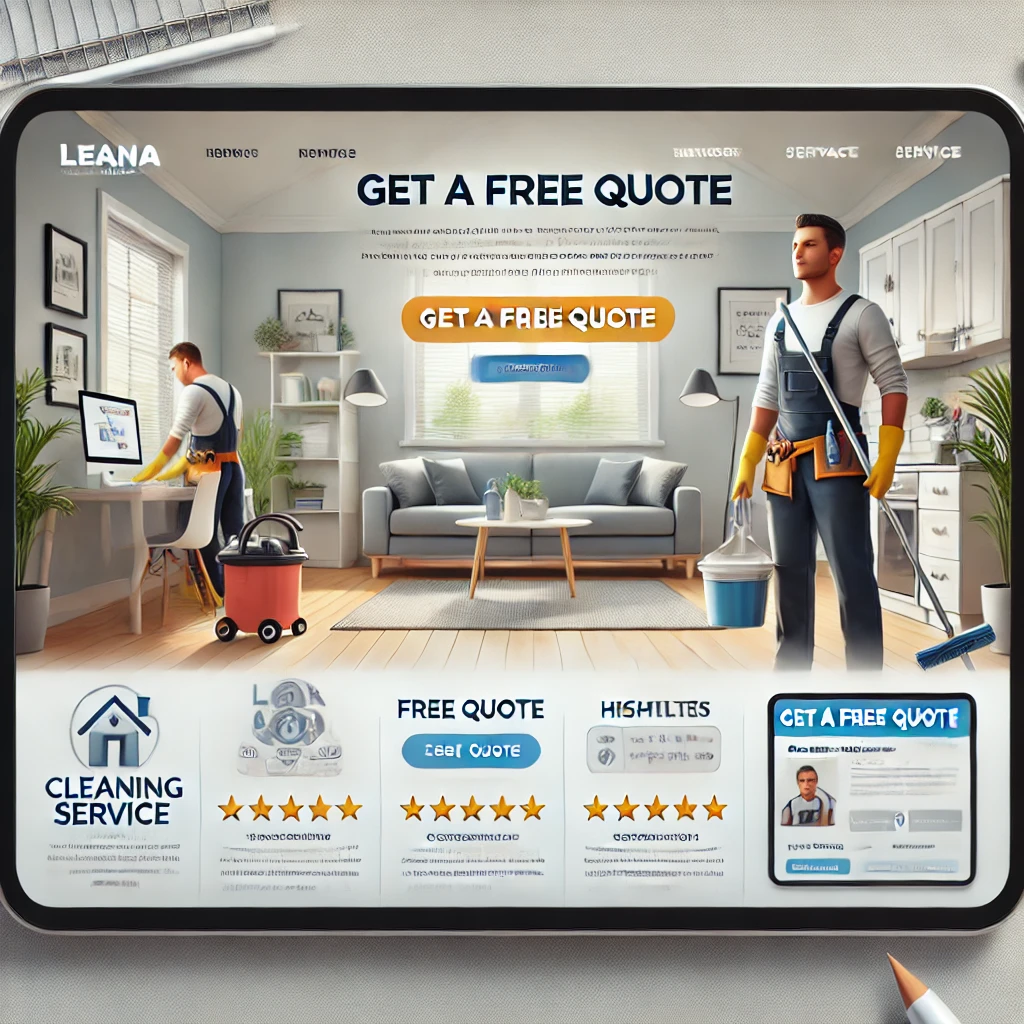
Cleaning Service Website

Best Lead Generation Strategies for a Cleaning Service Website

1. Optimize Your Website for Local SEO

Search Engine Optimization (SEO) is the foundation of any successful lead generation strategy. Since cleaning services are location-based, local SEO is essential to attracting clients in your service area.

How to Implement Local SEO:
  • Use location-specific keywords: Include city or neighborhood names in your content (e.g., “professional cleaning services in New York”).
  • Optimize Google My Business (GMB): Ensure your GMB profile is complete with accurate contact details, images, and customer reviews.
  • Get listed in local directories: Register your business on platforms like Yelp, Angi, and Thumbtack to enhance visibility.
  • Encourage reviews: Positive reviews improve credibility and search rankings.

Also read: What Is Enterprise SEO? Key Challenges & Expert Tips for 2025 Success

2. Create High-Converting Landing Pages

A well-designed landing page can significantly improve lead generation by encouraging visitors to take action.

Key Elements of an Effective Landing Page:
  • Clear headline: Highlight the benefits of your service.
  • Engaging content: Use bullet points to showcase your cleaning services.
  • Strong call-to-action (CTA): Phrases like “Get a Free Quote” or “Book a Cleaning Today” work well.
  • Lead capture form: Keep it short, requesting essential details only (name, email, phone number, service required).

3. Offer Promotions and Discounts

Attracting new customers often requires incentives. Discounts and promotions can be a powerful tool for increasing conversions.

Examples of Effective Offers:
  • First-time customer discounts: Offer 10-20% off for new clients.
  • Referral program: Encourage customers to refer friends in exchange for discounts.
  • Seasonal promotions: Run special deals during holidays or spring-cleaning seasons.

4. Leverage Social Media Marketing

Social media platforms like Facebook, Instagram, and TikTok are great for reaching potential clients and engaging with your audience.

Social Media Strategies for Lead Generation:
  • Run targeted ads: Use Facebook and Instagram ads to promote your services.
  • Share before-and-after photos: Show the effectiveness of your cleaning services.
  • Use hashtags: Keywords like #CleaningServices or #DeepCleaning help attract local clients.
  • Engage with your audience: Respond to comments, messages, and reviews promptly.

5. Utilize Pay-Per-Click (PPC) Advertising

Google Ads and other PPC campaigns can help your cleaning business appear at the top of search results.

Tips for Running PPC Ads:
  • Use local keywords: Bid on terms like “house cleaning service near me.”
  • Optimize ad copy: Focus on benefits and include CTAs.
  • Monitor and adjust campaigns: Regularly analyze performance and tweak ads for better results.

6. Implement Email Marketing Campaigns

Email marketing helps nurture leads and convert them into loyal customers.

Effective Email Strategies:
  • Welcome emails: Send an introduction email with service details and an exclusive offer.
  • Follow-up emails: Remind potential clients about your services if they haven’t booked yet.
  • Newsletter campaigns: Provide cleaning tips and special discounts.

7. Utilize Chatbots and Live Chat

A live chat feature on your website can instantly answer visitor inquiries, increasing the chances of converting them into leads.

Benefits of Live Chat:
  • Instant engagement: Visitors get answers to their questions immediately.
  • Lead capture: Collect visitor information before chatting.
  • 24/7 availability: AI chatbots can handle common queries round-the-clock.

8. Create Valuable Blog Content

Regularly publishing blog content can boost SEO and position your business as an expert in the cleaning industry.

Blog Topic Ideas:
  • “How Often Should You Deep Clean Your Home?”
  • “Best Eco-Friendly Cleaning Products for Your Home”
  • “Why Professional Cleaning Saves You Time and Money”

9. Develop a Referral Program

Word-of-mouth is one of the most effective ways to generate high-quality leads.

How to Set Up a Referral Program:
  • Offer incentives like discounts or free cleanings for referrals.
  • Provide customers with referral codes.
  • Promote the program on your website and social media.

10. Use Video Marketing

Videos can showcase your services effectively and engage potential customers better than text alone.

Video Content Ideas:
  • Customer testimonials.
  • Time-lapse cleaning videos.
  • Educational cleaning tips.

11. Partner with Local Businesses

Collaborating with other local businesses can expand your reach and bring in new leads.

Examples of Strategic Partnerships:
  • Real estate agents who need cleaning services for listed homes.
  • Airbnb hosts looking for regular cleaning services.
  • Property management companies needing maintenance cleaning.

12. Utilize Retargeting Ads

Not all visitors will book a service on their first visit. Retargeting ads help bring them back.

How to Implement Retargeting:
  • Use Facebook Pixel or Google Retargeting.
  • Show ads to visitors who browsed your site but didn’t convert.
  • Offer an incentive (e.g., “Get 10% off your first cleaning!”)

FAQs

What Is the Most Effective Lead Generation Strategy for a Cleaning Service Website?

The most effective strategy is a combination of local SEO, PPC advertising, and social media marketing to attract and convert potential customers.

How Can I Improve My Cleaning Service Website’s Visibility?

Optimize your website with local SEO, engage in social media marketing, and get listed on online directories like Yelp and Google Business Profile.

Do Google Ads Work for Cleaning Businesses?

Yes, Google Ads can effectively target people actively searching for cleaning services, making it a great investment for lead generation.

How Do I Get More Repeat Customers for My Cleaning Business?

Offer loyalty programs, send personalized email offers, and provide excellent customer service to retain customers.

What Social Media Platforms Are Best for a Cleaning Business?

Facebook, Instagram, and TikTok are excellent platforms for promoting cleaning services, showcasing before-and-after results, and running ads.

Conclusion

Implementing these best lead generation strategies for a cleaning service website can significantly boost your business by attracting and converting more potential clients. Focus on SEO, social media, PPC, and customer engagement tactics to ensure a steady flow of leads. With a well-optimized website and strategic marketing, your cleaning service business can thrive in a competitive market.

If you need any help with Digital Marketing, then contact us
Enterprise SEO-HanuiT solutions

What Is Enterprise SEO? Key Challenges & Expert Tips for 2025 Success

What Is Enterprise SEO? Key Challenges & Expert Tips for 2025 Success

In the rapidly evolving digital landscape, businesses that operate at scale need robust, sophisticated strategies to maintain online visibility. This is where Enterprise SEO comes into play. In 2025, with search engine algorithms becoming smarter, competition more fierce, and artificial intelligence playing a larger role in digital marketing, understanding the nuances of Enterprise SEO is crucial for long-term success.

This article will explore what Enterprise SEO is, the key challenges enterprises face, and expert tips for mastering Enterprise SEO in 2025.

What Is Enterprise SEO?

Enterprise SEO refers to the application of search engine optimization strategies tailored for large organizations with extensive websites, numerous product pages, and complex structures. Unlike traditional SEO, which may focus on a single website with a few pages, Enterprise SEO deals with websites that can contain thousands or even millions of pages.

Key Features of Enterprise SEO Include:

  • Managing large-scale websites and ensuring technical SEO health across all pages.
  • Aligning SEO strategies with broader business goals, marketing initiatives, and product roadmaps.
  • Implementing automation tools to handle repetitive tasks like monitoring site changes, identifying errors, and optimizing content at scale.
  • Collaborating with multiple teams, including content creators, developers, designers, and executives, to ensure SEO best practices are embedded in all projects.

The overarching goal of Enterprise SEO is to drive organic traffic, improve search visibility, and enhance user experience for highly competitive keywords and vast numbers of landing pages.

Enterprise SEO

Key Challenges in Enterprise SEO

1. Scale & Complexity

One of the biggest hurdles in Enterprise SEO is managing SEO across a massive site. Enterprise websites often have thousands of pages, product variations, local landing pages, and blog entries. Ensuring all these pages follow SEO best practices and remain optimized is an ongoing challenge.

Solution

Investing in SEO automation platforms and custom scripts can help monitor technical health, perform audits, and detect issues like broken links, duplicate content, and improper redirects in real-time.

2. Multiple Stakeholders & Departments

Large enterprises have numerous teams working on different parts of the website — marketing, IT, product, design, and more. Aligning these diverse teams under a single SEO strategy is difficult.

Solution

Create clear SEO guidelines and training programs for all departments. Appoint SEO champions within each team to ensure SEO priorities are upheld.

3. Content Quality & Consistency

Enterprise websites often have vast content libraries created by different contributors over many years. Maintaining consistency in tone, quality, and optimization across all content is a major challenge.

Solution

Develop a content governance framework that outlines on-page SEO requirements, tone of voice, internal linking strategies, and content audit schedules.

4. Technical SEO Issues

Large websites are prone to technical issues, including crawlability problems, slow page speeds, broken links, outdated sitemaps, and improper canonical tags.

Solution

Conduct regular technical audits using tools like Screaming Frog, Sitebulb, or SEMrush. Work closely with developers to resolve issues swiftly.

5. International & Multi-Location SEO

Many enterprises operate in multiple regions and languages, requiring careful management of hreflang tags, localized content, and regional search algorithms.

Solution

Implement global SEO strategies that balance centralized control with local flexibility. Use regional SEO tools to monitor and optimize local rankings.

6. Algorithm Updates & Evolving Search Intent

Search engines, particularly Google, continuously update algorithms. Enterprises need to adapt quickly to changes in ranking factors, user behavior, and evolving search intent.

Solution

Maintain close relationships with SEO industry experts and monitor algorithm updates via platforms like Search Engine Journal and Google Search Central.

Also read: 301 vs. 302 Redirect: Which One is Better for SEO and UX?

Expert Tips for Enterprise SEO Success in 2025

1. Prioritize Automation & AI Tools

2025 is the year to embrace AI-powered SEO tools for content optimization, predictive analytics, competitor monitoring, and large-scale site audits. Tools like ChatGPT, Surfer SEO, and MarketMuse can assist with automated content suggestions, while SEO automation platforms handle repetitive tasks.

2. Focus on User Experience (UX) & Core Web Vitals

Google’s emphasis on page experience will continue to grow. In 2025, Core Web Vitals — including Largest Contentful Paint (LCP), First Input Delay (FID), and Cumulative Layout Shift (CLS) — will play a critical role in ranking large websites.

Key Actions
  • Optimize page speed and mobile usability.
  • Ensure consistent navigation and intuitive user journeys.
  • Minimize unnecessary page elements that impact load times.

3. Invest in Scalable Content Strategies

Enterprise sites need a content strategy that can scale without compromising quality. This includes creating programmatic content for product pages, developing data-driven content hubs, and expanding into video SEO and AI-generated content.

Key Actions
  • Develop content templates for product pages, location pages, and category pages.
  • Use data insights to identify emerging keywords and content gaps.
  • Implement programmatic internal linking strategies to strengthen site architecture.

4. Enhance Data & Reporting Capabilities

Enterprises require advanced data systems to monitor SEO performance across millions of pages, track competitor activity, and measure return on investment (ROI).

Key Actions
  • Set up custom dashboards using Google Looker Studio, GA4, and SEO platforms like SEMrush Enterprise.
  • Track page-level performance, keyword clusters, and SERP feature visibility.
  • Use predictive analytics to anticipate shifts in demand.

5. Align SEO with Overall Business Goals

Enterprise SEO cannot operate in a silo. SEO goals must align with corporate goals such as brand positioning, product launches, and customer acquisition targets.

Key Actions
  • Work closely with executive teams to define SEO KPIs that tie into broader business outcomes.
  • Integrate SEO data into marketing and product decision-making processes.

6. Prepare for Voice Search & Visual Search

In 2025, voice search and visual search technologies will continue to evolve. Enterprises must ensure their content is optimized for natural language queries and that images are properly tagged and optimized for visual discovery.

Key Actions
  • Use schema markup to enhance rich results.
  • Optimize product images with descriptive alt text and structured data.
  • Conduct voice query research to understand conversational search patterns.

FAQ

What is Enterprise SEO?

Enterprise SEO is the practice of optimizing large websites with thousands or millions of pages to improve organic search visibility, user experience, and traffic. It involves technical SEO, content strategies, and collaboration across multiple teams.

How is Enterprise SEO different from regular SEO?

Enterprise SEO operates at a larger scale and requires automation, cross-team coordination, and tailored strategies for managing massive content libraries and technical infrastructure.

What tools are recommended for Enterprise SEO in 2025?

Top tools include Screaming Frog, SEMrush Enterprise, BrightEdge, Conductor, MarketMuse, and Google Looker Studio.

Why is automation important in Enterprise SEO?

Automation helps monitor technical issues, optimize large volumes of pages, and track performance at scale, freeing up SEO teams to focus on strategy.

How does Enterprise SEO impact business revenue?

A well-executed Enterprise SEO strategy drives qualified organic traffic, reduces paid search dependency, and enhances customer acquisition and retention.

Conclusion

Enterprise SEO in 2025 requires a blend of automation, cross-department collaboration, and agile strategies that adapt to constant algorithm changes. As search engines become smarter and user expectations grow, large organizations must evolve their SEO strategies to stay ahead.

By addressing common Enterprise SEO challenges and applying expert strategies, enterprises can secure better visibility, attract qualified traffic, and maintain competitive advantage in the digital space.

If you need any help with Digital Marketing, then contact us

301 vs. 302 Redirect-HanuiT solutions

301 vs. 302 Redirect: Which One is Better for SEO and UX?

301 vs. 302 Redirect: Which One is Better for SEO and UX?

When making changes to a website, whether you’re updating a URL, moving content to a new page, or redesigning your entire site, redirects play a crucial role. One of webmasters’ most common questions is: 301 vs. 302 Redirect: Which One is Better for SEO and UX? Understanding the differences between these two redirect types, and knowing when to use each, is essential for maintaining search engine rankings and delivering a seamless user experience (UX).

This guide will examine 301 vs. 302 Redirects: Which One is Better for SEO and UX?, explaining their individual impacts, use cases, and best practices.

What Are Redirects and Why Do They Matter?

A redirect is a way to send visitors and search engines from one URL to another. Redirects ensure that users and search engines do not encounter broken links or error pages when a page is removed or moved.

However, not all redirects are created equal. The two most commonly used redirects are 301 and 302, and choosing the wrong one can significantly affect your site’s SEO performance and user experience.

What is a 301 Redirect?

A 301 redirect signals to search engines and browsers that a page has been permanently moved to a new location. This type of redirect is most commonly used when a page’s URL changes permanently or when content is consolidated.

SEO Impact of a 301 Redirect

  • Link Equity Transfer: A 301 redirect passes around 90-99% of the original page’s authority (link equity) to the new URL.
  • Indexing: Search engines will remove the old URL from their index and replace it with the new URL.
  • Canonicalization: A 301 sends a clear signal that the new page is the authoritative version, making it ideal for SEO stability.

UX Impact of a 301 Redirect

  • Users are automatically redirected with minimal disruption.
  • Bookmarks and links are often updated automatically.
  • Users experience smooth transitions, improving trust and usability.

What is a 302 Redirect?

A 302 redirect tells search engines and users that a page has been temporarily moved. The key word here is temporary — meaning the original URL is expected to return.

SEO Impact of a 302 Redirect

  • Link Equity Transfer: A 302 redirect does not typically pass significant link equity because search engines assume the old URL will return.
  • Indexing: Search engines often keep the original URL indexed instead of replacing it with the new URL.
  • Canonicalization: A 302 does not establish the new page as the canonical version, making it less ideal for long-term SEO.

UX Impact of a 302 Redirect

  • Users are seamlessly redirected.
  • However, confusion can arise if users bookmark the temporary page or if the temporary redirect is left in place too long.
  • Overall, UX is good in the short term but can degrade if the temporary redirect becomes long-term.

Key Differences: 301 vs. 302 Redirect

When evaluating 301 vs. 302 Redirect: Which One is Better for SEO and UX?, understanding the differences is critical.

301 vs. 302 Redirect

When to Use 301 Redirects

301 redirects should be used when:

  • A page is permanently moved to a new URL.
  • You’re consolidating multiple pages into a single authoritative page.
  • You’ve changed your website’s structure, and URLs need to be updated.
  • You’ve migrated your website to a new domain.

In these scenarios, 301 redirects are better for SEO and UX because they preserve link equity and establish a clear canonical relationship between old and new pages.

Also read: Top Website Design & Development Services for Modern Businesses

When to Use 302 Redirects

302 redirects are appropriate when:

  • A page is temporarily unavailable.
  • You’re running A/B tests and sending traffic to alternate pages.
  • A page is under temporary maintenance.
  • Seasonal pages (e.g., holiday promotions) are temporarily replacing regular pages.

In these cases, 302 redirects can preserve user experience without permanently affecting search engine indexing.

301 vs. 302 Redirect: Which One is Better for SEO and UX?

When directly comparing 301 vs. 302 Redirect: Which One is Better for SEO and UX?, the answer largely depends on the intended duration and purpose of the redirect.

SEO Considerations

  • 301 redirects are better for SEO because they pass link equity, update search engine indexes, and establish canonical authority.
  • 302 redirects should only be used when the move is truly temporary, otherwise they can confuse search engines and dilute SEO value.

UX Considerations

  • Both 301 and 302 redirects provide seamless redirection.
  • However, 301 redirects offer better long-term UX by ensuring users always land on the correct, permanent page.
  • 302 redirects work well for temporary campaigns or testing but can degrade UX if users bookmark temporary URLs.

Final Verdict

In most cases, 301 redirects are better for SEO and UX. They preserve ranking power, create a clear relationship between old and new URLs, and offer users a consistent, reliable experience.

Use 302 redirects only for genuine short-term needs — and make sure to remove or update them promptly to avoid long-term confusion.

Common Mistakes to Avoid

  • Using 302 for Permanent Moves: This prevents link equity transfer and may leave outdated URLs in search indexes.
  • Leaving Temporary Redirects Too Long: Search engines might eventually treat a long-standing 302 as a 301, but this is unreliable.
  • Forgetting to Update Internal Links: After implementing redirects, always update internal links to point directly to the final URL.

FAQs

Does a 302 redirect pass SEO value?

Generally, 302 redirects do not pass much SEO value because they are considered temporary. Search engines expect the original page to return.

Can I use 302 redirects permanently?

It’s not recommended. If a change is permanent, always use a 301 redirect.

How does Google treat 302 redirects?

If a 302 redirect stays in place for a long time, Google may eventually treat it as a 301, but this process is unpredictable.

Do users notice the difference between 301 and 302 redirects?

No, users typically experience both types the same way — they are automatically redirected. The difference is mostly in how search engines handle them.

Which redirect is better for SEO in the long term?

A 301 redirect is almost always better for SEO if the change is permanent.

Conclusion

The debate around 301 vs. 302 Redirect: Which One is Better for SEO and UX? ultimately boils down to intended permanence. If the redirect is permanent, always choose a 301 redirect to preserve SEO and ensure a smooth user experience. Use 302 redirects only for temporary situations, and never rely on them for long-term SEO strategies.

Making the right choice helps preserve your rankings, ensure proper indexing, and keep users happy — essential for any successful website.

If you need any help with Digital Marketing, then contact us
Website Design & Development Services-HanuiT solutions

Top Website Design & Development Services for Modern Businesses

Top Website Design & Development Services for Modern Businesses

In today’s fast-paced digital world, having a strong online presence is essential for businesses of all sizes. Whether you’re a small startup or an established corporation, your website serves as the face of your brand. With increasing competition across industries, businesses must invest in high-quality Website Design & Development Services to create user-friendly, responsive, and visually appealing websites that engage visitors and drive conversions.

In this article, we’ll explore the top Website Design & Development Services that modern businesses should consider to stay ahead in 2025 and beyond.

What Are Website Design & Development Services?

Website Design & Development Services encompass a broad range of offerings, from creating visually captivating layouts to developing robust back-end systems. These services combine creativity, technical expertise, and user experience optimization to craft websites that reflect a company’s brand identity while delivering a seamless user experience.

Modern businesses need more than just an aesthetically pleasing website — they need a platform that loads quickly, adapts to different devices, and integrates with the latest digital marketing tools.

Website Design & Development Services

Key Website Design & Development Services for Modern Businesses

1. Custom Website Design

Custom website design focuses on building unique, tailor-made websites that align with your brand’s vision and goals. Unlike template-based designs, custom websites give businesses the flexibility to create a completely personalized user experience.

  • Unique layouts
  • Brand-focused designs
  • Enhanced user engagement
  • Custom graphics and animations

A reliable provider of Website Design & Development Services will ensure your site stands out and creates a lasting impression on visitors.

2. Responsive Web Design

With the rise of mobile browsing, responsive web design is critical. This service ensures that your website functions and looks great across all devices, from smartphones to tablets and desktops.

  • Mobile-first approach
  • Flexible grid systems
  • Adaptive images and media
  • Consistent user experience

Modern businesses must invest in responsive Website Design & Development Services to ensure their content is easily accessible to all users.

3. E-commerce Website Development

For businesses selling products online, e-commerce website development is essential. This service covers everything from product page design to payment gateway integration and shopping cart functionality.

  • Secure payment processing
  • Inventory management systems
  • User-friendly product pages
  • Seamless checkout experience

Top-tier Website Design & Development Services providers understand the importance of security, speed, and intuitive navigation for e-commerce success.

4. Content Management Systems (CMS) Development

A CMS-based website allows businesses to easily update and manage their content without technical knowledge. Popular platforms like WordPress, Shopify, and Drupal provide versatile CMS solutions for various business needs.

  • Easy-to-use admin panels
  • Custom plugin development
  • Scalable architecture
  • SEO-friendly structures

Website Design & Development Services that focus on CMS solutions enable businesses to maintain fresh, up-to-date content with minimal effort.

5. UI/UX Design

User Interface (UI) and User Experience (UX) design play a crucial role in how visitors interact with your website. Effective Website Design & Development Services prioritize creating intuitive navigation, clear calls to action, and engaging visuals.

  • Wireframing and prototyping
  • User behavior analysis
  • Accessibility optimization
  • Conversion rate optimization (CRO)

A well-designed interface combined with smooth functionality can significantly improve customer satisfaction and engagement.

6. Website Redesign Services

If your current website looks outdated or fails to deliver desired results, a redesign can breathe new life into your online presence. Website redesign services focus on improving design aesthetics, functionality, and performance.

  • Modern design overhaul
  • Performance enhancements
  • Improved navigation structures
  • SEO-friendly updates

Professional Website Design & Development Services ensure your revamped website aligns with current design trends and user expectations.

7. Search Engine Optimization (SEO) Integration

SEO is an essential component of modern web development. The best Website Design & Development Services ensure that your site is fully optimized to rank higher in search engine results, driving more organic traffic.

  • Keyword research and optimization
  • Technical SEO (site speed, sitemaps, etc.)
  • On-page and off-page SEO strategies
  • Schema markup and local SEO

An SEO-friendly website not only attracts visitors but also enhances your brand’s visibility in your target market.

8. Web Application Development

For businesses that require advanced functionality, web application development offers interactive features like customer portals, booking systems, and membership platforms.

  • Custom software solutions
  • API integrations
  • Advanced database management
  • Secure user authentication

Website Design & Development Services that offer tailored web applications can help businesses enhance customer engagement and streamline internal processes.

9. Performance Optimization

Website speed and performance have a direct impact on user experience and search engine rankings. Leading Website Design & Development Services focus on optimizing performance through:

  • Image compression
  • Code minification
  • Content delivery networks (CDN)
  • Server and hosting optimizations

Fast-loading websites keep visitors engaged and reduce bounce rates, contributing to better business outcomes.

Also read: What Are the Best Web Design Services for Small Businesses in March 2025?

10. Maintenance & Support

Ongoing website maintenance ensures your site stays secure, up-to-date, and fully functional. Many Website Design & Development Services providers offer post-launch support packages to handle:

  • Regular backups
  • Security updates
  • Bug fixes
  • Feature enhancements

Reliable maintenance services give businesses peace of mind, knowing their online presence is in good hands.

Benefits of Professional Website Design & Development Services

Enhanced Brand Image

A professionally designed website creates a strong first impression and reinforces your brand’s credibility.

Improved User Experience

With intuitive navigation and mobile-friendly design, visitors are more likely to stay longer and engage with your content.

Better Conversion Rates

Conversion-focused design elements like clear CTAs, streamlined checkout processes, and fast loading times contribute to higher sales and lead generation.

Scalability

As your business grows, professional Website Design & Development Services can scale your website to accommodate new features and content.

FAQ

What is the difference between website design and development?

Website design focuses on the visual and user experience aspects of a website, including layout, colors, and typography. Website development involves the coding and technical work required to bring the design to life and make it functional.

Why do businesses need professional Website Design & Development Services?

Professional services ensure your website is visually appealing, user-friendly, technically sound, and optimized for search engines — all critical for online success.

How much do Website Design & Development Services cost?

The cost varies based on project complexity, features, and service provider. Simple websites may cost a few thousand dollars, while custom e-commerce sites or web applications can cost significantly more.

How long does it take to develop a website?

Development timelines vary, but a basic website can take 4-6 weeks, while more complex projects may require several months.

Do Website Design & Development Services include SEO?

Many providers offer SEO integration as part of their services, ensuring your site is optimized for search engines at launch.

Can I update my website myself after it’s built?

Yes, especially if your website is built using a content management system (CMS) like WordPress, which allows for easy updates.

What happens if my website breaks after launch?

Most Website Design & Development Services providers offer maintenance packages to handle post-launch issues, ensuring your website remains functional and secure.

Conclusion

Investing in professional Website Design & Development Services is crucial for modern businesses looking to thrive in the digital age. From custom designs to performance optimization and ongoing maintenance, these services ensure your website not only looks great but also functions flawlessly and ranks well in search engines. By partnering with the right web development agency, businesses can establish a powerful online presence that drives growth and enhances customer engagement.

If you need any help with Digital Marketing, then contact us
Best Web Design Services-HanuiT solutions

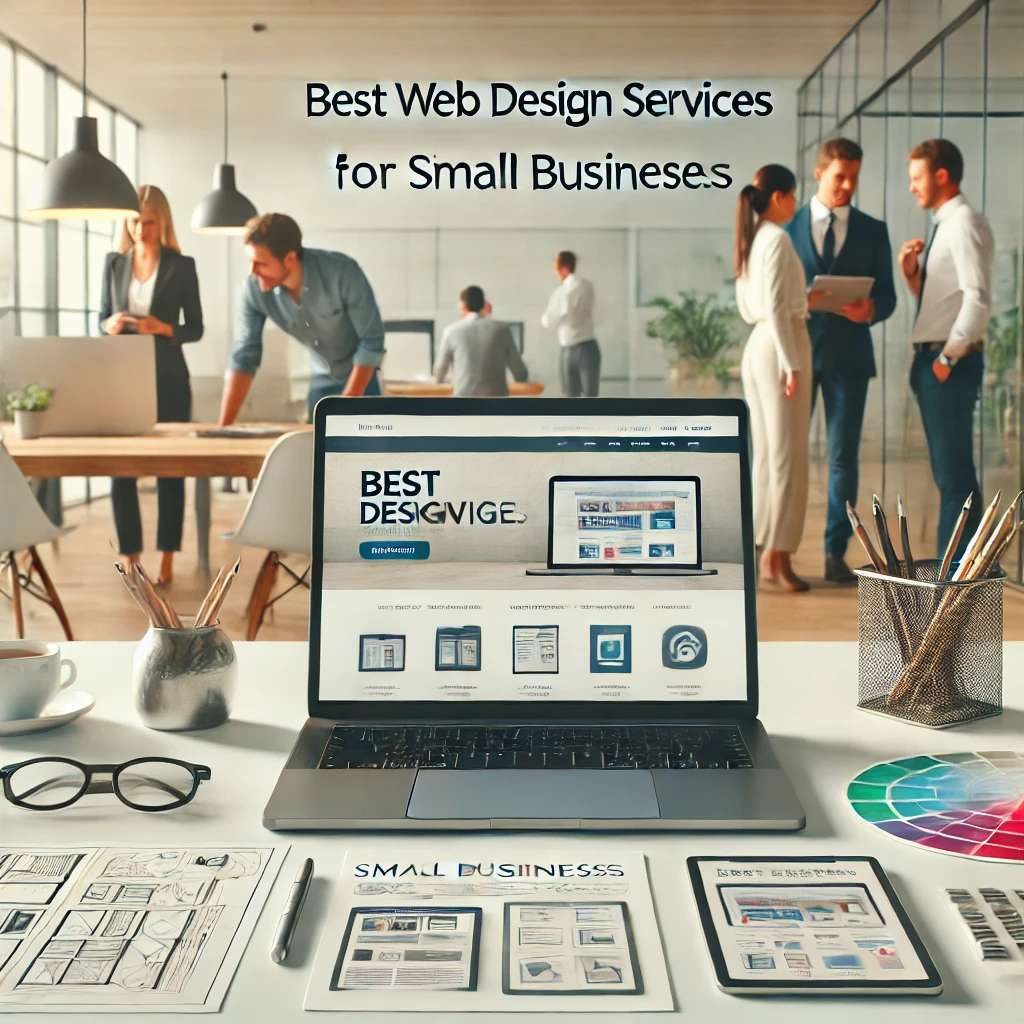
What Are the Best Web Design Services for Small Businesses in March 2025?

What Are the Best Web Design Services for Small Businesses in March 2025?

In today’s fast-paced digital landscape, a professionally designed website is crucial for small businesses looking to stand out. Whether you’re a local bakery, a boutique, or a service-based business, your website serves as your virtual storefront. Choosing the Best Web Design Services for Small Businesses in March 2025 ensures you have a visually appealing, user-friendly, and SEO-optimized site that helps drive traffic and sales.

As technology and design trends evolve, small businesses must keep up with new tools, platforms, and design approaches. From custom web design agencies to website builders and hybrid solutions, let’s explore the Best Web Design Services for Small Businesses in March 2025 and how they can benefit your business.

Top Factors to Consider When Choosing Web Design Services in 2025

Before diving into the list of the Best Web Design Services for Small Businesses in March 2025, it’s important to understand what makes a design service stand out. The ideal service should offer:

  • Customizable design templates
  • Responsive and mobile-friendly layouts
  • SEO and speed optimization
  • Affordable pricing for small businesses
  • Integration with third-party tools (like e-commerce, booking systems, or social media)
  • Excellent customer support

Now, let’s explore the top contenders this month.

Best Web Design Services

Top Web Design Services for Small Businesses in March 2025

1. Wix – User-Friendly Website Builder

In March 2025, Wix continued to dominate for small business owners seeking an intuitive platform. Its drag-and-drop editor, expansive template library, and app integrations make it ideal for businesses without technical expertise.

Key Features
  • AI-powered website design through Wix ADI.
  • Fully responsive mobile design.
  • Comprehensive e-commerce features for product-based businesses.
  • Built-in SEO and performance optimization.
Why It’s Among the Best Web Design Services for Small Businesses in March 2025

Wix constantly updates its platform to meet modern design standards and offers plans tailored to small business budgets.

2. Squarespace – Sleek and Modern Designs

Squarespace remains a go-to for businesses focused on aesthetics and branding. Its modern, visually appealing templates are perfect for creative businesses such as photographers, designers, and boutique retailers.

Key Features
  • Award-winning design templates.
  • Integrated e-commerce tools.
  • Flexible content blocks for easy customization.
  • Comprehensive blogging platform.
Why It’s One of the Best Web Design Services for Small Businesses in March 2025

With an emphasis on design and functionality, Squarespace is ideal for businesses that want to showcase high-quality visuals.

3. Shopify – Best for E-commerce Small Businesses

For small businesses focused on online sales, Shopify offers unmatched e-commerce capabilities. It caters to small businesses looking to scale their online stores.

Key Features
  • Extensive app ecosystem.
  • Multi-channel selling capabilities (social media, marketplaces, etc.).
  • Advanced inventory management.
  • Customizable themes and templates.
Why It’s a Top Web Design Service for Small Businesses in March 2025

Shopify is a powerful blend of web design and online store management, making it ideal for product-based businesses in 2025.

Best Dental Clinic Website Builder – Create Professional Dental Websites with HanuiT Solutions

Also read: What Are the Latest Website Design Trends for Construction Companies in 2025?

4. WordPress with Elementor – Best for Flexibility and Customization

For small businesses that want full control over their website, WordPress combined with Elementor offers the perfect solution. This duo allows for customizable designs, extensive plugin support, and strong SEO capabilities.

Key Features
  • Drag-and-drop visual editing.
  • Thousands of plugins for added functionality.
  • Fully customizable design and structure.
  • Excellent for content-heavy websites (blogs, portfolios, etc.).
Why It’s One of the Best Web Design Services for Small Businesses in March 2025

The flexibility and scalability of WordPress combined with Elementor’s ease of use make this combo ideal for businesses with evolving needs.

5. GoDaddy Website Builder – Affordable and Simple

GoDaddy Website Builder appeals to small businesses looking for affordable, no-fuss website solutions. Its simple interface is perfect for those with minimal design experience.

Key Features
  • Pre-designed templates optimized for different industries.
  • SEO tools built directly into the platform.
  • Integrated marketing features (email marketing, social media management).
  • 24/7 customer support.
Why It’s One of the Best Web Design Services for Small Businesses in March 2025

For businesses on a budget, GoDaddy offers simplicity, affordability, and essential features all in one.

6. Webflow – Design Flexibility for Creative Businesses

Webflow offers more design control than many other platforms, making it ideal for businesses that want to stand out with custom web experiences. It’s particularly popular with agencies and creative entrepreneurs.

Key Features
  • Visual design and development combined.
  • Fully customizable animations and interactions.
  • Built-in CMS for content management.
  • Seamless hosting and domain management.
Why It’s a Top Web Design Service for Small Businesses in March 2025

Webflow allows businesses to craft visually stunning, interactive websites without needing extensive coding knowledge.

7. Fiverr Pro – Affordable Freelance Web Designers

For businesses seeking a personalized touch, Fiverr Pro offers access to vetted freelance web designers. This option allows small businesses to find designers that fit their specific budget and aesthetic preferences.

Key Features
  • Thousands of designers with diverse portfolios.
  • Flexible pricing based on your project scope.
  • Custom designs tailored to your brand.
  • Option to hire long-term collaborators.
Why It’s One of the Best Web Design Services for Small Businesses in March 2025

The flexibility of hiring freelance designers on Fiverr Pro means businesses can get custom designs without the agency price tag.

Key Factors to Consider When Choosing a Web Design Service in 2025

When choosing from What Are the Best Web Design Services for Small Businesses in March 2025?, small business owners should evaluate:

1. Ease of Use

  • Is the platform beginner-friendly?
  • Does it offer drag-and-drop functionality?

2. Customization

  • Can you customize templates to match your brand?
  • Is advanced design possible?

3. Pricing and Value

  • Is it affordable for your budget?
  • Are there hidden fees for premium features?

4. Mobile Optimization

  • Does it automatically optimize for mobile devices?

5. SEO Features

  • Does it offer tools to help your site rank on Google?

6. E-commerce Capabilities

  • Can you sell products or services directly from your site?

7. Support

  • Is customer support reliable and available when needed?

FAQ

What makes a web design service suitable for small businesses?

Small businesses need affordable, easy-to-use services that offer modern design, SEO tools, mobile responsiveness, and room for growth.

Is a custom website better than a website builder?

Custom websites offer more flexibility and branding options, while website builders provide faster, more affordable solutions.

Which platform is best for e-commerce small businesses?

Shopify is the best platform for small businesses focused on selling products online in 2025.

Are there affordable web design options for very small businesses?

Yes, platforms like Wix, GoDaddy Website Builder, and Fiverr Pro offer budget-friendly options.

How important is mobile responsiveness in 2025?

It’s critical. With the majority of visitors accessing websites via mobile, every business needs a mobile-friendly website.

Can I design my website without any coding skills?

Absolutely. Platforms like Wix, Squarespace, and GoDaddy Website Builder are designed for users with no technical experience.

Conclusion

As we assess What Are the Best Web Design Services for Small Businesses in March 2025?, there are numerous options available to suit various needs and budgets. From the user-friendly interfaces of Wix and Weebly to the robust e-commerce solutions provided by Shopify, small businesses have access to powerful tools to enhance their online presence. By considering your specific needs and budget, you can choose the web design service that best aligns with your business goals, ensuring you stand out in today’s competitive digital marketplace.

If you need any help with Digital Marketing, then contact us

Dental Clinic Website Builder-HanuiT solutions

Best Dental Clinic Website Builder – Create Professional Dental Websites with Hanu IT Solutions

Best Dental Clinic Website Builder – Create Professional Dental Websites with Hanu IT Solutions

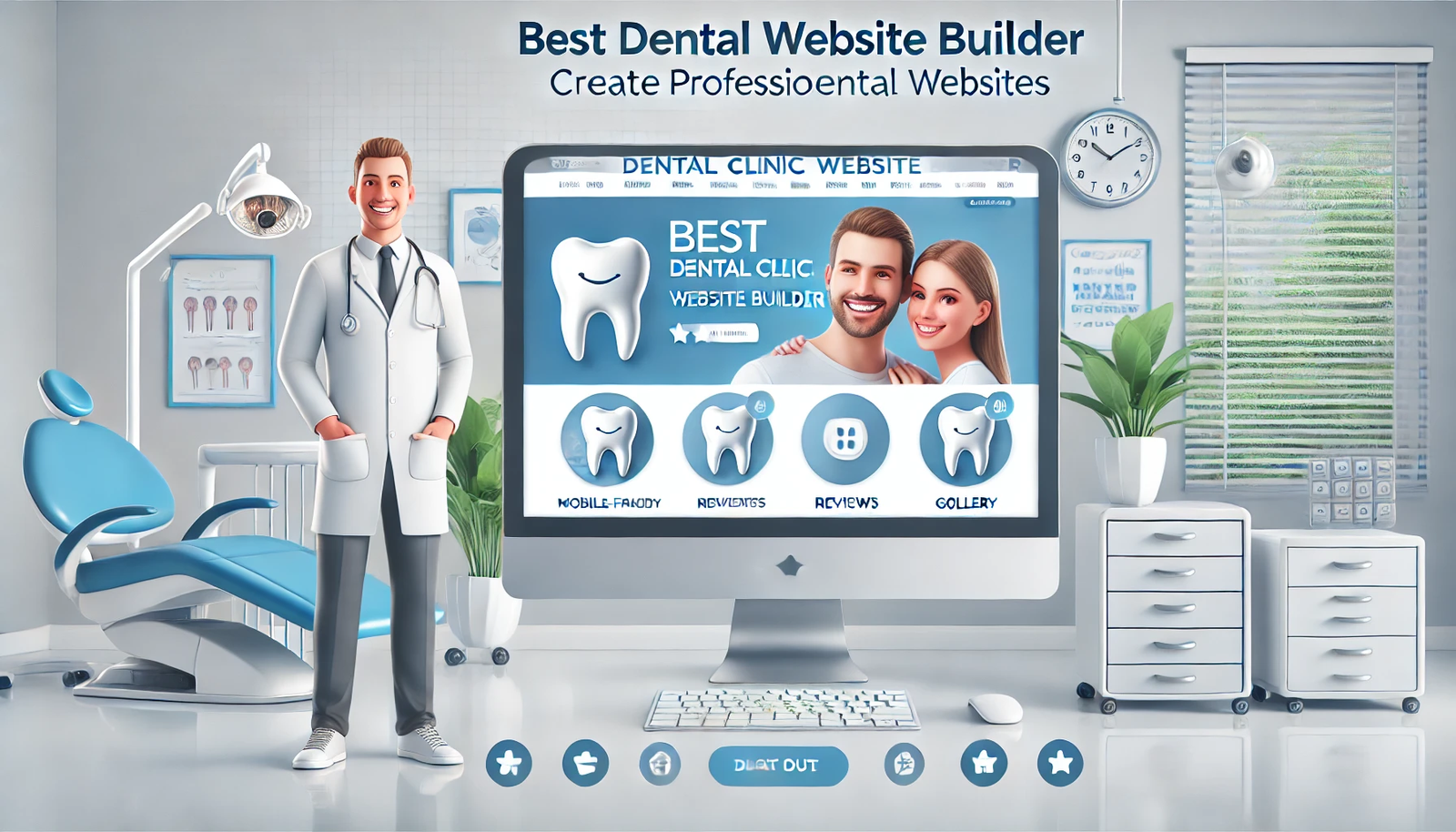
In today’s digital world, having a professional website is no longer optional — it’s essential for dental clinics looking to attract new patients and build trust. That’s where Hanu IT Solutions comes in. Our Dental Clinic Website Builder is designed specifically for dentists, offering easy-to-use tools, customizable templates, and all the features you need to showcase your services, manage online appointments, and improve your clinic’s online visibility. Whether a small dental practice or a large clinic, Hanu IT Solutions helps you create a website that reflects your brand and drives real results. Let’s explore how our Dental Clinic Website Builder can transform your online presence!

Introduction to Hanu IT Solutions – Your Partner in Professional Dental Websites

Hanu IT Solutions is a leading provider of website design and development services, specializing in solutions tailored for healthcare providers, including dental clinics. With years of experience in crafting high-performance websites, Hanu IT Solutions offers the best dental clinic website builder – create professional dental websites easily, even for dentists with no technical background.

Why Do Dental Clinics Need Professional Websites?

With over 90% of patients searching for healthcare providers online, the first impression your clinic makes often happens long before a patient walks through your doors. Your website serves as your virtual front desk, and having a professional, easy-to-navigate, and informative site can significantly influence a potential patient’s decision to book an appointment.

By leveraging the Best Dental Clinic Website Builder – Create Professional Dental Websites, dental clinics can showcase their expertise, display patient reviews, offer convenient online booking, and present a modern, mobile-friendly experience that meets patient expectations.

A high-quality dental website offers:

  • Enhanced Visibility in Local Search Results: A well-optimized website ensures your clinic appears in searches for “dentist near me” or “best dental clinic.”
  • Seamless Appointment Booking: An intuitive website allows potential patients to book appointments directly online.
  • Trust Building Through Testimonials and Reviews: A professional website highlights patient experiences, photos, and credentials, fostering trust.
  • Mobile Accessibility: Mobile-friendly designs ensure users have a smooth experience on any device.

Also read: What Are the Latest Website Design Trends for Construction Companies in 2025?

Learn more about our Custom Website Design for Dentists.

Dental Clinic Website Builder

Features of the Best Dental Clinic Website Builder – Create Professional Dental Websites with Hanu IT Solutions

Hanu IT Solutions provides a comprehensive suite of features designed specifically for dental clinics:

1. Dental-Specific Design Templates

Hanu IT Solutions offers pre-designed templates created specifically for dental practices. These templates incorporate modern aesthetics, user-friendly layouts, and sections that highlight dental services, patient testimonials, team bios, and contact information.

2. Easy-to-Use Interface

Dentists and office managers need a website builder that is simple to manage. With Hanu IT Solutions, the website builder offers an intuitive drag-and-drop interface, enabling you to customize pages, update content, and add new service pages with ease — no coding required.

3. SEO-Ready to Rank in Local Searches

The best dental clinic website builder – create professional dental websites must prioritize search engine optimization (SEO). Hanu IT Solutions builds websites with on-page SEO features, allowing dental clinics to rank for relevant keywords and appear prominently in search engine results for potential patients in their area.

4. Appointment Scheduling Integration

A key feature of the best dental clinic website builder – create professional dental websites is the seamless integration of appointment scheduling systems. Patients can easily book appointments online, streamlining the process for both patients and staff.

5. Mobile Optimization

Over half of web traffic today comes from mobile devices. Every website created through Hanu IT Solutions is fully responsive, ensuring that all features work perfectly across desktops, tablets, and smartphones.

6. Customizable Branding

Your dental clinic’s brand identity is crucial to standing out. With Hanu IT Solutions, clinics can customize every element — from fonts and colors to logos and imagery — ensuring the website reflects your unique brand.

7. Secure and Compliant

Healthcare websites must prioritize security and privacy. Hanu IT Solutions incorporates SSL certificates and HIPAA-compliant forms (where applicable), ensuring all patient data is handled securely.

8. Service-Specific Pages

Professional dental websites require service-specific pages, covering general dentistry, cosmetic dentistry, orthodontics, pediatric care, implants, and more. Hanu IT Solutions makes it simple to create these individual pages, each optimized for both user experience and search visibility.

9. Testimonials and Reviews Showcase

Patients often trust peer recommendations. The best dental clinic website builder – create professional dental websites includes customizable sections to display verified patient testimonials and Google reviews directly on your site.

10. Blog and Education Center

To further enhance your credibility and improve your SEO, Hanu IT Solutions enables you to maintain a blog. Sharing oral health tips, clinic updates, and educational content helps establish your expertise and keeps your site fresh with new content.

11. Performance Tracking and Analytics

Knowing how your website performs is crucial. The website builder from Hanu IT Solutions integrates with analytics tools to monitor traffic, track appointment conversions, and understand visitor behavior — all key metrics for ongoing improvement.

Advantages of Choosing Hanu IT Solutions as Your Dental Website Partner

Specialized Expertise

Hanu IT Solutions focuses on dental clinics, ensuring the platform and templates are fully aligned with industry needs.

Cost-Effective Solution

Compared to hiring a custom web development agency, Hanu IT Solutions offers an affordable and scalable solution, making professional websites accessible for clinics of all sizes.

Quick Launch Timeline

With pre-built templates and user-friendly tools, your website can be live within days, not months.

Ongoing Support and Maintenance

The best websites are constantly evolving. Hanu IT Solutions offers ongoing technical support, ensuring your site remains functional, secure, and up-to-date with best practices.

FAQ

What makes Hanu IT Solutions the best dental clinic website builder?

Hanu IT Solutions combines industry-specific templates, advanced features like appointment booking and patient reviews, and SEO optimization — all designed specifically for dental clinics, making it the best dental clinic website builder – create professional dental websites easily and effectively.

Do I need technical skills to use the Hanu IT Solutions website builder?

No, Hanu IT Solutions offers an intuitive drag-and-drop builder that allows you to create, edit, and manage your dental website without any coding experience.

Can I customize my dental website to match my clinic’s branding?

Absolutely. Every aspect — including colors, fonts, images, logos, and page layouts — can be fully customized to align with your clinic’s unique branding.

Is the website mobile-friendly?

Yes, all websites created with Hanu IT Solutions are responsive and optimized for mobile devices, ensuring a seamless user experience on smartphones and tablets.

Does Hanu IT Solutions provide SEO support?

Yes, all websites are built with SEO best practices, including meta tags, optimized content, and local SEO enhancements to improve visibility in search engine results.

Conclusion

Choosing the right website builder is critical for dental clinics aiming to attract new patients, establish credibility, and enhance their digital footprint. With Hanu IT Solutions, you get the Best Dental Clinic Website Builder – Create Professional Dental Websites equipped with industry-specific features, SEO optimization, customizable design, and ongoing support.

Whether you’re launching your first website or upgrading an outdated one, Hanu IT Solutions’ Best Dental Clinic Website Builder – Create Professional Dental Websites empowers your practice to thrive in the digital age.

If you need any help with Digital Marketing, then contact us
Website Design Trends-HanuiT solutions

What Are the Latest Website Design Trends for Construction Companies in 2025?

What Are the Latest Website Design Trends for Construction Companies in 2025?

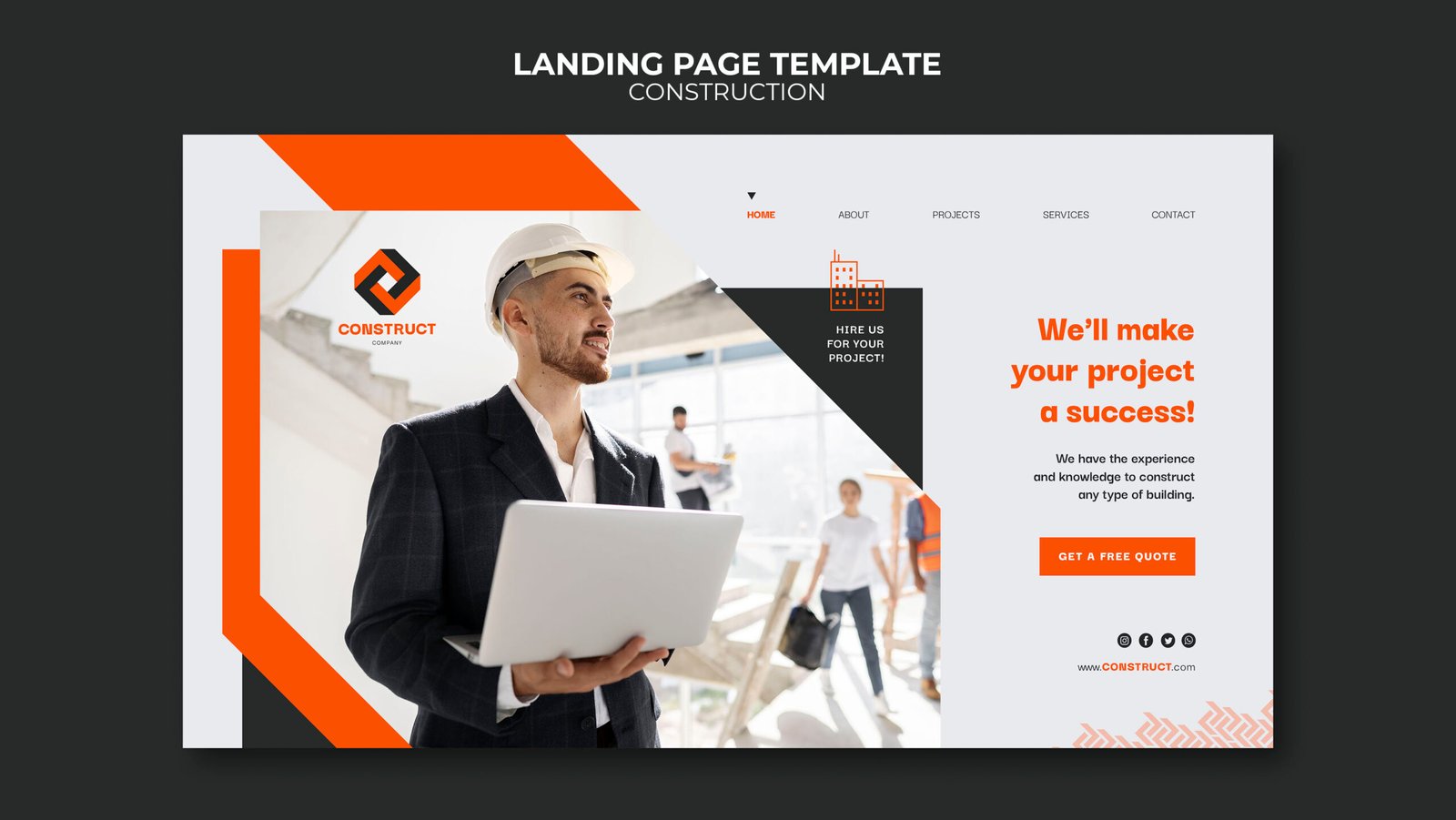
In today’s fast-paced digital landscape, every industry — including construction — must embrace innovation to stay competitive. As we step into 2025, the latest website design trends for construction companies in 2025 focus heavily on user experience, visual storytelling, performance optimization, and lead generation. A construction company’s website serves as its digital storefront, portfolio, and sales tool all in one, and the latest trends ensure these sites stand out and convert visitors into clients.

In this comprehensive guide, we explore the latest website design trends for construction companies in 2025, along with practical insights for construction businesses aiming to enhance their online presence.

Website Design Trends

1. Clean, Visual-First Design with Focus on Projects

One of the latest website design trends for construction companies in 2025 is the shift towards clean layouts with a focus on high-quality visuals. The construction industry thrives on showcasing completed projects, so websites are moving away from text-heavy pages and embracing:

  • Full-screen project galleries.
  • Drone footage showcasing large-scale sites.
  • Before-and-after photo sliders.

This visual-first approach highlights craftsmanship and attention to detail, allowing prospective clients to immediately see the company’s capabilities without having to dig through text-heavy content.

Also read: How to Build a Pest Control Website That Attracts More Customers?

2. Mobile-First Design for On-the-Go Clients

Mobile browsing now dominates web traffic, and construction industry clients — whether they are homeowners, developers, or commercial project managers — often browse from their phones. In 2025, mobile-first design is not just a recommendation; it’s essential.

The latest website design trends for construction companies in 2025 focus on:

  • Responsive designs that adapt seamlessly across devices.
  • Simplified navigation menus optimized for touch.
  • Fast-loading mobile pages to minimize bounce rates.

A construction company’s website must deliver a frictionless mobile experience, ensuring users can easily view projects, read testimonials, and request quotes — all from their phones.

3. Interactive Project Showcases and Portfolios

Static image galleries are evolving into interactive, immersive experiences. One of the latest website design trends for construction companies in 2025 is the use of:

  • Interactive project maps showing completed works by location.
  • Timeline sliders that show project phases from ground-breaking to completion.
  • Augmented Reality (AR) walkthroughs for residential and commercial projects.

These interactive features keep visitors engaged longer, boosting SEO and increasing the chances of conversion.

4. Sustainable and Eco-Friendly Branding Integration

Sustainability is becoming a core value for modern construction companies. As such, one of the latest website design trends for construction companies in 2025 is highlighting sustainability efforts directly within website design.

This can include:

  • Dedicated pages explaining eco-friendly materials and processes.
  • Icons and badges for certifications like LEED or WELL.
  • Green color palettes and nature-inspired visuals.

By integrating these elements, construction companies communicate their commitment to environmentally responsible practices, which is increasingly important to both residential and corporate clients.

5. AI-Powered Chatbots for Instant Client Interaction

Incorporating AI-powered chatbots is now standard practice. One of the latest website design trends for construction companies in 2025 involves chatbots that:

  • Answer frequently asked questions.
  • Guide visitors to relevant pages.
  • Capture project details for initial estimates.

These chatbots enhance user experience by providing immediate responses, particularly useful for after-hours inquiries. The AI element also enables personalization, with returning visitors receiving tailored content and follow-up suggestions.

6. Local SEO Integration into Website Structure

Web design and SEO now go hand-in-hand. In 2025, the latest website design trends for construction companies focus on integrated local SEO strategies within the site’s core design. This means:

  • Service area pages optimized for each city or region.
  • Embedded Google Maps showing project locations.
  • Schema markup for services, projects, and reviews.

By ensuring that the design supports geographic relevance, construction companies can rank higher in local search results, ensuring they are discovered by clients in their target markets.

7. Bold Typography and Brand Consistency

Typography is no longer just functional; it’s part of the visual brand identity. In 2025, construction companies are embracing:

  • Large, bold fonts for headlines and call-to-action buttons.
  • Typography that reflects the company’s personality — modern, industrial, or traditional.
  • Consistent use of colors, fonts, and imagery to strengthen brand identity.

This focus on typography and brand storytelling helps differentiate construction companies in an increasingly competitive digital space.

8. Client Testimonials and Case Studies with Multimedia Elements

Credibility is essential in construction, where projects involve significant investments. The latest website design trends for construction companies in 2025 emphasize detailed case studies and testimonials supported by:

  • Video interviews with clients.
  • Interactive project breakdowns with photos and descriptions.
  • Embedded Google Reviews and third-party rating feeds.

This authentic social proof builds trust and reassures prospective clients that they’re choosing a reputable construction partner.

9. Performance and Speed Optimization

Website performance is a critical ranking factor and user experience consideration in 2025. The latest trends focus on:

  • Optimizing images without losing quality.
  • Using Content Delivery Networks (CDNs) for faster global access.
  • Implementing caching and minimizing code bloat.

A fast-loading site improves search engine visibility and reduces bounce rates, especially on mobile devices.

10. Safety and Compliance Showcasing

Safety matters in construction, and clients want to know they are hiring companies with strong safety records. One of the latest website design trends for construction companies in 2025 is the inclusion of:

  • Dedicated safety pages.
  • Certifications, training programs, and compliance records.
  • Photo galleries showing safe work practices.

This transparent communication enhances trust and sets companies apart from less professional competitors.

FAQ

Why is web design important for construction companies in 2025?

Web design in 2025 is crucial for construction companies because a professional website acts as the first impression, portfolio, and lead-generation tool. Prospective clients expect modern, fast, and easy-to-navigate sites that showcase projects, certifications, and contact options.

What design trends will dominate construction websites in 2025?

The latest website design trends for construction companies in 2025 include:

  • Mobile-first design.
  • Visual storytelling with interactive galleries.
  • AI-powered chatbots.
  • Local SEO integration.
  • Bold typography and clean design

How can construction companies make their websites stand out in 2025?

To stand out, companies should:

  • Use high-quality visuals.
  • Showcase client testimonials and detailed case studies.
  • Emphasize sustainability initiatives.
  • Ensure mobile and performance optimization.

Why is mobile-first design important for construction companies?

Most clients browse construction websites on mobile devices, especially when researching local contractors. A mobile-friendly site ensures easy navigation, fast loading, and clear project displays, which enhances user satisfaction.

How does website design impact lead generation for construction companies?

A well-designed website encourages:

  • Trust through testimonials and certifications.
  • Engagement through interactive elements.
  • Conversion through clear calls-to-action (CTAs) and quote request forms.

Conclusion

Staying current with the latest website design trends for construction companies in 2025 is essential for success. Emphasizing user experience, incorporating interactive elements, and leveraging new technologies like AR can significantly improve a company’s online presence. By adopting these trends, construction firms can attract more clients, showcase their projects effectively, and ultimately drive growth in an increasingly competitive market.

if you need any help with Digital Marketing, then contact us
Pest Control Website-HanuiT solutions

How to Build a Pest Control Website That Attracts More Customers?

How to Build a Pest Control Website That Attracts More Customers?

In today’s digital age, having a professional online presence is essential for any pest control business. A well-designed website can help you reach more customers, build trust, and increase bookings. If you’re wondering how to make a pest control website that attracts more customers, this guide will take you through the essential steps to create an effective website that converts visitors into paying clients.

Want to grow your pest control business and attract more customers online? In this guide, we’ll show you how to build a pest control website that not only looks great but also drives conversions. You’ll learn the key elements of an effective pest control website, including design tips, SEO strategies, and must-have features like service pages, customer testimonials, and online booking options. Whether you’re starting from scratch or looking to improve your existing website, this step-by-step guide will help you create a powerful online presence that sets you apart from the competition.

Step 1: Choose the Right Domain and Hosting

The first step in how to build a pest control website that attracts more customers is selecting a domain name that represents your business. Ideally, your domain should be:

  • Short and memorable (e.g., BestPestControl.com)
  • Include relevant keywords (e.g., PestControlExperts.com)
  • Easy to spell and pronounce

After choosing a domain, select a reliable web hosting service that ensures fast loading speeds, uptime, and security.

Step 2: Use a Professional and Responsive Design

Your website’s design is crucial in making a positive first impression. To ensure your pest control website attracts customers:

  • Use a clean, easy-to-navigate layout
  • Ensure mobile responsiveness
  • Choose a professional color scheme (green, blue, or white often work well for pest control businesses)
  • Include high-quality images and videos showcasing your services

A well-structured and visually appealing design helps visitors trust your business and encourages them to book your services.

Step 3: Optimize for SEO

Search engine optimization (SEO) is crucial in how to build a pest control website that attracts more customers. Follow these SEO best practices:

  • Keyword Optimization: Use relevant keywords like “pest control services,” “termite extermination,” and “rodent removal” naturally throughout your content.
  • Meta Titles and Descriptions: Write compelling meta descriptions that include your primary keywords.
  • Local SEO: Optimize for local searches by adding your business name, address, and phone number (NAP) on every page.
  • Image Optimization: Use alt tags with keywords to improve image search rankings.
  • Fast Loading Speed: Optimize images and use caching to ensure quick page load times.

Step 4: Create High-Quality Content

Content is king when it comes to attracting and converting customers. Your pest control website should have the following pages:

  • Homepage: Communicate your services and call-to-action (CTA) buttons such as “Get a Free Quote” or “Call Now.”
  • Service Pages: Detail your pest control services like bed bug extermination, termite treatment, and rodent control.
  • About Us: Share your company’s story, mission, and expertise.
  • Blog Section: Publish helpful articles like “How to Prevent Ant Infestations” or “Signs You Have a Termite Problem.”
  • Contact Page: Include your phone number, email, and a contact form for easy inquiries.

By providing valuable content, you establish yourself as an authority in pest control and attract more website visitors.

Step 5: Add Strong Call-to-Action (CTA) Elements

Your website should encourage visitors to take action. Effective CTAs include:

  • “Call Now for a Free Inspection”
  • “Schedule a Pest Control Service”
  • “Get a Free Quote Today”
  • “Request an Emergency Service”

Place these CTAs prominently on your homepage, service pages, and throughout your site to boost conversions.

Step 6: Integrate Online Booking and Contact Forms

To make it easy for customers to book your services, include:

  • A simple online booking system
  • A contact form with essential fields (name, phone number, email, service request)
  • A live chat feature for instant support

Making it easy for potential customers to get in touch will increase inquiries and bookings.

Also read: What Are the Best Minimalist Web Design Ideas for a Sleek Look?

Step 7: Leverage Customer Reviews and Testimonials

Trust plays a crucial role in attracting new customers. Showcase positive customer testimonials and reviews on your homepage and service pages. You can also:

  • Embed Google reviews on your website
  • Include case studies of successful pest control treatments
  • Feature before-and-after images to build credibility

Step 8: Optimize for Mobile Users

More than half of website traffic comes from mobile devices, so your website must be mobile-friendly. Ensure that:

  • The layout adjusts to different screen sizes
  • Buttons and CTAs are easy to tap
  • The text is readable without zooming

A mobile-friendly website improves user experience and increases conversions.

Step 9: Utilize Social Media and Marketing

To drive traffic to your pest control website:

  • Create social media pages on Facebook, Instagram, and LinkedIn
  • Post engaging content like pest prevention tips, customer testimonials, and special promotions
  • Run paid ads targeting local homeowners and businesses
  • Use email marketing to follow up with leads and past customers

A strong online presence will help you attract more customers beyond just organic website visitors.

Step 10: Monitor and Improve Performance

Once your website is live, track its performance using tools like Google Analytics and Google Search Console. Monitor:

  • Website traffic sources
  • Keyword rankings
  • User behavior and bounce rates
  • Conversion rates (form submissions, calls, bookings)

Regularly updating your website and making data-driven improvements will ensure long-term success.

FAQ

How long does it take to build a pest control website?

A simple pest control website can take 2-4 weeks, depending on design complexity and content creation.

How much does it cost to build a pest control website?

The cost varies but typically ranges from $500 to $5,000, depending on design, features, and customization.

Do I need technical skills to create a pest control website?

No, you can use website builders like WordPress, Wix, or Squarespace, or hire a professional web developer.

How can I improve my website’s SEO?

Focus on keyword optimization, fast loading speeds, mobile-friendliness, and local SEO to rank higher on search engines.

What pages should a pest control website have?

Essential pages include Home, Services, About Us, Contact, and a Blog to provide valuable information and improve SEO.

Conclusion

Building an effective pest control website involves careful planning and strategic execution. By choosing the right domain, optimizing for SEO, creating engaging content, and leveraging online marketing, you can develop a website that attracts more customers and grows your business.

If you follow these steps on how to build a pest control website that attracts more customers, you’ll see an increase in leads and conversions in no time.

if you need any help with Digital Marketing then contact us