HanuiT Solutions

Hospitality Websites-HanuiT solutions

SEO Tips for Hospitality Websites: How to Attract More Local Guests

SEO Tips for Hospitality Websites: How to Attract More Local Guests

In today’s competitive hospitality industry, having a strong online presence is crucial for attracting local guests. With most people relying on search engines to find accommodations, restaurants, and event venues, effective Search Engine Optimization (SEO) can make or break your success. This article provides actionable SEO tips for hospitality websites, helping you to reach more local guests and drive bookings, reservations, or visits.
Hospitality Websites

Why Local SEO Matters for Hospitality Businesses

Local SEO is optimizing your website to attract customers in specific geographic areas. This is essential for hospitality businesses because your target audience often searches for services near their current location. For example, travelers looking for a hotel or locals searching for a venue for an event are likely to include geographic terms in their queries, such as “hotels near me” or “banquet halls in [city].” By leveraging local SEO, you can ensure your Hospitality website appears prominently in these searches.

1. Optimize Your Google Business Profile

One of the most important steps in local SEO is claiming and optimizing your Google Business Profile (formerly Google My Business). This profile appears in Google’s local pack, maps, and search results, making it a key factor in attracting local guests.

  • Provide Accurate Information: Ensure your business name, address, and phone number (NAP) are accurate and consistent across all online platforms.
  • Add Photos and Videos: High-quality images of your property, amenities, and rooms can make a strong impression.
  • Encourage Reviews: Positive customer reviews boost your profile’s credibility and improve your rankings.
  • Use Keywords: Incorporate relevant keywords like “[City] hotel with pool” or “[City] restaurant for families” in your business description.

2. Leverage Local Keywords

Identify and use local keywords that align with the services your hospitality business provides. Tools like Google Keyword Planner or SEMrush can help you find popular search terms related to your location and industry.

  • Incorporate Keywords in Key Areas: Use these keywords in your website’s titles, meta descriptions, headers, and content. For example, phrases like “pet-friendly hotel in [City]” or “best wedding venues in [City]” should be strategically placed.
  • Create Location-Specific Content: Publish blog posts or pages highlighting local attractions, events, or guides, such as “Top 10 Things to Do in [City].”

3. Optimize for Mobile Users

Most local searches are conducted on mobile devices. If your hospitality website isn’t mobile-friendly, you risk losing potential customers.

  • Use Responsive Design: Ensure your website adjusts seamlessly to different screen sizes.
  • Improve Load Times: Compress images, enable browser caching, and minimize code to speed up your site.
  • Simplify Navigation: Make it easy for users to find essential information like contact details, pricing, and booking forms.

4. Focus on Local Backlinks

Backlinks from reputable local websites can significantly boost your SEO. These links signal to search engines that your site is relevant and authoritative within your local area.

  • Partner with Local Businesses: Collaborate with nearby attractions, event planners, or travel agencies to exchange links.
  • Get Listed in Directories: Ensure your business is listed in online directories like Yelp, TripAdvisor, and local tourism boards.
  • Sponsor Local Events: By sponsoring events or participating in community activities, you can earn mentions and backlinks from local media and websites.

Also read: Optimize Your Restaurant’s Google My Business Listing for More Reservations

5. Utilize Schema Markup

Schema markup helps search engines understand your content better, which can improve your visibility in search results. For hospitality websites, use schema types like “Hotel” or “Restaurant” to highlight key information.

  • Add Booking Information: Include details about check-in and check-out times, room availability, and pricing.
  • Highlight Amenities: Use schema to showcase amenities such as free Wi-Fi, parking, or accessibility features.

6. Create High-Quality Content

Publishing valuable and engaging content can drive organic traffic and keep visitors on your site longer.

  • Start a Blog: Share tips, guides, and updates that cater to your audience’s interests. For instance, write about “How to Plan a Perfect Weekend in [City]” or “The Best Time to Visit [City].”
  • Use Visuals: High-quality images and videos can enhance user experience and make your content more shareable.
  • Update Regularly: Keep your website’s content fresh by adding new posts, updating old information, and removing outdated material.

7. Encourage Online Reviews

Customer reviews not only influence potential guests but also impact your local SEO rankings.

  • Request Reviews: Politely ask satisfied customers to leave reviews on Google, TripAdvisor, or Yelp.
  • Respond to Reviews: Engage with reviewers by thanking them for positive feedback or addressing concerns in negative reviews.
  • Showcase Testimonials: Highlight positive reviews on your website to build trust with new visitors.

8. Optimize Your Website’s Technical SEO

Technical SEO ensures that search engines can crawl and index your website efficiently.

  • Fix Broken Links: Regularly check for and resolve broken links.
  • Use a Sitemap: Submit a sitemap to Google to help it navigate your site.
  • Enable HTTPS: Secure your website with an SSL certificate to improve trust and rankings.

9. Use Social Media to Boost Local Visibility

Social media platforms can complement your local SEO efforts by driving traffic to your website.

  • Share Local Content: Post about local events, attractions, or seasonal promotions.
  • Engage with Followers: Respond to comments, answer questions, and encourage user-generated content.
  • Use Geo-Tags: Add location tags to your posts to increase visibility among local audiences.

10. Monitor and Adjust Your SEO Strategy

SEO is not a one-time task but an ongoing process. Regularly analyze your website’s performance to identify areas for improvement.

  • Track Metrics: Use tools like Google Analytics to monitor traffic, bounce rates, and conversions.
  • Perform SEO Audits: Periodically review your site for technical issues, keyword rankings, and backlink quality.
  • Stay Updated: Keep up with the latest SEO trends and algorithm updates to maintain your rankings.

FAQ

Why is local SEO important for Hospitality websites?

Local SEO helps hospitality businesses target potential customers in specific geographic areas, increasing their visibility in local search results and driving more bookings or visits.

How can I optimize my Google Business Profile for local SEO?

Ensure your business information is accurate, add high-quality photos, encourage customer reviews, and use local keywords in your business description.

What are some examples of local keywords for Hospitality websites?

Examples include “beachfront hotel in [City],” “family-friendly restaurants in [City],” and “event venues near [Neighborhood].”

How can I improve my Hospitality websites’ mobile experience?

Use responsive design, optimize load times, and make navigation simple to enhance the mobile user experience.

What is schema markup, and how does it help with SEO?

Schema markup is a type of structured data that helps search engines understand your website’s content. It can improve visibility by displaying rich snippets, such as star ratings and pricing, in search results.

How often should I update my Hospitality websites content?

Update your content regularly by adding new blog posts, refreshing existing information, and removing outdated material to maintain relevance and improve SEO.

How do online reviews impact local SEO?

Online reviews build trust with potential customers and signal to search engines that your business is reputable, which can improve your local SEO rankings.

Conclusion

Optimizing your Hospitality website for local SEO is a game-changer in attracting nearby guests. By focusing on accurate local listings, optimizing for mobile, leveraging local keywords, and encouraging positive guest reviews, you can significantly boost your visibility and credibility in local searches. Don’t forget to make use of location-specific content and ensure your website is user-friendly and fast-loading.

With these tips, your website can stand out in local search results, drawing in more local guests and helping your hospitality business thrive in today’s competitive landscape. Start implementing these strategies today, and watch your bookings grow!

if you need any help with Digital Marketing then contact us
Google My Business Listing-HanuiT solutions

Optimize Your Restaurant’s Google My Business Listing for More Reservations

Optimize Your Restaurant’s Google My Business Listing for More Reservations

In today’s digital age, optimizing your Restaurant’s Google My Business (GMB) Listing for More Reservations is crucial for attracting diners and staying ahead of the competition. A well-maintained GMB profile ensures better visibility, improves your restaurant’s online presence, and directly influences the number of reservations you receive. Here’s a comprehensive guide to help you fine-tune your Google My Business listing for maximum impact.

Why Google My Business Matters for Restaurants

Restaurants are highly localized businesses, and most diners look online to find places to eat. According to Google, “near me” searches have skyrocketed in recent years. If your restaurant’s GMB listing is optimized, it can appear in these searches, helping you capture more potential customers. Furthermore, GMB offers tools like reviews, photos, menus, and reservation links, all of which influence a customer’s decision to book a table.

What is a Google My Business Listing?

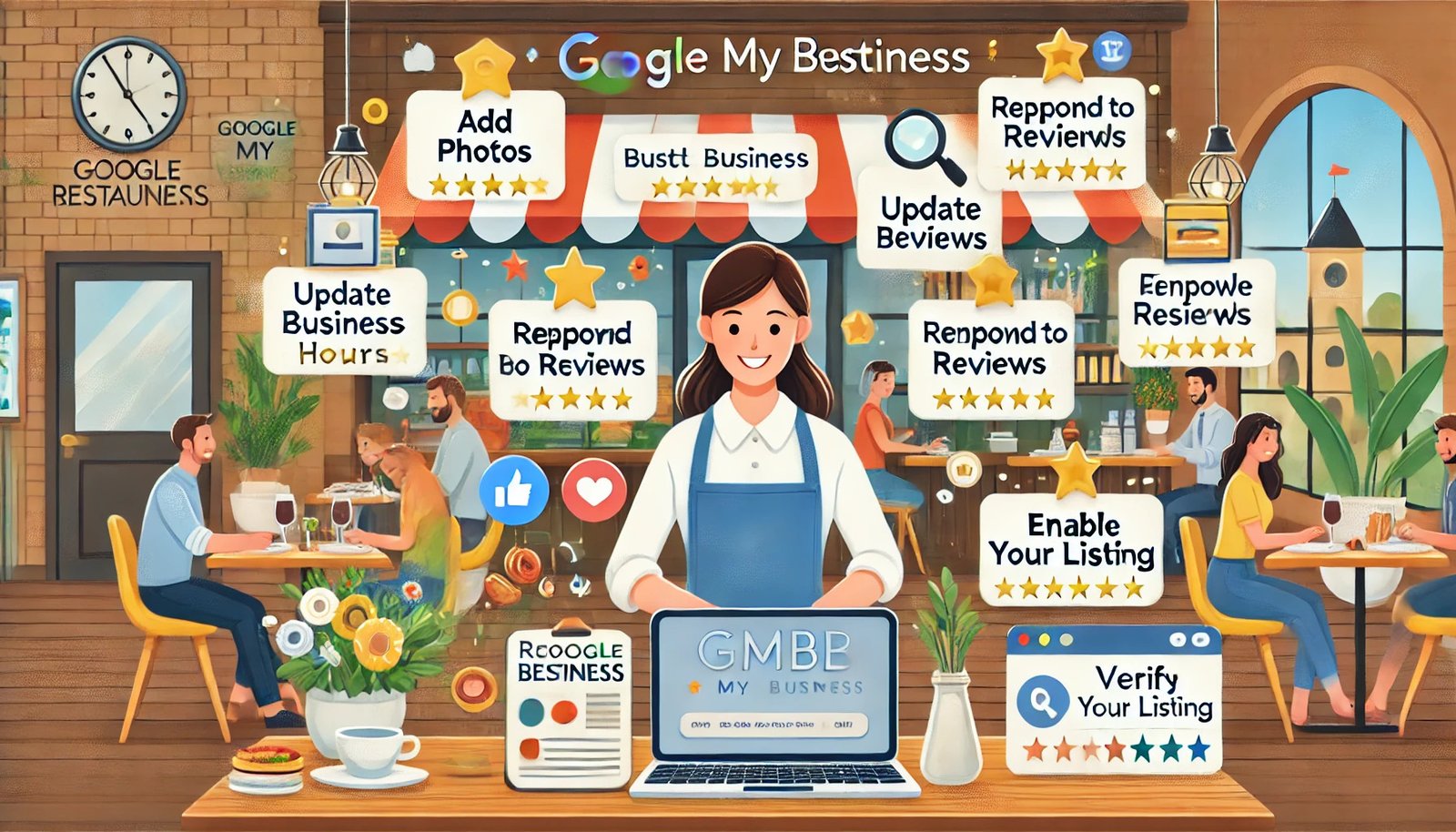
A Google My Business Listing (now called Google Business Profile) is a free tool provided by Google that allows businesses to manage their online presence across Google Search and Google Maps. For restaurants, it serves as a digital storefront where potential customers can view important information such as:

  • Business name
  • Address
  • Contact details
  • Operating hours
  • Photos
  • Reviews

Keeping your listing accurate and engaging can attract more customers and drive reservations.

Google My Business Listing

Steps to Optimize Your Restaurant’s GMB Listing

1. Claim and Verify Your Listing

The first step is to claim your Google My Business listing if you haven’t already. Follow these steps:

  • Visit the Google My Business.

  • Search for your restaurant to check if a listing already exists.
  • If found, claim ownership by following Google’s verification process.
  • If no listing exists, create one and provide accurate information.

Verification is essential to manage your profile effectively and unlock all features.

2. Complete Your Profile

Ensure your listing is 100% complete. Google favors detailed profiles, and potential customers prefer comprehensive information. Include:

  • Name: Use your official restaurant name.
  • Address: Ensure it matches your website and other online platforms.
  • Phone Number: Add a number customers can easily reach.
  • Website: Link directly to your homepage or reservation page.
  • Category: Choose the most relevant category, e.g., “Italian Restaurant,” or “Seafood Restaurant.”
  • Attributes: Highlight unique features like “Outdoor Seating,” “Free Wi-Fi,” or “Wheelchair Accessible.”

3. Add High-Quality Photos and Videos

Photos are a critical component of your Google My Business Listing. They give potential customers a glimpse of your ambiance, food, and overall experience. Here’s what to include:

  • Exterior and Interior Photos: Showcase the dining area, bar, or patio to highlight your restaurant’s vibe.
  • Menu Items: Post appetizing images of your most popular dishes and drinks.
  • Team Photos: Humanize your brand by including pictures of your chefs and staff.
  • Events: Share photos of special events or seasonal decorations.

4. Leverage Google Posts

Google Posts are a feature within the Google My Business platform that allows you to share updates, promotions, and events directly on your listing. Use posts to:

  • Promote seasonal menus.
  • Highlight special offers or discounts.
  • Announce events like live music or themed nights.

Each post should include a call-to-action (CTA) like “Reserve Now” or “Call to Book.”

5. Enable Reservations

Google My Business integrates with reservation platforms like OpenTable, Resy, and Yelp. Linking your listing to a reservation system makes it easier for customers to book directly from your profile.

  • Connect to a reliable reservation platform.
  • Test the booking process to ensure it’s seamless.
  • Highlight reservation links in posts and updates.

6. Optimize for Keywords

Incorporate relevant keywords into your GMB profile to improve search visibility. Focus on terms potential diners might use, such as:

  • “Best Italian restaurant near me.”
  • “pizza delivery in [City].”
  • “Family-friendly restaurant reservations.”

Use these phrases naturally in your business description, posts, and responses to reviews.

Also read: Essential Web Design Features for Hotels That Drive Direct Bookings

7. Collect and Respond to Reviews

Reviews significantly influence customer decisions and Google rankings. Encourage satisfied customers to leave reviews and respond promptly to all feedback.

  • Positive Reviews: Thank customers for their kind words and invite them back.
  • Negative Reviews: Address concerns professionally and offer solutions.

Google values active engagement and may reward your listing with better visibility.

8. Monitor Insights and Adjust Strategies

Google My Business provides insights on how customers interact with your listing. Use these analytics to:

  • Track profile views and actions (calls, website clicks, direction requests).
  • Identify popular times and optimize staffing or offers accordingly.
  • Adjust strategies based on user behavior.

9. Keep Information Updated

Ensure your GMB profile is always accurate and up to date. Update details like:

  • Holiday hours.
  • New menu items or services.
  • Changes in reservation policies.

10. Optimize for Local SEO

To improve your restaurant’s visibility in local searches, focus on Local SEO. Here are some tips:

  • Include location-specific keywords (e.g., “Best Sushi Restaurant in Chicago”) in your business description and posts.
  • Ensure your NAP (Name, Address, Phone Number) is consistent across all online platforms.
  • Build local backlinks by collaborating with nearby businesses or being featured in local directories.

Additional Tips for Success

  • Promote Special Events: Use posts and images to advertise unique offerings.
  • Focus on Local SEO: Consistency across online platforms strengthens your local search presence.
  • Engage with User-Generated Content: Share tagged photos from customers on your profile or social media.

FAQs

How do I claim my restaurant’s Google My Business listing?

Visit Google My Business, search for your restaurant, and follow the steps to claim ownership. If no listing exists, create one by providing accurate details.

Why is Google My Business important for restaurants?

It boosts local visibility, provides essential business information, and allows customers to make reservations directly, increasing your chances of attracting diners.

How can I encourage customers to leave reviews?

Politely request reviews after a meal or include a link to your GMB profile in follow-up emails. Incentivize feedback with discounts or offers (where permissible).

What should I include in my restaurant’s GMB description?

Highlight key aspects like cuisine, ambiance, unique features, and popular dishes. Use keywords naturally to enhance search visibility.

Can I update my GMB profile regularly?

Yes, and you should! Regular updates signal to Google and customers that your listing is active and accurate.

Conclusion

Optimizing your Restaurant’s Google My Business Listing for More Reservations is a surefire way to attract more diners and boost your business. By leveraging the tips above, you’ll not only enhance your online visibility but also provide a seamless customer experience that drives reservations. Start optimizing today and watch your restaurant flourish!

if you need any help with Digital Marketing then contact us
Web Design-HanuiT solutions

Essential Web Design Features for Hotels That Drive Direct Bookings

Essential Web Design Features for Hotels That Drive Direct Bookings

In the digital age, a hotel’s website is a powerful tool for attracting guests and securing bookings. An effective web design captivates visitors and streamlines the booking process, making it easier for potential guests to choose your hotel over competitors. With the right features, your website can act as a direct revenue driver, reducing reliance on third-party platforms and enhancing customer loyalty.

This article explores the key web design features every hotel needs to optimize its online presence and increase direct bookings. From responsive designs and high-quality visuals to secure booking engines and personalized content, these elements are designed to provide an exceptional user experience. Learn how integrating social proof, showcasing local attractions, and leveraging SEO can elevate your website, helping you connect with travelers while maximizing revenue potential.

Web Design Strategies for Hotels: Maximizing Direct Bookings

Web Design is the cornerstone of a hotel’s digital presence, directly influencing its ability to convert website visitors into paying guests. A thoughtfully designed website combines aesthetics, functionality, and user experience to simplify the booking journey and encourage direct reservations. This approach not only enhances the hotel’s brand image but also reduces dependency on Online Travel Agencies (OTAs), improving profitability.

Also read: Top SEO Strategies for Healthcare Providers to Rank Higher in Local Search

Web Design

How Web Design Drives Direct Bookings

Here are some key features to include in your hotel’s website to boost direct bookings:

1. Mobile-First Design

With the majority of travelers browsing and booking accommodations on their mobile devices, a mobile-first design is non-negotiable. This involves creating a website that is:

  • Responsive: Automatically adjusts to fit different screen sizes and resolutions.
  • Fast-loading: Optimized for speed to prevent users from leaving due to slow load times.
  • User-friendly: Features large buttons, easy navigation, and minimal pop-ups to ensure a smooth experience.

2. Seamless Booking Engine Integration

A hotel website’s booking engine is its heart. It should:

  • Be visually integrated: Match the website’s design and branding.
  • Offer real-time availability: Display up-to-date room availability and pricing.
  • Provide secure payment options: Reassure guests with encrypted payment gateways.
  • Include flexible booking options: Allow modifications and cancellations where applicable.

3. High-Quality Visual Content

First impressions matter, and high-quality visuals can significantly impact a guest’s decision-making process. Ensure that your website features:

  • Professional photography: Showcase rooms, amenities, and local attractions.
  • 360-degree virtual tours: Provide an immersive experience of the property.
  • Videos: Highlight unique experiences or special events at the hotel.

4. User-Friendly Navigation

Simple and intuitive navigation ensures users can find what they need without frustration. Achieve this by:

  • Clear menus: Organize information into logical categories such as rooms, amenities, dining, and contact information.
  • Search functionality: Include a search bar for quick access to specific information.
  • Breadcrumbs: Help users keep track of their location on the site.

5. Personalized User Experience

Personalization can elevate a guest’s experience and encourage bookings. Utilize features such as:

  • Dynamic content: Show personalized recommendations based on user behavior.
  • Loyalty program integration: Offer discounts and perks for returning customers.
  • Geo-targeting: Display location-specific offers and information.

6. Strong Call-to-Action (CTA) Buttons

Encourage users to take action with clear and compelling CTAs, such as:

  • “Book Now” buttons are strategically placed on all key pages.
  • Urgent messaging like “Limited Time Offer” or “Only 2 Rooms Left.”
  • Easy-to-read buttons with contrasting colors to grab attention.

7. Reviews and Testimonials

Social proof is critical in building trust with potential guests. Showcase:

  • Guest reviews: Include positive feedback and star ratings.
  • Case studies: Highlight success stories or unique guest experiences.
  • Third-party integrations: Display reviews from platforms like TripAdvisor or Google.

8. Local Area Guide

Providing valuable information about the local area can set your hotel apart. Include:

  • Attractions and activities: Suggest nearby points of interest.
  • Maps and directions: Help guests navigate the area easily.
  • Event calendars: Promote local events that may attract visitors.

9. Multi-language and Currency Support

Catering to international travelers is crucial for global reach. Features to include:

  • Language options: Provide translations for key content.
  • Currency conversion: Show prices in the guest’s preferred currency.

10. Search Engine Optimization (SEO)

A well-optimized website ensures better visibility on search engines, attracting more organic traffic. Focus on:

  • Targeted keywords: Optimize for terms like “luxury hotels in [location]” or “budget-friendly stays.”
  • Meta descriptions: Write compelling descriptions for each page.
  • Fast-loading pages: Improve overall site performance for better rankings.

11. Security and Trust Signals

Guests need to trust your website before making a booking. Build credibility through:

  • SSL certificates: Ensure the site is secure (HTTPS).
  • Privacy policies: Clearly outline how guest data is used and protected.
  • Awards and affiliations: Highlight industry recognitions and partnerships.

12. Live Chat Support

Real-time assistance can help address guest concerns instantly. Features to include:

  • 24/7 chatbots: Provide basic information and support outside business hours.
  • Human agents: Assist with more complex queries during operational hours.
  • Proactive messaging: Prompt users with helpful tips or offers.

13. Social Media Integration

Social media is a powerful marketing tool that complements your website. Integrate:

  • Social sharing buttons: Allow guests to share pages or offers.
  • Live feeds: Display recent posts from your hotel’s accounts.
  • Exclusive deals: Promote special offers only available through direct bookings.

14. Special Offers and Packages

Encourage bookings with exclusive deals displayed prominently. Highlight:

  • Seasonal discounts: Attract guests during specific times of the year.
  • Value-added packages: Bundle stays with dining or spa services.
  • Direct booking perks: Offer benefits like free breakfast or late checkout.

15. Accessibility Features

Make your website inclusive for all users by incorporating:

  • Screen reader compatibility: Ensure content is accessible to visually impaired users.
  • Keyboard navigation: Enable easy access without a mouse.
  • Clear fonts and high contrast: Improve readability for all users.

FAQ

Why is a mobile-first design important for hotel websites?

Most travelers use mobile devices to search and book accommodations. A mobile-first design ensures that the website is responsive, fast, and easy to navigate on smaller screens, enhancing user experience and increasing conversions.

What makes a booking engine effective?

An effective booking engine integrates seamlessly with the website’s design, offers real-time availability, provides secure payment options, and allows flexible booking modifications.

How can high-quality visual content impact bookings?

Professional photos, virtual tours, and videos give potential guests a clear idea of what to expect, building trust and encouraging them to book directly.

What role does SEO play in driving direct bookings?

SEO improves a website’s visibility on search engines, attracting organic traffic. Targeted keywords, fast-loading pages, and optimized meta descriptions can significantly enhance search rankings.

How do reviews and testimonials influence potential guests?

Positive reviews and testimonials serve as social proof, building trust with potential guests and increasing the likelihood of direct bookings.

Conclusion

A hotel website serves as a direct channel to engage with potential guests and encourage bookings. By focusing on these essential web design features, hotels can create a user-friendly, visually appealing, and conversion-focused platform. Investing in a well-designed website not only enhances the guest experience but also increases profitability by driving more direct bookings.

if you need any help with Digital Marketing then contact us
SEO-HanuiT solutions

Top SEO Strategies for Healthcare Providers to Rank Higher in Local Search

Top SEO Strategies for Healthcare Providers to Rank Higher in Local Search

In today’s competitive digital landscape, healthcare providers need to harness the power of Search Engine Optimization (SEO) to attract local patients and stay ahead of the competition. Healthcare businesses can improve their visibility in search engine results by focusing on local SEO techniques, reaching their target audience, and driving more appointments. This article explores the top SEO strategies for healthcare providers to rank higher in local search results.

Understanding Local SEO for Healthcare Providers

Local SEO is optimizing your online presence to attract more business from relevant local searches. Local SEO is particularly crucial for healthcare providers because most patients search for nearby clinics, hospitals, or specialists when seeking medical care. Keywords like “near me,” “closest,” or specific city names are vital in local searches. To rank higher in these searches, healthcare providers must focus on strategies that improve their online visibility while providing value to potential patients.

SEO

Top SEO Strategies for Healthcare Providers


1. Optimize Google My Business (GMB) Profile

A well-optimized Google My Business profile is essential for local SEO success. Here are the steps to optimize your GMB profile:

  • Claim and Verify Your Profile: Ensure your business profile is verified by Google.
  • Complete All Information: Provide accurate details such as your clinic’s name, address, phone number (NAP), website URL, and business hours.
  • Select Relevant Categories: Choose the categories that best represent your healthcare services.
  • Add High-Quality Photos: Include images of your clinic, staff, and facilities to enhance trust and engagement.
  • Encourage Reviews: Patient reviews boost credibility and influence local rankings. Encourage satisfied patients to leave positive reviews.

2. Target Local Keywords

Using the right keywords is a cornerstone of local SEO. Identify and target local keywords that potential patients might use when searching for healthcare providers. For example:

  • “Pediatrician in [City Name]”
  • “Dentist near me”
  • “24-hour urgent care [Location]”

To find effective local keywords:

  • Use keyword research tools like Google Keyword Planner or Ahrefs.
  • Analyze competitors’ websites to identify keyword gaps.
  • Focus on long-tail keywords for more specific queries.

3. Create Location-Specific Content

Content marketing is an integral part of any SEO strategy. For healthcare providers, creating location-specific content can significantly improve local rankings. Consider these content ideas:

  • Blog posts about local health concerns or seasonal illnesses (e.g., “Flu Prevention Tips for [City]”).
  • Guides to your services are tailored to the local audience.
  • Success stories or testimonials from local patients.

Ensure your content includes local keywords naturally and provides value to readers.

4. Build Local Citations

Local citations refer to mentions of your business’s name, address, and phone number on other websites and directories. These citations validate your business’s existence and help improve local search rankings.

To build local citations:

  • List your business in popular healthcare directories such as Healthgrades, Zocdoc, and WebMD.
  • Ensure consistency in your NAP information across all platforms.
  • Partner with local organizations for sponsorships or events to earn mentions on their websites.

5. Optimize Your Website for Local SEO

Your website should be fully optimized to rank higher in local search results. Key elements include:

  • Mobile-Friendly Design: Ensure your website is responsive and provides a seamless user experience on mobile devices.
  • Fast Loading Speed: Optimize images, use caching, and reduce unnecessary scripts to improve loading times.
  • On-Page SEO: Include local keywords in meta titles, descriptions, headers, and content.
  • Structured Data Markup: Use schema markup to help search engines understand your website’s content better.
  • Local Landing Pages: Create dedicated pages for each location you serve, highlighting specific services and contact details.

6. Leverage Patient Reviews

Online reviews play a significant role in local SEO rankings and patient decision-making. Encourage satisfied patients to leave reviews on platforms like Google, Yelp, and Healthgrades. Here’s how to manage reviews effectively:

  • Respond to both positive and negative reviews professionally.
  • Address concerns and show your commitment to patient satisfaction.
  • Avoid incentivizing reviews as it violate platform guidelines.

7. Use Social Media for Local Engagement

Social media platforms can boost your local SEO efforts by increasing visibility and engagement. Focus on:

  • Sharing location-specific content and updates.
  • Engaging with followers by responding to comments and messages.
  • Promoting special offers or events targeting the local community.

Platforms like Facebook and Instagram allow you to geo-target posts, ensuring your content reaches the right audience.

Also read” How Google My Business Enhances Online Visibility for Clinics and Hospitals

8. Implement Local Backlink Strategies

Backlinks from local and reputable websites can significantly impact your local SEO rankings. Strategies to earn local backlinks include:

  • Partnering with local businesses for collaborations.
  • Contributing guest posts to local blogs or news outlets.
  • Sponsoring community events or charities.

Ensure the backlinks come from relevant and authoritative sources.

9. Track and Analyze Performance

Monitoring your SEO performance is crucial to refining your strategies and achieving better results. Use tools like:

  • Google Analytics: To track website traffic and user behavior.
  • Google Search Console: To monitor search performance and identify technical issues.
  • Local SEO Tools: Tools like Moz Local or BrightLocal can provide insights into your local rankings and competitor analysis.

Regular analysis helps you identify what works and areas for improvement.

FAQ

Why is local SEO important for healthcare providers?

Local SEO helps healthcare providers reach potential patients searching for nearby services. It improves visibility, drives targeted traffic, and increases appointments.

How can I improve my Google My Business profile?

To enhance your GMB profile, verify your listing, provide accurate information, use relevant categories, add photos, and encourage patient reviews.

What are local keywords?

Local keywords are search terms that include specific locations, such as “dentist in [City]” or “urgent care near me.”

How do patient reviews impact local SEO?

Patient reviews enhance credibility and influence search engine rankings. Positive reviews attract more patients and improve trust.

What tools can help with local SEO?

Tools like Google Analytics, Google Search Console, Moz Local, and BrightLocal can help monitor and improve your local SEO efforts.

How often should I update my website content?

Regularly update your website with fresh, relevant content to keep it engaging for users and favorable to search engines. Aim for at least one new piece of content monthly.

Conclusion

Ranking higher in local search is essential for healthcare providers to connect with patients in their communities. By implementing effective SEO strategies such as optimizing your Google Business Profile, creating localized content, building high-quality backlinks, and leveraging online reviews, you can significantly improve your visibility. Additionally, ensuring your website is mobile-friendly and fast-loading is crucial to meeting patients’ expectations.

Consistency is key—continuously monitor your performance using analytics tools and adjust your strategies based on what works best for your practice. By staying proactive, you can ensure your healthcare organization remains competitive and easily accessible to those who need your services.

Start implementing these strategies today to build trust and enhance your online presence within your local area.

if you need any help with Digital Marketing then contact us
Google My Business-HanuiT solutions

How Google My Business Enhances Online Visibility for Clinics and Hospitals

How Google My Business Enhances Online Visibility for Clinics and Hospitals

Online visibility is crucial for any business, including clinics and hospitals, in today’s digital age. Patients increasingly turn to online platforms to find healthcare providers, read reviews, and book appointments. One of the most effective tools for boosting online visibility is Google My Business (GMB). This free platform offers healthcare providers an excellent opportunity to manage their online presence, connect with potential patients, and enhance their credibility.

This article explores how Google My Business can transform how clinics and hospitals are discovered online and outlines actionable strategies to effectively leverage its features.

Why Online Visibility Matters for Healthcare Providers

Healthcare is one of the most searched industries online. Patients often rely on search engines to find nearby clinics and hospitals, check services, and read reviews. Studies show that most users don’t look beyond the first page of search results, making it essential for healthcare providers to rank high.

Online visibility doesn’t just attract more patients—it builds trust. When patients see up-to-date information, positive reviews, and photos, they’re more likely to choose your facility. Google My Business acts as a cornerstone for establishing this online presence.

Google My Business

Key Features of Google My Business for Clinics and Hospitals

Google My Business offers a variety of features that are particularly beneficial for healthcare providers:

  1. Accurate Information Display
    • GMB allows clinics and hospitals to list essential details such as address, phone number, website, operating hours, and even services offered. This ensures that patients have accurate and readily accessible information.
  2. Location Visibility on Google Maps
    • When potential patients search for healthcare providers near them, Google Maps displays local listings prominently. GMB integration ensures your clinic or hospital appears in these searches.
  3. Patient Reviews and Ratings
    • Reviews significantly influence patient decisions. GMB enables healthcare providers to collect, display, and respond to reviews, showcasing their commitment to patient satisfaction.
  4. Photos and Virtual Tours
    • Adding high-quality images of the facility, staff, and services creates a sense of trust and professionalism. Virtual tours provide an immersive experience, helping potential patients feel more comfortable.
  5. Appointment Booking Integration
    • Many clinics can integrate appointment scheduling systems directly into their GMB profiles, making it convenient for patients to book services without leaving the platform.
  6. Insights and Analytics
    • GMB offers valuable insights into how patients find your clinic or hospital, what search terms they use, and how they interact with your listing. This data helps refine your online strategy.
Also read: Boost Patient Engagement with Custom Healthcare Web Design Solutions

Steps to Optimize Google My Business for Clinics and Hospitals

Here’s how to make the most of Google My Business:

  1. Claim and Verify Your Profile
    • Start by claiming your GMB profile. Verification may involve receiving a postcard from Google or completing an online verification process. Verified profiles have higher credibility and ranking potential.
  2. Complete Your Profile
    • Fill out every section of your GMB profile, including your business name, address, phone number (NAP), services, and specialties. Use consistent information across all online platforms.
  3. Utilize Keywords
    • Incorporate relevant keywords such as “primary care clinic near me” or “emergency hospital” in your profile description. This improves search engine optimization (SEO).
  4. Encourage and Respond to Reviews
    • Actively request feedback from patients and respond promptly, whether the review is positive or negative. Thoughtful responses show you value patient opinions.
  5. Add Photos Regularly
    • Post recent photos of your facility, events, or staff. Visual content not only attracts attention but also makes your listing more engaging.
  6. Leverage Posts and Updates
    • Use the GMB “Posts” feature to share updates, promotions, or health tips. Regular updates signal activity and keep your listing fresh.
  7. Enable Messaging
    • GMB’s messaging feature lets patients ask questions directly. Quick responses can convert inquiries into appointments.
  8. Track Performance with Insights
    • Use GMB’s analytics to monitor views, clicks, and calls. Adjust your strategy based on what’s working.

Benefits of Google My Business for Clinics and Hospitals

  1. Improved Local SEO
    • GMB enhances local SEO, ensuring your clinic or hospital ranks higher in local searches. This is especially important for healthcare providers as most patients seek care close to home.
  2. Increased Patient Engagement
    • Features like reviews, posts, and messaging encourage interaction, fostering trust and engagement with potential patients.
  3. Higher Patient Conversion Rates
    • Accurate information, positive reviews, and appointment scheduling options make it easy for patients to choose your facility.
  4. Cost-Effective Marketing
    • GMB is free to use, making it an affordable yet powerful marketing tool for healthcare providers.
  5. Competitive Edge
    • A well-optimized GMB profile can set your clinic or hospital apart from competitors who neglect their online presence.

Real-World Success Stories

Consider a small clinic that lacked a robust online presence. After optimizing their Google My Business profile, they experienced a 40% increase in appointment bookings within six months. Positive reviews further boosted their credibility, leading to higher patient retention.

Similarly, a mid-sized hospital used GMB analytics to refine its marketing strategy. By identifying common search terms and patient preferences, they improved their services and expanded their reach.

Common Challenges and How to Overcome Them

  1. Inconsistent Information
    • Ensure all platforms have matching NAP details to avoid confusion.
  2. Negative Reviews
    • Address negative feedback professionally and seek to resolve issues. Demonstrating accountability can turn dissatisfied patients into loyal ones.
  3. Limited Time for Updates
    • Assign a team member to manage GMB or schedule updates to keep the profile active.

Frequently Asked Questions

Is Google My Business free for clinics and hospitals?

Yes, Google My Business is completely free to use. There are no hidden charges for setting up or maintaining a profile.

How does GMB improve local search rankings?

GMB enhances local SEO by displaying your clinic or hospital in relevant local searches, especially when potential patients use phrases like “near me.”

Can GMB help with appointment scheduling?

Yes, GMB allows integration with appointment booking systems, making it easier for patients to schedule visits.

What should I do if I receive a negative review?

Respond promptly and professionally. Address the patient’s concerns and offer to resolve the issue offline if needed.

How often should I update my GMB profile?

Regular updates, such as weekly posts or monthly photo uploads, keep your profile active and engaging.

Conclusion

Google My Business is an indispensable tool for clinics and hospitals aiming to enhance their online visibility. By providing accurate information, collecting reviews, and engaging with patients, healthcare providers can attract more patients and build trust. Whether you’re a small clinic or a large hospital, investing time in optimizing your GMB profile can yield significant long-term benefits.

if you need any help with Digital Marketing then contact us
Custom Healthcare Web Design-HanuiT solutions

Boost Patient Engagement with Custom Healthcare Web Design Solutions

Boost Patient Engagement with Custom Healthcare Web Design Solutions

In today’s digital-first world, healthcare providers increasingly turn to online platforms to improve patient engagement. The way patients interact with healthcare services has evolved dramatically. They now expect user-friendly websites that quickly access essential information and services. Custom healthcare web design solutions are at the forefront of this transformation, enabling providers to connect with patients more effectively while enhancing their overall experience.

The Importance of Patient Engagement

Patient engagement is no longer just a buzzword; it’s a critical component of successful healthcare delivery. Engaged patients are more likely to follow treatment plans, schedule regular checkups, and take proactive steps in managing their health. For providers, this translates into better health outcomes and increased patient satisfaction.

A well-designed healthcare website acts as a bridge between providers and patients. It is a central hub for communication, education, and service delivery. Custom healthcare web design solutions allow providers to tailor their online presence to meet the unique needs of their patient population.

Why Customization Matters in Healthcare Web Design

Not all healthcare practices are the same, and neither are their patients. A generic website may fail to address specific patient needs or align with a provider’s brand identity. Custom healthcare web design solutions offer the flexibility to:

  • Personalize User Experiences: Tailor content and navigation to different patient demographics, such as seniors, children, or individuals with chronic conditions.
  • Enhance Accessibility: Ensure compliance with ADA (Americans with Disabilities Act) guidelines to make the website accessible to all patients, including those with disabilities.
  • Optimize Functionalities: Include features like appointment booking, telehealth services, and patient portals that streamline healthcare interactions.
  • Align with Branding: Reflect the provider’s values, mission, and professionalism through a cohesive design.

Key Features of Effective Healthcare Web Design

Custom healthcare web design solutions incorporate a variety of features to boost patient engagement. Here are some essential elements:

  1. Responsive Design: With the majority of users accessing websites on mobile devices, a responsive design ensures seamless functionality across all screen sizes.
  2. Easy Navigation: A clean and intuitive layout helps patients find information quickly, such as contact details, office hours, or health resources.
  3. Secure Patient Portals: Offer a secure platform for patients to view test results, communicate with healthcare providers, and manage appointments.
  4. Integrated Telehealth Services: Telehealth is no longer optional. Integrating virtual consultation features enables patients to access care from the comfort of their homes.
  5. Educational Content: Providing blogs, videos, and downloadable resources educates patients about various health conditions, treatments, and preventive care.
  6. Search Engine Optimization (SEO): An optimized website increases visibility, making it easier for potential patients to find your services online.
  7. Online Scheduling Tools: Simplify appointment bookings with user-friendly scheduling features, reducing administrative burden.

How Custom Web Design Improves Patient Engagement

1. Building Trust Through Professionalism

A custom-designed website creates a professional image, instilling confidence in your services. Patients are more likely to trust a provider whose website reflects attention to detail and quality.

2. Improving Accessibility

Accessibility features, such as screen reader compatibility and text resizing options, ensure that all patients, including those with disabilities, can interact with your website.

3. Encouraging Active Participation

Interactive tools like health trackers, symptom checkers, and personalized health recommendations motivate patients to take an active role in managing their health.

4. Enhancing Communication

Secure messaging systems and FAQ sections reduce the communication gap, making it easier for patients to get their questions answered promptly.

5. Streamlining Administrative Processes

Online forms, bill payments, and prescription refills simplify administrative tasks, freeing up time for both patients and staff.

Also read: Squarespace vs WordPress: Pricing Compared in [2025]

Case Studies: Success Stories with Custom Web Design

Example 1: A Pediatric Clinic

A pediatric clinic implemented a custom web design that included bright, child-friendly visuals and easy navigation for parents. Features like online immunization schedules and developmental milestone trackers significantly improved parental engagement and clinic visits.

Example 2: A Rural Healthcare Center

A rural healthcare provider used a custom website to introduce telehealth services, allowing patients in remote areas to consult specialists. The website also included local health resource guides, improving community health literacy.

Choosing the Right Web Design Partner

Selecting a professional web design agency specializing in healthcare is crucial for achieving your goals. Look for a partner with:

  • Healthcare Expertise: Experience in designing websites for healthcare providers.
  • Compliance Knowledge: Familiarity with HIPAA, ADA, and other regulatory requirements.
  • Proven Portfolio: A track record of successful healthcare web design projects.
  • Ongoing Support: Post-launch maintenance and updates to keep your website functional and secure.

Measuring the Impact of Your Website

Once your custom healthcare website is live, it’s essential to track its performance. Key metrics include:

  • Patient Engagement Rates: Monitor the frequency of logins, appointment bookings, and portal usage.
  • Bounce Rates: A lower bounce rate indicates that visitors find your content relevant.
  • Patient Feedback: Regularly solicit and analyze patient feedback to identify areas for improvement.
  • SEO Performance: Measure traffic growth from organic searches.

FAQs: Custom Healthcare Web Design Solutions

What are custom healthcare web design solutions?

These are tailored web design services specifically created to meet the unique needs of healthcare providers and their patients. They include features like secure portals, telehealth integration, and personalized content.

Why is custom web design important for healthcare providers?

Custom design ensures that the website aligns with the provider’s branding, enhances accessibility, and incorporates functionalities that improve patient engagement.

How can a custom website improve patient engagement?

By offering user-friendly features such as online scheduling, secure messaging, and educational content, a custom website makes it easier for patients to interact with their healthcare provider.

Is a custom healthcare website compliant with regulations like HIPAA?

Yes, when designed by experienced professionals, custom healthcare websites adhere to HIPAA and other regulatory standards, ensuring data security and privacy.

How long does it take to develop a custom healthcare website?

The timeline varies depending on the complexity of the project but typically ranges from 8 to 16 weeks.

What’s the cost of a custom healthcare website?

Costs vary based on features, design complexity, and provider needs. It’s best to get a quote from a web design agency.

Conclusion

Custom healthcare web design solutions are a game-changer in improving patient engagement. By creating a tailored online experience, providers can enhance accessibility, streamline services, and foster stronger patient relationships. Investing in a professional, custom-designed website is no longer optional but a necessity for staying competitive in the evolving healthcare landscape.

if you need any help with Digital Marketing then contact us
Squarespace vs WordPress-HanuiT solutions

Squarespace vs WordPress: Pricing Compared in [2025]

Squarespace vs WordPress: Pricing Compared in [2025]

Choosing the right platform for your website is one of the most crucial decisions for businesses, bloggers, and creatives alike. Among the most popular options is Squarespace vs WordPress. Both platforms have distinct advantages and pricing structures that cater to different needs. In this article, we’ll compare the pricing of Squarespace vs WordPress in 2025, helping you make an informed decision.

This article compares the pricing structures of Squarespace and WordPress in [2025], highlighting their subscription plans, associated fees, and potential additional costs. It aims to provide readers with a clear understanding of how these platforms’ pricing models align with various user needs, helping them choose the most cost-effective option for their website.

Overview of Squarespace

Squarespace is an all-in-one website-building platform that provides users with a seamless experience, from hosting to design. Known for its sleek templates and user-friendly interface, Squarespace caters to individuals and small businesses looking for a hassle-free way to create professional websites.

Squarespace Pricing in 2025

Squarespace operates on a straightforward subscription-based pricing model with four main plans:

  1. Personal Plan ($16/month billed annually, $23 month-to-month):
    • Ideal for basic websites.
    • Includes a free custom domain (for the first year).
    • SSL security and mobile-optimized designs.
    • Limited to basic features; e-commerce is not included.
  2. Business Plan ($23/month billed annually, $33 month-to-month):
    • Includes all Personal Plan features plus advanced website analytics.
    • E-commerce features with a 3% transaction fee.
    • Access to premium integrations and customization with JavaScript and CSS.
  3. Basic Commerce Plan ($27/month billed annually, $36 month-to-month):
    • 0% transaction fees.
    • Advanced e-commerce features like inventory management and customer accounts.
    • Integrated Point of Sale (POS) for physical store owners.
  4. Advanced Commerce Plan ($49/month billed annually, $65 month-to-month):
    • Best for large-scale e-commerce.
    • Features abandoned cart recovery and advanced shipping options.
    • Includes advanced discounts and subscription options.

Squarespace’s all-in-one approach simplifies the process for users who want to avoid managing separate hosting, plugins, or security services.

Additional Costs with Squarespace

  • Domain Renewal: After the first year, domains typically cost around $20 annually.
  • Third-Party Tools: Some integrations may require additional subscriptions.
Also read: Can GMB Everywhere Boost Your Google Rankings? Yes!

Overview of WordPress

WordPress powers over 40% of websites worldwide and offers unparalleled flexibility. It comes in two versions: WordPress.com (hosted) and WordPress.org (self-hosted). For this comparison, we’ll focus on WordPress.org, as it provides greater control and customization.

WordPress Pricing in 2025

WordPress offers two main options: WordPress.com (hosted) and WordPress.org (self-hosted). Pricing varies significantly between the two.

WordPress.com Plans

WordPress.com simplifies website building by offering a range of plans:

  1. Free Plan:
    • Limited features with WordPress.com subdomain.
    • Ads appear on your website.
  2. Personal Plan ($48/year):
    • Ad-free experience with a custom domain.
    • Basic email and live chat support.
  3. Premium Plan ($96/year):
    • Access to premium themes and advanced design tools.
    • Monetization options like ads and payment buttons.
  4. Business Plan ($300/year):
    • Full integration with plugins and themes.
    • 24/7 priority support.
  5. eCommerce Plan ($540/year):
    • Advanced e-commerce features similar to Squarespace’s Advanced Commerce Plan.

WordPress.org (Self-Hosted)

For a self-hosted WordPress.org website, the costs break down as follows:

  1. Domain Name ($10–$20/year):
    • Register your domain through platforms like Namecheap or GoDaddy.
  2. Web Hosting ($5–$50/month):
    • Popular options include Bluehost, SiteGround, and WP Engine.
    • Costs vary based on traffic, storage, and support needs.
  3. Themes and Plugins ($0–$200/year):
    • While free options are available, premium themes and plugins often come with additional features and support.
  4. Security and Maintenance ($10–$100/year):
    • Services like Sucuri or Jetpack enhance security and ensure your site runs smoothly.

Squarespace vs WordPress: Key Pricing Comparisons

  1. Upfront Costs:
    • Squarespace has predictable costs, making budgeting easier.
    • WordPress.org may have higher initial costs depending on hosting and premium add-ons.
  2. Scalability:
    • Squarespace’s pricing increases with advanced e-commerce needs.
    • WordPress.org scales well for large sites but requires investment in hosting and maintenance.
  3. E-commerce:
    • Squarespace offers robust e-commerce features without requiring external plugins.
    • WordPress.org’s WooCommerce plugin is highly customizable but involves additional costs for extensions.
  4. Customization Costs:
    • Squarespace limits customization to its built-in tools unless you’re on higher-tier plans.
    • WordPress.org offers virtually unlimited customization at varying costs.

Factors to Consider Beyond Pricing

When comparing “Squarespace vs WordPress,” pricing is only one piece of the puzzle. Consider these additional factors:

  1. Ease of Use:
    • Squarespace is beginner-friendly with drag-and-drop functionality.
    • WordPress.org requires a steeper learning curve but offers more control.
  2. Design Options:
    • Squarespace provides polished, modern templates optimized for any device.
    • WordPress.org boasts thousands of free and premium themes.
  3. Support and Resources:
    • Squarespace offers 24/7 customer support.
    • WordPress.org relies on community forums unless you purchase premium support.
  4. Ownership and Portability:
    • Squarespace hosts your site, making migration to another platform more challenging.
    • WordPress.org provides full ownership of your site and data.

Which Platform Offers Better Value in 2025?

Who Should Choose Squarespace?
  • Beginners with no technical expertise.
  • Businesses need quick, professional websites.
  • Users who value design over extensive functionality.
Who Should Choose WordPress?
  • Advanced users or those with technical knowledge.
  • Websites requiring complex functionality or custom features.
  • Those planning to scale their website significantly.

FAQs

Which platform is cheaper for a small business?

Squarespace is often cheaper for small businesses due to its all-in-one plans. WordPress.org can become costlier depending on the hosting and plugins required.

Can I use Squarespace for free?

Squarespace doesn’t offer a free plan, but it provides a 14-day free trial.

Is WordPress better for SEO?

WordPress.org offers more SEO flexibility with plugins like Yoast SEO. However, Squarespace’s built-in tools are sufficient for most users.

Do Squarespace prices include hosting?

Yes, all Squarespace plans include hosting, making it a simpler solution for beginners.

Is WordPress harder to use than Squarespace?

WordPress.org has a steeper learning curve but is more flexible. Squarespace is more user-friendly and ideal for non-technical users.

Which platform is better for e-commerce?

Squarespace is great for small to medium-sized online stores. WordPress.org with WooCommerce is better for larger, more complex e-commerce needs.

Conclusion

Choosing between Squarespace and WordPress in 2025 depends on your specific needs, technical expertise, and budget. Squarespace offers simplicity and predictable pricing, ideal for beginners or those seeking an all-in-one solution. On the other hand, WordPress.org provides unmatched flexibility and scalability for users willing to invest time and resources into their website.

By carefully evaluating your goals and comparing “Squarespace vs WordPress” pricing, you can select the platform that aligns best with your vision and financial plan.

if you need any help with Digital Marketing then contact us
GMB Everywhere-HanuiT solutions

Can GMB Everywhere Boost Your Google Rankings? Yes!

Can GMB Everywhere Boost Your Google Rankings? Yes!

In today’s competitive digital landscape, businesses constantly strive to gain visibility and stand out in search engine results. A critical tool for achieving this is Google My Business (GMB), an essential platform for businesses to manage their online presence across Google. However, many are asking, “Can GMB Everywhere Boost Your Google Rankings? Yes!” The answer lies in understanding how to leverage this tool effectively across multiple locations and platforms.

Google My Business (GMB) is more than just a business listing; it’s a dynamic tool that plays a pivotal role in local search engine optimization (SEO). When utilized strategically across multiple locations—a concept we call GMB Everywhere—businesses can boost their Google rankings significantly. By ensuring consistency, optimizing profiles, managing reviews, and leveraging unique GMB features, businesses can enhance their visibility on Google Search and Maps, attract more customers, and gain a competitive edge.

What is Google My Business (GMB)?

Google My Business (GMB) is a free tool that allows businesses to create and manage their business profile on Google. It includes essential details such as your business name, address, phone number, website, hours of operation, photos, and customer reviews. This information is displayed on Google Search and Maps, making it easier for potential customers to find and connect with your business.

GMB is not just a listing tool; it’s a powerful asset that can significantly impact your local search engine optimization (SEO). Businesses that optimize their GMB profiles are more likely to appear in local search results, often referred to as the “Local Pack.”

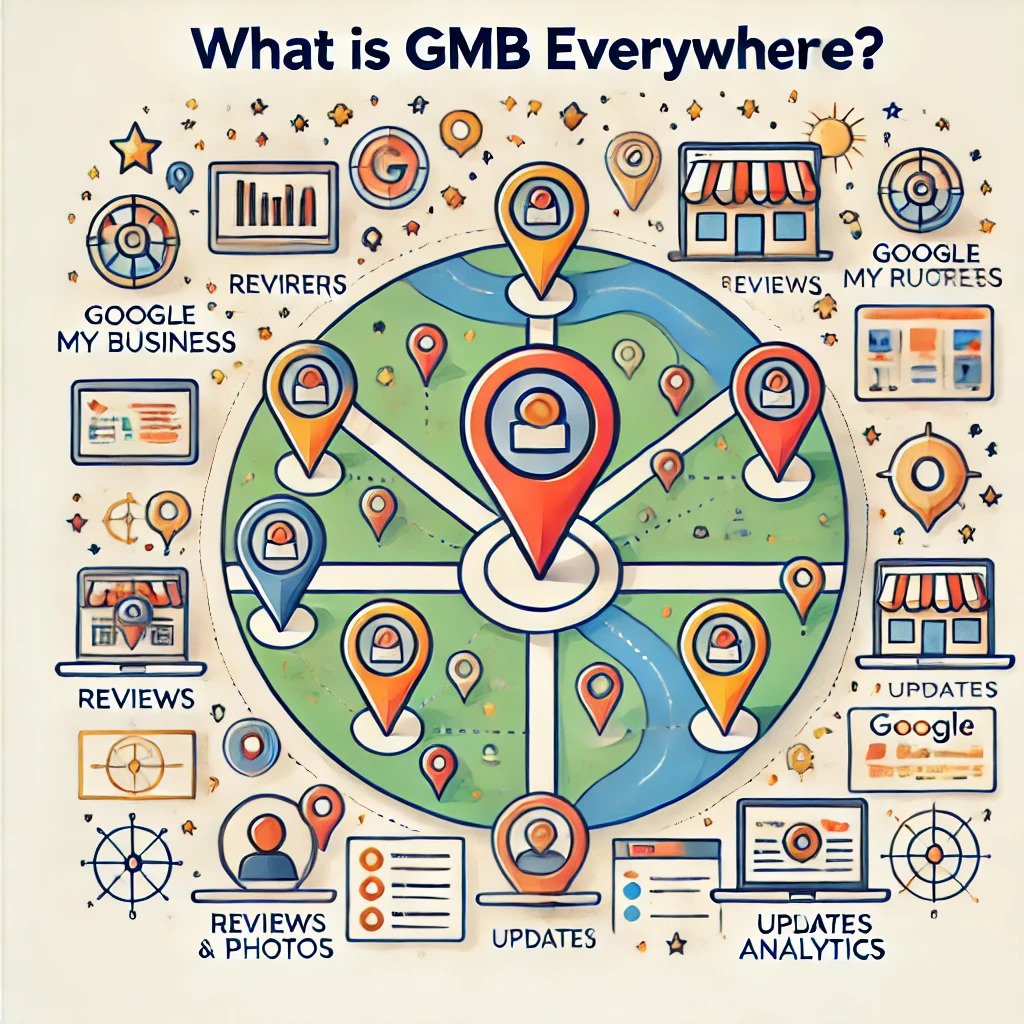
What is GMB Everywhere?

GMB Everywhere is a strategic approach to utilizing Google My Business across all locations, ensuring that each branch or franchise of a business has an optimized and active GMB profile. This tactic includes maintaining consistency in branding, managing reviews, sharing regular updates, and utilizing the unique features of GMB to enhance local visibility.

GMB Everywhere

How Can GMB Everywhere Boost Your Google Rankings? Yes!

1. Improves Local SEO

GMB Everywhere ensures that each location’s profile is fully optimized with accurate and up-to-date information. This enhances the relevance of your business for local searches. Google prioritizes accurate and consistent information, which means optimized GMB profiles are more likely to appear in local search results.

2. Enhances Visibility on Google Maps

Having an optimized GMB profile for every location increases your chances of appearing prominently on Google Maps. This is especially important for businesses that rely on foot traffic or local customers. Users searching for services “near me” are more likely to find your business when your GMB profiles are active and complete.

3. Builds Trust with Customers

An active GMB profile with positive reviews, professional photos, and timely updates builds credibility and trust with potential customers. When users see consistent and engaging profiles across multiple locations, they are more likely to choose your business over competitors.

4. Encourages Customer Interaction

GMB’s features, such as Q&A, posts, and messaging, enable businesses to interact directly with customers. Consistently utilizing these features across all locations fosters engagement, leading to higher customer satisfaction and better rankings.

Also read: How Can Shopify’s Performance Impact Your E-Commerce Success?

5. Leverages Insights for Better Decision-Making

GMB provides valuable insights into customer behavior, such as how they find your business and what actions they take. By applying these insights across all locations, you can identify trends and refine your marketing strategy, further boosting your rankings.

Best Practices for Implementing GMB Everywhere

1. Consistent NAP Information

NAP (Name, Address, Phone number) consistency is crucial. Ensure that every GMB profile displays uniform and accurate information. This consistency signals reliability to Google and its customers.

2. Optimize Each Profile Individually

Each location should have a unique GMB profile tailored to its local audience. Include location-specific photos, services, and promotions to make the profiles more relevant and engaging.

3. Encourage and Manage Reviews

Positive reviews play a significant role in boosting your rankings. Encourage satisfied customers to leave reviews and respond to them promptly, whether positive or negative. A well-managed review strategy demonstrates customer care and builds trust.

4. Use High-Quality Visuals

Upload professional, high-quality images of your business, products, and services. Visual content attracts users and makes your profiles more appealing.

5. Leverage GMB Posts

GMB posts allow you to share updates, promotions, events, and news. Regularly posting fresh content keeps your profiles active and engaging, which Google favors.

6. Utilize the Q&A Section

Proactively populate the Q&A section with frequently asked questions and answers. This not only helps customers but also improves your profile’s SEO.

7. Track Performance with Insights

Monitor the performance of each GMB profile using the insights provided by Google. Analyze data such as views, clicks, and customer actions to refine your strategy and maximize results.

Common Challenges and How to Overcome Them

Challenge 1: Managing Multiple Profiles

Maintaining consistency and activity across multiple GMB profiles can be daunting. Use tools or hire professionals to streamline the process.

Challenge 2: Handling Negative Reviews

Negative reviews can impact your reputation and rankings. Address them promptly and professionally to show customers you care.

Challenge 3: Keeping Information Updated

Outdated information can confuse customers and hurt your rankings. Regularly audit and update all GMB profiles.

FAQs

What is GMB Everywhere?

GMB Everywhere optimizes and manages Google My Business profiles across all business locations to boost visibility and rankings.

Can GMB Everywhere help small businesses?

Yes! Small businesses can benefit immensely from GMB Everywhere by increasing their local presence and attracting more customers.

How often should I update my GMB profiles?

Regular updates are recommended. Post weekly updates, add new photos monthly, and review the information quarterly to ensure accuracy.

Is it expensive to implement GMB Everywhere?

The cost depends on the scale of your operations and whether you use in-house resources or hire professionals. However, the ROI is often worth the investment.

Do reviews affect Google rankings?

Absolutely! Positive reviews and timely responses to reviews significantly impact your local SEO and overall rankings.

Conclusion

So, can GMB Everywhere boost your Google rankings? Yes! By strategically leveraging GMB profiles across all locations, businesses can improve local SEO, enhance visibility, build trust, and engage with customers more effectively. The key is consistency, optimization, and regular activity. Don’t miss the opportunity to outshine competitors and dominate local search results by making GMB Everywhere a central part of your digital strategy.

Shopify's Performance-HanuiT solutions

How Can Shopify’s Performance Impact Your E-Commerce Success?

How Can Shopify’s Performance Impact Your E-Commerce Success?

Shopify’s Performance is a critical factor in determining the success of your e-commerce business. It’s not just about having a visually appealing store; the speed, functionality, and responsiveness of your Shopify site play a significant role in customer satisfaction and overall sales. A high-performing site ensures smooth user experiences, encourages repeat visits, and boosts conversion rates.

Discover how Shopify’s performance impacts your e-commerce success. This article explores the connection between site speed, mobile optimization, and user engagement, highlighting why a well-optimized Shopify store is essential for thriving in a competitive online marketplace. Learn actionable strategies to enhance your store’s performance and unlock its full potential.

The Role of Shopify Performance in E-Commerce

Shopify is a leading e-commerce platform that offers businesses a seamless way to sell online. However, even with its robust features, your Shopify store’s performance can vary based on factors such as speed, usability, and overall user experience. A high-performing Shopify store ensures that your customers have a smooth shopping experience, while a sluggish one can drive potential buyers away.

Shopify's Performance

Page Load Speed

Page load speed is one of the most critical factors in Shopify’s performance. Studies show that 53% of mobile users abandon a site if it takes more than three seconds to load. This statistic highlights the importance of a fast-loading website for Shopify store owners. Slow page speeds not only frustrate users but also negatively impact search engine rankings, reducing your store’s visibility to potential customers.

Mobile Optimization

With the majority of online shopping happening on mobile devices, a mobile-optimized Shopify store is non-negotiable. Poor mobile performance can lead to a high bounce rate, low customer engagement, and missed sales opportunities. Ensuring your store is responsive and user-friendly on all devices is crucial for maximizing e-commerce success.

SEO and Visibility

Search engine optimization (SEO) plays a significant role in driving organic traffic to your Shopify store. However, Shopify’s performance directly impacts SEO. For example, Google’s algorithms prioritize fast-loading and mobile-friendly websites. If your store’s performance doesn’t meet these criteria, it’s less likely to rank high in search results, leading to reduced traffic and sales.

Also read: How Can You Optimize ROI in 2025 Using SEO and GMB Strategies?

How Shopify Performance Affects Customer Experience

A seamless shopping experience is at the heart of e-commerce success. Shopify performance impacts several aspects of the customer journey:

Navigation and Usability

Easy navigation and an intuitive interface are essential for keeping customers engaged. If your Shopify store has laggy menus, broken links, or slow-loading product pages, customers are more likely to leave without making a purchase.

Cart Abandonment Rates

High cart abandonment rates are a common challenge for e-commerce businesses. Slow checkout processes and glitches can frustrate customers, causing them to abandon their carts. Streamlining the checkout experience is key to reducing abandonment rates and increasing conversions.

Customer Retention

First impressions matter. A poorly performing Shopify store can deter customers from returning, while a fast, reliable, and user-friendly store encourages repeat business. Loyal customers are more likely to recommend your store to others, boosting your brand’s reputation and reach.

Tools and Tips to Optimize Shopify Performance

To ensure your Shopify store operates at peak performance, consider these optimization strategies:

Optimize Images

Large, uncompressed images can significantly slow down your website. Use tools to compress images without sacrificing quality and choose the right file formats for web usage.

Leverage Shopify Apps Wisely

While Shopify apps can enhance functionality, too many apps can slow down your store. Regularly audit and uninstall unnecessary apps to keep your store running efficiently.

Implement a Content Delivery Network (CDN)

A CDN helps deliver website content quickly to users by using servers located close to their geographical location. Shopify’s built-in CDN is a valuable feature that improves load times and overall performance.

Use Fast and Responsive Themes

Shopify offers a variety of themes, but not all are created equal. Opt for lightweight, well-coded themes that prioritize speed and responsiveness. Regularly update your theme to ensure compatibility with the latest Shopify features.

Monitor and Test Performance

Regularly test your store’s performance using tools like Google PageSpeed Insights or Shopify’s analytics. Identify areas for improvement and address issues promptly to maintain optimal performance.

Real-World Examples of Shopify Performance Impact

Increased Conversions

A Shopify store that loads quickly and offers a seamless experience can significantly boost conversion rates. For example, an online clothing retailer saw a 25% increase in sales after optimizing their site’s load speed and checkout process.

Enhanced SEO Rankings

Improved site performance often translates to better search engine rankings. A tech accessories store improved its Google ranking from page three to page one by optimizing images, implementing a CDN, and enhancing mobile usability.

Better Customer Retention

A health and wellness brand experienced a 30% increase in repeat customers after revamping its Shopify store to improve speed and navigation. These changes encouraged customers to return and make additional purchases.

FAQ

What are the key factors affecting Shopify’s performance?

Key factors include page load speed, mobile optimization, usability, and the number of installed apps. Addressing these areas can significantly enhance your store’s performance.

How does Shopify’s performance affect SEO?

Shopify performance impacts SEO by influencing site speed and mobile usability, both of which are critical ranking factors for search engines like Google.

Can too many apps slow down my Shopify store?

Yes, too many apps can increase load times and affect overall performance. Regularly audit and remove unnecessary apps to maintain optimal speed.

What tools can I use to test my Shopify store’s performance?

Tools like Google PageSpeed Insights, GTmetrix, and Shopify’s analytics can help you measure and improve your store’s performance.

How often should I monitor my Shopify store’s performance?

Regular monitoring is essential. Aim to check your store’s performance at least once a month or after implementing significant changes.

Conclusion

The question “How can Shopify’s performance impact your e-commerce success?” underscores the importance of maintaining a fast, efficient, and user-friendly store. From enhancing customer experience to boosting SEO rankings and increasing conversions, Shopify’s performance is integral to your e-commerce growth. By investing in performance optimization, you can set your business up for long-term success and outpace the competition.

if you need any help with Digital Marketing then contact us
ROI-HanuiT solutions

How Can You Optimize ROI in 2025 Using SEO and GMB Strategies?

How Can You Optimize ROI in 2025 Using SEO and GMB Strategies?

As we venture into 2025, the competitive digital landscape demands businesses adopt innovative approaches to maximize their return on investment (ROI). Leveraging Search Engine Optimization (SEO) and Google My Business (GMB) strategies has proven to be a game-changing approach to achieving measurable success. These tools help businesses connect with their target audience, enhance visibility, and drive growth. But how can you optimize ROI in 2025 using SEO and GMB strategies effectively? Let’s dive into actionable insights.

  • SEO (Search Engine Optimization):  SEO is the practice of optimizing a website and its content to improve its visibility in search engine results pages (SERPs) for specific keywords or phrases. This involves techniques like keyword research, on-page optimization, creating high-quality content, link building, and enhancing technical aspects such as website speed and mobile-friendliness. The goal of SEO is to attract organic traffic, improve user engagement, and increase conversions.
  • GMB (Google My Business):  Google My Business (GMB) is a free tool provided by Google that helps businesses manage their online presence across Google Search and Maps. It allows businesses to provide essential information such as their address, phone number, operating hours, and website. Businesses can also post updates, manage reviews, and engage with customers directly. GMB is especially useful for local businesses seeking to improve their visibility and attract local customers.
  • ROI (Return on Investment):  ROI is a financial metric used to evaluate the profitability and efficiency of an investment. It measures the gain or loss generated relative to the cost of the investment. ROI is calculated using the formula:

ROI

Businesses use ROI to assess the effectiveness of marketing strategies, campaigns, or other investments in generating returns compared to their costs

The Importance of SEO and GMB in ROI Optimization

Search Engine Optimization (SEO) focuses on improving your website’s visibility on search engine results pages (SERPs). This organic strategy boosts traffic, increases brand credibility, and ultimately drives conversions. On the other hand, Google My Business (GMB) provides a platform for local businesses to manage their online presence, enabling them to attract and engage local customers effectively.

Combined, SEO and GMB strategies become a robust framework for enhancing your online presence and ensuring a higher ROI. Here’s how:

  1. Enhanced Local Visibility: SEO improves website rankings, while GMB ensures local visibility through maps and local search results.
  2. Targeted Audience Engagement: Tailored SEO content and GMB profiles ensure you’re reaching the right audience.
  3. Cost Efficiency: Both strategies provide significant results with lower costs than traditional advertising.

How to Optimize ROI in 2025 Using SEO Strategies

  1. Focus on Core Web Vitals Google’s ranking algorithms prioritize user experience, and Core Web Vitals (loading, interactivity, and visual stability) are crucial metrics. Ensure your website loads quickly, responds efficiently, and provides a seamless experience to visitors.
  2. Adopt AI-Powered Tools AI technologies, like ChatGPT, can optimize content creation, keyword research, and trend analysis. Use AI to predict search trends and develop content strategies that align with user intent.
  3. Prioritize Mobile Optimization With mobile searches dominating the digital space, ensure your website is fully optimized for mobile devices. Mobile-friendly design and fast loading times are critical for higher rankings and better user engagement.
  4. Create High-Quality Content Content remains king in 2025. Focus on:
    • Informative blogs that solve problems.
    • Engaging visuals and videos to captivate users.
    • Long-tail keywords for niche targeting.
  5. Leverage Voice Search Optimization The rise of smart assistants has increased voice searches. Optimize your content for conversational queries and use schema markup to improve your chances of being featured in voice search results.
  6. Build Strong Backlinks High-quality backlinks signal authority and trust to search engines. Collaborate with reputable sites in your industry for guest blogging and partnerships to build robust backlink profiles.
  7. Implement Local SEO Techniques
    • Optimize title tags, meta descriptions, and content with local keywords.
    • Create localized landing pages.
    • Encourage customer reviews to boost credibility.

How to Optimize ROI in 2025 Using GMB Strategies

  1. Claim and Verify Your GMB Listing Ensure your business’s GMB profile is claimed, verified, and up to date. Accurate details about your address, phone number, and website build trust and make it easier for customers to find you.
  2. Use High-Quality Images Images attract attention and improve engagement. Upload professional photos of your business, products, or services to make your profile visually appealing.
  3. Leverage Google Posts Regularly post updates, offers, and announcements. Google Posts act like mini-advertisements, keeping your audience informed and engaged.
  4. Encourage Reviews and Respond to Them Positive reviews enhance your reputation and influence purchasing decisions. Encourage satisfied customers to leave reviews and respond to both positive and negative feedback promptly.
  5. Utilize the Q&A Section Monitor and answer questions in the Q&A section of your GMB profile. Providing clear, helpful answers demonstrates responsiveness and builds trust.
  6. Track Insights and Analytics GMB provides valuable insights, such as how users find your business, what actions they take, and how many views your profile receives. Use this data to refine your strategies.
Also read: Understanding Website Development Costs: What Affects the Price?

Combining SEO and GMB for Maximum ROI

  1. Consistent NAP Information Ensure your Name, Address, and Phone number (NAP) are consistent across your website, GMB profile, and other online directories. Inconsistencies can harm your local SEO efforts.
  2. Optimize for Local Search Queries Use location-specific keywords in your SEO strategy and GMB profile. This helps in capturing local traffic and improving conversion rates.
  3. Integrate GMB with Website SEO Link your GMB profile to your website. Use analytics to track traffic from GMB and measure the ROI.
  4. Leverage User-Generated Content Encourage reviews and user-generated content, such as testimonials and images. Incorporate these into your website for added SEO benefits.
  5. Target “Near Me” Searches Optimize your content and GMB listing for “near me” searches, which are essential for local businesses seeking immediate customer attention.

Monitoring and Measuring ROI

  1. Use Analytics Tools Tools like Google Analytics and GMB Insights to provide detailed data on traffic, conversions, and user behavior. Analyze this data to understand what’s working and adjust your strategies accordingly.
  2. Set Clear KPIs Define Key Performance Indicators (KPIs) such as traffic growth, conversion rates, and revenue generated. These metrics help you measure the success of your SEO and GMB efforts.
  3. Regularly Review and Adjust The digital landscape evolves rapidly. Regularly review your strategies, monitor industry trends, and stay flexible to adapt to new opportunities.

FAQs

How Can You Optimize ROI in 2025 Using SEO and GMB Strategies?

You can optimize ROI by focusing on local SEO techniques, enhancing user experience through Core Web Vitals, leveraging AI tools, and maintaining a well-managed GMB profile. Consistency and regular updates are key.

Why is GMB Important for ROI Optimization?

GMB enhances local visibility, builds trust, and drives customer engagement. It’s a cost-effective tool for attracting local customers and converting them into loyal patrons.

What are Core Web Vitals, and Why Do They Matter?

Core Web Vitals is a set of metrics measuring user experience, including loading speed, interactivity, and visual stability. They directly impact your search rankings and overall user satisfaction.

How Do Reviews Impact GMB Performance?

Reviews influence customer trust and local rankings. Encouraging positive reviews and responding to all feedback demonstrates reliability and improves your online reputation.

How Often Should I Update My GMB Profile?

Regular updates keep your profile relevant and engaging. Post new offers, photos, and announcements weekly to maintain customer interest and improve visibility.

Conclusion

Optimizing ROI in 2025 requires a strategic blend of SEO and Google My Business (GMB) tactics. By focusing on targeted keyword strategies, creating high-quality content, and ensuring your website is technically sound, SEO can help attract and convert a larger audience. Simultaneously, GMB enhances your local presence, builds trust through reviews, and engages customers directly with accurate and updated business information.

if you need any help with Digital Marketing then contact us