HanuiT Solutions

WordPress Website-HanuiT solutions

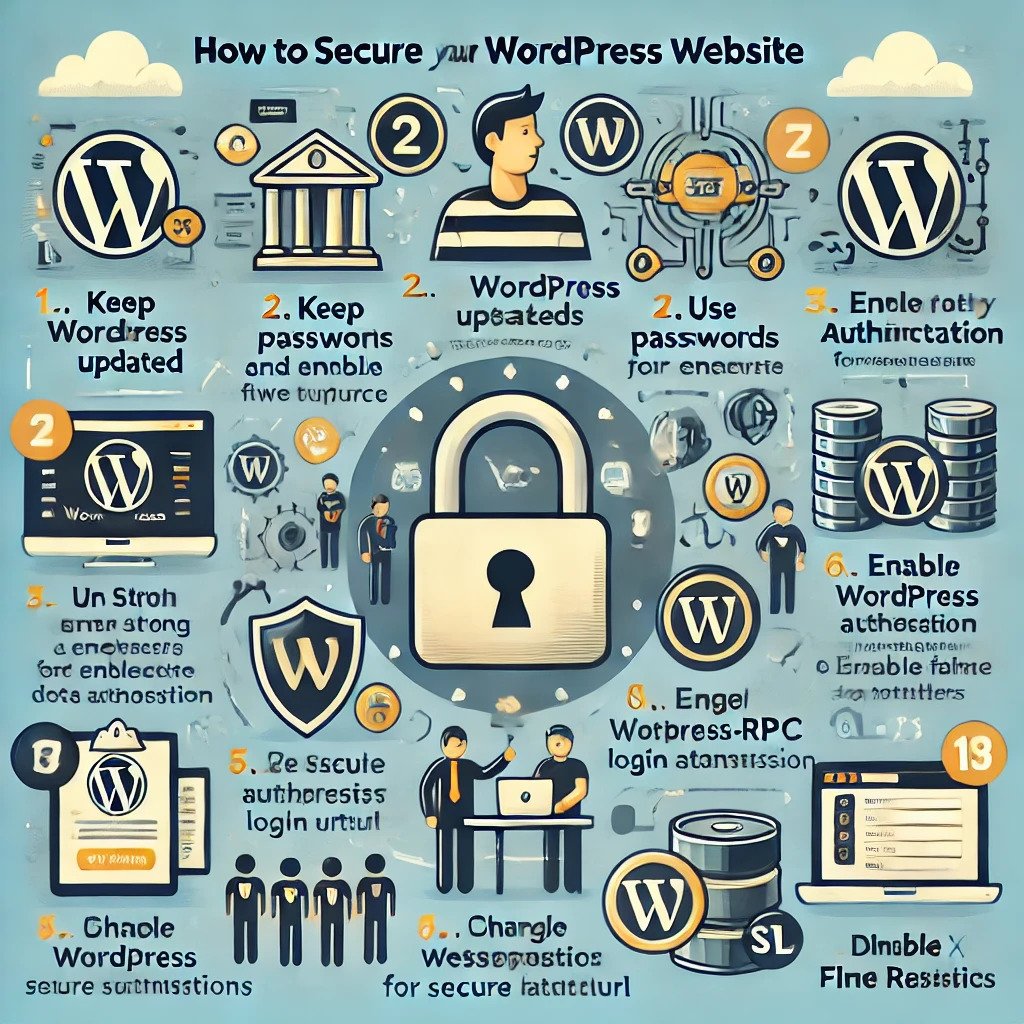
How to Secure WordPress Website from Hackers

How to Secure WordPress Website from Hackers

WordPress is one of the most popular content management systems (CMS) in the world, powering over 40% of websites globally. However, its widespread use makes it a prime target for hackers. Securing your WordPress website from hackers is essential to protect your data, maintain your reputation, and ensure your visitors’ safety. In this comprehensive guide, we will explore step-by-step methods to secure a WordPress website from hackers effectively.

Why Is WordPress Security Important?

A hacked WordPress website can lead to data breaches, loss of customer trust, and even blacklisting by search engines. By implementing robust security measures, you can safeguard your website from malicious attacks and ensure its smooth operation.

Steps to Secure WordPress Website from Hackers
WordPress Website

Step 1: Keep WordPress Updated

Keeping your WordPress core, plugins, and themes updated is one of the most critical steps. Updates often contain security patches that fix vulnerabilities.

  • Enable automatic updates for WordPress core files.
  • Regularly check for plugin and theme updates.
  • Delete unused plugins and themes to minimize risk.

Step 2: Use Strong Passwords and Usernames

Weak passwords and default usernames like “admin” make it easier for hackers to access your site. Follow these guidelines:

  • Use strong, unique passwords with a mix of uppercase, lowercase, numbers, and special characters.
  • Avoid using default usernames; choose something unique and hard to guess.
  • Consider using a password manager to securely generate and store credentials.

Step 3: Install a Security Plugin

Security plugins provide comprehensive protection by monitoring your site, blocking malicious traffic, and detecting vulnerabilities. Popular options include:

  • Wordfence: Offers firewall protection and malware scanning.
  • Sucuri Security: Provides website monitoring and malware cleanup.
  • iThemes Security: Protects against common threats and strengthens your site’s defenses.

Step 4: Enable Two-Factor Authentication (2FA)

Two-factor authentication adds an extra layer of security by requiring users to verify their identity through a second method, such as a one-time code sent to their phone. Plugins like Google Authenticator and Duo Security make implementing 2FA simple and effective.

Step 5: Regularly Back Up Your Website

Regular backups ensure that you can quickly restore your site in case of an attack. Here’s how to set up backups:

  • Use backup plugins like UpdraftPlus or BackupBuddy.
  • Schedule automated backups to run daily or weekly.
  • Store backups securely in cloud storage or an external drive.

Step 6: Limit Login Attempts

Brute force attacks involve repeatedly trying different username and password combinations. Limit login attempts to block malicious attempts after a certain number of failed logins. Use plugins like Login LockDown or WP Limit Login Attempts to implement this feature.

Also read: How to Build a Website for My Business: A Beginner’s Guide

Step 7: Secure Your Hosting Environment

Your hosting provider plays a critical role in website security. Choose a reliable hosting provider that offers:

  • Firewalls and malware scanning.
  • Regular updates and server-side security patches.
  • Managed WordPress hosting options for enhanced security.

Step 8: Implement HTTPS

Secure your site with HTTPS by installing an SSL certificate. HTTPS encrypts data transferred between your website and its visitors, preventing hackers from intercepting sensitive information. Many hosting providers offer free SSL certificates through Let’s Encrypt.

Step 9: Disable File Editing

WordPress allows administrators to edit theme and plugin files directly from the dashboard. Disabling this feature can prevent hackers from injecting malicious code. Add the following line to your wp-config.php file:

define('DISALLOW_FILE_EDIT', true);

Step 10: Set Proper File Permissions

Ensure that your file permissions are correctly configured to prevent unauthorized access. Recommended settings include:

  • Files: 644
  • Folders: 755
  • wp-config.php: 600

Step 11: Scan for Malware Regularly

Regular malware scans help identify and address vulnerabilities before they become critical. Use plugins like Sucuri SiteCheck or MalCare to scan your site for malicious code.

Step 12: Use a Web Application Firewall (WAF)

A Web Application Firewall acts as a barrier between your website and incoming traffic, blocking malicious requests. Services like Cloudflare and Sucuri offer robust firewall protection to secure your site.

Step 13: Restrict Admin Access

Restrict access to your WordPress admin area (wp-admin) to enhance security. You can:

  • Whitelist specific IP addresses.
  • Use plugins to hide the login URL.
  • Add password protection to the admin directory via your hosting control panel.

Step 14: Monitor User Activity

Tracking user activity on your website can help identify suspicious behavior. Plugins like WP Activity Log provide detailed logs of changes and unauthorized access attempts.

Step 15: Review Plugins and Themes Regularly

Install plugins and themes only from trusted sources. Remove unused or outdated ones, as they can pose a security risk. Regularly check for updates to keep them secure.

Additional Tips to Secure WordPress Website from Hackers

  • Avoid using nulled themes and plugins, as they often contain malware.
  • Disable XML-RPC if not in use, as it’s a common target for attackers.
  • Implement CAPTCHA on login and registration forms to prevent bots from accessing your site.

FAQs

Why is securing a WordPress website important?

Securing your WordPress website protects sensitive data, prevents downtime, and ensures a safe browsing experience for your visitors.

How can I check if my WordPress site is secure?

Use security plugins or online tools like Sucuri SiteCheck to scan your site for vulnerabilities and malware.

What should I do if my WordPress site gets hacked?

If your WordPress site gets hacked:

  1. Restore your site from a backup.
  2. Scan for malware and vulnerabilities.
  3. Reset all passwords and update your WordPress core, plugins, and themes.
  4. Consider hiring a security expert for comprehensive cleanup.

Are free security plugins effective?

Yes, many free security plugins provide basic protection. However, premium versions often offer advanced features that enhance security.

How often should I back up my WordPress site?

Back up your website at least once a week or more frequently if you make regular updates or changes.

What is the best hosting provider for WordPress security?

Choose a managed WordPress hosting provider like Kinsta, WP Engine, or SiteGround for robust security measures and excellent performance.

Can I secure my WordPress website without plugins?

Yes, while plugins simplify security tasks, you can manually secure your site by:

  • Using strong passwords.
  • Configuring proper file permissions.
  • Regularly updating WordPress core, themes, and plugins.

Conclusion

Securing a WordPress website from hackers requires a proactive approach and ongoing maintenance. By following the steps outlined in this guide, you can significantly reduce the risk of attacks and ensure the safety and integrity of your website. Start implementing these measures today to protect your WordPress site and maintain a secure online presence.

if you need any help with Digital Marketing then contact us
Website-HanuiT solutions

How to Build a Website for My Business: A Beginner’s Guide

How to Build a Website for My Business: A Beginner’s Guide

In today’s digital age, having a strong online presence is crucial for any business, whether you run a local bakery, a consulting firm, or an online store. A website acts as your virtual storefront, enabling potential customers to learn about your services, products, and values. If you’re asking yourself, “How do I build a website for my business?” this beginner’s guide will walk you through the essential steps to create a professional and functional site that drives growth. With the expertise of Hanu IT Solutions, you can simplify the process and create a stunning website tailored to your needs.

Why a Website is Essential for Your Business

Before diving into the technicalities, it’s important to understand why a website is a non-negotiable asset for your business:

  1. Accessibility: A website ensures your business is accessible 24/7 to customers.
  2. Credibility: Customers often trust businesses with a well-designed website over those without one.
  3. Marketing Hub: Your website is the centerpiece of your digital marketing strategy, linking social media, email campaigns, and online ads.
  4. Sales Channel: With e-commerce, your website can generate revenue directly.

Now that you understand the importance, let’s explore how to create a website for your business with Hanu IT Solutions.

Step-by-Step Guide: How to Build a Website for My Business

website

Step 1: Define Your Goals and Target Audience

Start by determining the primary purpose of your website. Ask yourself:

  • Do I want to showcase my portfolio?
  • Am I creating an online store?
  • Is the site for generating leads or providing information?

Defining clear objectives helps shape your website’s structure, design, and content. Simultaneously, identify your target audience—their preferences, needs, and online behavior—to create a user-friendly experience.

Step 2: Choose a Domain Name

Your domain name is your website’s address (e.g., www.mybusiness.com). A good domain name should be:

  • Simple: Easy to spell and remember.
  • Relevant: Reflect on your business name or services.
  • Professional: Avoid numbers and special characters.

Use domain registration services like GoDaddy, Namecheap, or Google Domains to secure your desired name. Hanu IT Solutions can assist you in selecting and registering the perfect domain for your business.

Step 3: Select a Website Builder or CMS

A website builder or Content Management System (CMS) makes creating and managing your site easier without extensive coding knowledge. Popular options include:

  • Wix: Ideal for beginners with its drag-and-drop interface.
  • Squarespace: Known for sleek and modern designs.
  • WordPress: Offers flexibility and customization, suitable for growing businesses.
  • Shopify: Perfect for e-commerce websites.

Hanu IT Solutions builds customized websites on these platforms, ensuring they align with your business goals and technical skills.

Step 4: Pick a Hosting Provider

Web hosting is where your website’s data lives. Many website builders include hosting in their packages, but standalone hosting providers like Bluehost, SiteGround, and HostGator offer additional flexibility. Look for:

  • Reliability: Uptime should be at least 99.9%.
  • Speed: Faster loading times improve user experience.
  • Support: Ensure 24/7 customer support is available.

Hanu IT Solutions offers reliable hosting solutions to ensure your website operates smoothly.

Step 5: Design Your Website

The design is critical for engaging visitors and encouraging them to take action. Here are some key considerations:

  1. Choose a Template or Theme: Most platforms offer pre-designed templates tailored to industries. Select one that suits your brand.
  2. Use Your Brand Colors: Maintain consistency with your business’s color palette and logo.
  3. Make Navigation Intuitive: Include clear menus and easy-to-find information.
  4. Mobile Optimization: Ensure your site looks great on all devices.

Hanu IT Solutions provides professional design services to create visually appealing and user-friendly websites.

Step 6: Create Compelling Content

Content is the backbone of your website. Include the following essential pages:

  • Home Page: A summary of your business, services, and unique selling points.
  • About Us: Share your story, mission, and team.
  • Products/Services: Detail what you offer with high-quality images and descriptions.
  • Contact Page: Include your email, phone number, address, and a contact form.
  • Blog (Optional): Regularly updated blogs can drive traffic and boost SEO.

When writing content, focus on the keyword “Website for My Business” strategically to improve search engine rankings. For example, use it in headlines, meta descriptions, and image alt texts naturally. Hanu IT Solutions can help you craft SEO-optimized content that attracts and engages your target audience.

Also read: Why an E-Commerce Website Agency is Key for Online Retailers

Step 7: Optimize for SEO

Search Engine Optimization (SEO) helps your website rank higher on Google. Key SEO practices include:

  • Keyword Research: Use tools like Google Keyword Planner or SEMrush to find relevant terms.
  • Meta Descriptions: Write concise summaries for each page.
  • Fast Loading Times: Compress images and use caching plugins.
  • Secure Your Site: Use HTTPS for security.

Hanu IT Solutions specializes in advanced SEO strategies to ensure your website stands out in search results.

Step 8: Integrate Essential Tools

Enhance your website’s functionality with these tools:

  • Analytics: Google Analytics tracks user behavior and site performance.
  • Email Marketing: Platforms like Mailchimp help capture leads.
  • Social Media Links: Encourage visitors to connect with your social profiles.
  • Live Chat: Provide instant customer support.

Hanu IT Solutions can integrate these tools seamlessly into your website for maximum impact.

Step 9: Test Your Website

Before launching, thoroughly test your site to ensure:

  • All links work correctly.
  • Forms and buttons function as intended.
  • The site looks good on various devices and browsers.
  • Loading times are optimized.

Hanu IT Solutions conducts comprehensive testing to deliver a flawless user experience.

Step 10: Launch and Promote Your Website

Once you’re satisfied, publish your website and spread the word:

  • Share the link on social media.
  • Announce the launch via email to your contacts.
  • Use online advertising to drive targeted traffic.

Hanu IT Solutions offers post-launch support and digital marketing services to maximize your website’s reach.

FAQs

How much does building a website for my business cost?

Costs vary based on your platform, design, and features. Basic sites can start at $10/month, while advanced ones may exceed $100/month. Hanu IT Solutions offers affordable packages tailored to your budget.

Can I build a website for my business without coding?

Yes, many website builders like Wix and Squarespace are designed for beginners with no coding skills. Hanu IT Solutions can simplify the process further.

How long does it take to create a website?

A simple website can be built in a day or two, while more complex sites may take weeks. Hanu IT Solutions ensures timely delivery based on your requirements.

How do I maintain my website?

Regularly update content, monitor performance, and back up your site to keep it running smoothly. Hanu IT Solutions provides ongoing maintenance services.

Can I add e-commerce features later?

Most platforms allow you to integrate e-commerce tools as your business grows. Hanu IT Solutions can seamlessly upgrade your site with advanced e-commerce capabilities.

Conclusion

Building a website for your business doesn’t have to be a daunting task. By following this step-by-step guide and leveraging the expertise of Hanu IT Solutions, you can create a professional, user-friendly, and SEO-optimized website that meets your business goals. From domain selection to design, content creation, and SEO, Hanu IT Solutions provides end-to-end support to ensure your online success. Start your journey today and unlock the full potential of your business with a powerful online presence.

if you need any help with Digital Marketing then contact us
E-Commerce Website Agency-HanuiT solutions

Why an E-Commerce Website Agency is Key for Online Retailers

Why an E-Commerce Website Agency is Key for Online Retailers

In the rapidly evolving world of online retail, the role of an E-Commerce Website Agency cannot be overstated. With the surge in digital shopping trends, having a functional and aesthetically pleasing e-commerce website is crucial for success. Whether you are a startup looking to make a mark or an established retailer aiming to expand your digital footprint, partnering with an expert agency ensures your online store is equipped to thrive in a competitive market.

The Importance of a Well-Designed E-Commerce Website

An e-commerce website is more than just a virtual storefront. It’s the face of your brand, the platform for your sales, and a critical tool for customer engagement. A poorly designed website can deter potential customers, while a well-crafted one can drive conversions and enhance brand loyalty.

However, designing and maintaining such a website is no small feat. That’s where an E-Commerce Website Agency comes in. These specialized agencies understand the complexities of online retail and provide tailored solutions to meet your specific needs.

E-Commerce Website Agency

Key Benefits of Hiring an E-Commerce Website Agency

  1. Expertise and Experience An E-Commerce Website Agency brings a wealth of knowledge and experience to the table. They understand industry trends, user behavior, and the latest technologies, ensuring your website is innovative and functional.
  2. Custom Design and Development A generic template may not suffice in today’s competitive market. Agencies provide customized solutions that reflect your brand’s identity, from unique layouts to personalized features that enhance user experience.

  3. Optimized Performance Speed and functionality are crucial for any e-commerce site. Agencies maximize website performance, ensuring fast loading times, seamless navigation, and mobile responsiveness—all essential for retaining customers.
  4. SEO and Marketing Integration A good E-Commerce Website Agency integrates search engine optimization (SEO) and marketing tools into your website. This boosts your site’s visibility, helping you attract more organic traffic and improve your search engine rankings.
  5. Ongoing Support and Maintenance E-commerce websites require regular updates and maintenance to stay secure and functional. Agencies provide continuous support, addressing technical issues, adding new features, and ensuring compatibility with evolving technologies.

How an E-Commerce Website Agency Enhances Your Online Retail Strategy

Streamlined User Experience

A seamless user experience is critical for converting visitors into customers. An agency ensures your site is intuitive, with a well-structured layout, clear navigation, and streamlined checkout processes. Features like personalized product recommendations, multiple payment options, and responsive design further enhance user satisfaction.

Also read: Marketing Website Design: How to Convert Visitors into Customers

Advanced Analytics and Reporting

Understanding customer behavior is key to improving your e-commerce strategy. Agencies integrate advanced analytics tools, providing insights into user demographics, purchasing patterns, and website performance. These insights enable you to make data-driven decisions to grow your business.

Mobile Optimization

With the majority of online shopping now occurring on mobile devices, having a mobile-optimized website is essential. An E-Commerce Website Agency ensures your site is fully responsive, providing a seamless shopping experience across all devices.

Security and Compliance

Online security is a top concern for retailers and customers alike. Agencies implement robust security measures, including SSL certificates, secure payment gateways, and regular vulnerability assessments, to protect sensitive data and build customer trust. Additionally, they ensure your site complies with legal and industry standards.

Scalability for Future Growth

As your business grows, your website needs to scale accordingly. Agencies design flexible platforms that can handle increased traffic, new product lines, and additional features without compromising performance.

E-Commerce Website Agency

Choosing the Right E-Commerce Website Agency

Selecting the right agency is a critical decision. Here are some factors to consider:

  1. Portfolio and Experience Review the agency’s portfolio to assess its expertise and style. Look for experience in your industry and successful projects that align with your goals.
  2. Technology and Tools Ensure the agency uses up-to-date technologies and tools that match your requirements, such as Shopify, Magento, or WooCommerce.
  3. Client Testimonials and Reviews Check client testimonials and online reviews to gauge the agency’s reputation and customer satisfaction.
  4. Communication and Support A good agency prioritizes clear communication and provides ongoing support. Make sure they understand your vision and are committed to your success.
  5. Cost and Value While budget is important, focus on the value the agency provides. A slightly higher investment in a quality agency can yield significant returns.

FAQs

What is an E-Commerce Website Agency?

An E-Commerce Website Agency is a specialized firm that designs, develops, and maintains websites for online retailers. They provide tailored solutions to enhance functionality, user experience, and overall performance.

Why do I need an E-Commerce Website Agency?

Hiring an agency ensures your website is professionally designed, optimized for performance, and equipped with the latest technologies. This enhances customer satisfaction, boosts sales, and strengthens your online presence.

How much does it cost to hire an E-Commerce Website Agency?

The cost varies depending on the agency’s expertise, the complexity of your project, and the services you require. Basic websites may cost a few thousand dollars, while advanced, feature-rich platforms can exceed $50,000.

How long does it take to build an e-commerce website?

The timeline depends on the project’s complexity. Simple websites can be completed in a few weeks, while more complex ones may take several months.

Can an agency help with website maintenance?

Yes, most agencies offer ongoing support and maintenance services to ensure your website remains functional, secure, and up-to-date.

What platforms do E-Commerce Website Agencies work with?

Agencies typically work with popular e-commerce platforms like Shopify, Magento, WooCommerce, and BigCommerce. They help you choose the platform that best suits your business needs.

How do I choose the right agency for my business?

Consider factors like the agency’s experience, portfolio, client reviews, and communication style. It’s also important to align on budget and project expectations.

Conclusion

An E-Commerce Website Agency is an invaluable partner for online retailers aiming to succeed in a competitive digital landscape. From custom design and SEO integration to ongoing maintenance and advanced analytics, these agencies provide comprehensive solutions that elevate your online store. By investing in the right agency, you can ensure your e-commerce website not only meets but exceeds customer expectations, driving growth and long-term success.

if you need any help with Digital Marketing then contact us
Marketing Website Design-HanuiT solutions

Marketing Website Design: How to Convert Visitors into Customers

Marketing Website Design: How to Convert Visitors into Customers

In the competitive digital age, where businesses strive to capture the attention of online users, the importance of a well-crafted marketing website cannot be overstated. A marketing website serves as a digital storefront, and its primary goal is not just to attract visitors but to convert them into loyal customers. This article dives deep into the art and science of marketing website design, focusing on strategies to transform casual visitors into paying customers.

Understanding the Core of Marketing Website Design

What Is Marketing Website Design?

Marketing website design refers to creating a website optimized for promoting products or services while encouraging users to take specific actions. These actions could range from purchasing to signing up for a newsletter, downloading a resource, or scheduling a consultation. A successful marketing website balances aesthetics with functionality to deliver a seamless user experience.

Why Is Conversion Important?

Conversion is the ultimate metric of success for any marketing website. Website traffic remains a vanity metric without conversions, offering little to no ROI. Conversion-focused design ensures that every element of your website serves a purpose—to guide users through the buyer’s journey and encourage them to act.

Also read: What Are the Latest Trends in Custom Web Development for 2025

Why Marketing Website Design Matters

A marketing website is not just a digital brochure; it’s a tool designed to achieve business goals. Whether it’s generating leads, boosting sales, or increasing brand awareness, the right design can make all the difference. Here’s why marketing website design is crucial:

  1. First Impressions Count: Users form an opinion about your website within 0.05 seconds of landing on it. A visually appealing and professional design creates trust and encourages users to stay longer.
  2. Enhances User Experience (UX): A seamless, intuitive design ensures users can navigate your site easily, find the information they need, and take desired actions.
  3. Drives Conversions: From persuasive call-to-action (CTA) buttons to optimized landing pages, a well-thought-out design guides users toward becoming customers.
  4. Reflects Brand Identity: Your website is a representation of your brand. Consistent visuals, tone, and messaging strengthen brand recognition and loyalty.

Key Elements of an Effective Marketing Website Design

1. Clear and Compelling Value Proposition

Your value proposition should be the first thing visitors see when they land on your website. It’s a concise statement that explains what your business offers, how it solves customer problems, and why it’s better than competitors. Place your value proposition prominently on your homepage and support it with strong visuals.

2. User-Centric Navigation

Confusing navigation can frustrate users and drive them away. A good marketing website design prioritizes simplicity and organization:

  • Use a clean menu layout with clearly labeled categories.
  • Include a search bar for easy access to specific content.
  • Add breadcrumbs to help users track their journey.

3. Responsive Design

With mobile devices accounting for more than half of global web traffic, responsive design is non-negotiable. Ensure your website looks and functions perfectly on desktops, tablets, and smartphones. Test it on various screen sizes to guarantee consistency.

4. High-Quality Visuals and Multimedia

Images, videos, and graphics play a vital role in engaging visitors. Use:

  • High-resolution images that reflect your brand.
  • Videos to explain products, share testimonials or tell your brand story.
  • Infographics to present complex information in an easy-to-digest format.

5. Optimized Call-to-Actions (CTAs)

CTAs are the gateways to conversion. Use actionable language, contrasting colors, and strategic placement to make your CTAs stand out. Examples include:

  • “Get Started Now”
  • “Download Your Free Guide”
  • “Sign Up for a Free Trial”

6. Fast Loading Speeds

A slow website can cost you customers. Optimize images, leverage caching, and minimize code to ensure fast loading times. Aim for a loading speed of under three seconds to keep visitors engaged.

7. Search Engine Optimization (SEO)

An attractive website is useless if it doesn’t attract traffic. Incorporate SEO best practices such as:

  • Use relevant keywords (e.g., “marketing website design”) throughout your site.
  • Optimizing meta tags and descriptions.
  • Building a strong internal linking structure.
  • Ensuring your site is mobile-friendly.

8. Trust Signals

Trust is a critical factor in converting visitors into customers. Include:

  • Customer testimonials and reviews.
  • Security badges and privacy assurances.
  • Clear refund or return policies.

9. Engaging Content

Content is king in marketing website design. High-quality content keeps visitors engaged and drives conversions. Consider:

  • Blogs that address customer pain points and establish authority.
  • Case studies and success stories.
  • Product descriptions that highlight benefits and features.

10. Analytics and A/B Testing

To continuously improve your website, track user behavior and test different design elements. Tools like Google Analytics and Heatmaps can help identify what’s working and what needs adjustment.

How to Optimize Your Marketing Website for Conversions

Step 1: Understand Your Audience

Before designing your website, identify your target audience. Understand their pain points, preferences, and behaviors. This insight will help you create a website tailored to their needs, increasing the likelihood of conversion.

Step 2: Simplify the User Journey

Eliminate unnecessary steps in the user journey. Whether it’s a checkout process or a lead generation form, make it as straightforward as possible. Use progress indicators to show users how far they are in the process.

Step 3: Leverage Social Proof

Social proof is a powerful psychological trigger. Display customer reviews, user-generated content, and social media mentions to influence potential customers positively.

Step 4: Use Visual Hierarchy

Visual hierarchy guides users’ attention to the most important elements of your website. Use contrasting colors, larger fonts, and strategic placement to highlight key messages and CTAs.

Step 5: Offer Incentives

Encourage users to take action by offering incentives such as discounts, free trials, or downloadable resources. Limited-time offers and exclusive deals create urgency and prompt quicker decisions.

Step 6: Optimize for Search Engines

SEO is crucial for driving organic traffic to your marketing website. Conduct keyword research and incorporate relevant terms, like “Marketing Website Design: How to Convert Visitors into Customers,” into your content, meta descriptions, and headings to improve search engine rankings.

Step 7: Foster Engagement

Interactive elements like quizzes, surveys, or live chats can boost user engagement and provide valuable insights into customer preferences. Use these tools to guide visitors toward conversion.

Common Mistakes to Avoid in Marketing Website Design

  • Cluttered Layouts: Overloading your site with too many elements can overwhelm visitors.
  • Generic CTAs: Bland or unclear CTAs won’t inspire action.
  • Ignoring Mobile Users: A non-responsive design alienates a significant portion of your audience.
  • Slow Loading Times: Performance issues can lead to high bounce rates.
  • Poor Content Quality: Generic, irrelevant, or poorly written content diminishes credibility.

FAQs

What is marketing website design?

Marketing website design involves creating a website optimized to promote products or services and encourage users to take specific actions, such as making a purchase or signing up for a newsletter.

Why is conversion important in marketing website design?

Conversion is crucial because it transforms website traffic into actionable outcomes, such as sales or leads, directly impacting your business’s ROI.

How can I improve my website’s conversion rate?

You can improve your website’s conversion rate by implementing clear CTAs, optimizing for mobile, improving loading speeds, offering incentives, and using trust elements like testimonials.

What tools can help with marketing website design?

Tools like Google Analytics, A/B testing platforms, and website builders with integrated SEO features can enhance your marketing website design efforts.

How often should I update my marketing website?

Regular updates are essential to maintain relevance, improve functionality, and align with changing user preferences. Aim for quarterly reviews and updates as needed.


Conclusion

Effective marketing website design is about more than aesthetics—it’s about creating a seamless experience that guides visitors toward conversion. By focusing on clear messaging, user-friendly navigation, responsive design, and engaging content, you can turn your website into a powerful tool for driving business growth. Start by evaluating your current website and identifying areas for improvement. With a strategic approach to marketing website design, you can create a lasting impression and convert visitors into loyal customers.

if you need any help with Digital Marketing then contact us
Web Development-HanuiT solutions

What Are the Latest Trends in Custom Web Development for 2025?

What Are the Latest Trends in Custom Web Development for 2025

Custom web development is an ever-evolving field, bringing new technologies, design philosophies, and user preferences each year. As we approach 2025, the landscape is shifting more dynamically than ever, driven by advances in artificial intelligence, enhanced user experiences, and a stronger emphasis on sustainability and inclusivity. So, what are the latest trends in custom web development for 2025? Let’s explore the innovations and practices shaping the future of this industry.

What is Custom Web Development for 2025?

Custom Web Development for 2025 is designing and building personalized websites and web applications tailored to meet unique business or individual requirements. It focuses on leveraging the latest technologies and trends, such as AI-driven functionalities, Web3 integration, enhanced performance optimization, and eco-friendly practices. The goal is to deliver cutting-edge, scalable, and user-centric solutions that align with the evolving digital landscape and future demands. Key trends include:

  • AI Integration: Leveraging artificial intelligence for personalized user interactions, data-driven insights, and predictive functionalities.
  • Progressive Web Apps (PWAs): Delivering app-like experiences on the web with fast, reliable, and responsive designs.
  • Web3 and Decentralization: Incorporating blockchain technologies for secure, transparent, and decentralized platforms.
  • Advanced Performance Optimization: Using tools and frameworks to ensure fast load times, accessibility, and cross-platform compatibility.
  • Sustainability and Accessibility: Developing eco-friendly websites that are inclusive and adhere to global accessibility standards.

Latest Trends in Custom Web Development for 2025

Web Development

1. AI-Powered Web Development

Artificial Intelligence (AI) is revolutionizing the way websites are designed and developed. AI tools like chatbots, virtual assistants, and recommendation engines are becoming integral to custom web development. In 2025, AI-powered development platforms are expected to simplify coding tasks, enabling developers to focus more on creativity and strategy. Machine learning algorithms will further personalize user experiences by analyzing behavior patterns and preferences.

Why It Matters

  1. Efficiency and Speed: AI reduces development time by automating repetitive tasks such as coding, testing, and debugging, allowing developers to focus on more complex challenges.
  2. Personalized User Experiences: AI analyzes user data to create tailored experiences, improving engagement and satisfaction. For example, AI can dynamically adjust content and design based on user preferences.
  3. Enhanced Performance: AI-driven tools optimize website performance through faster load times, improved SEO, and real-time analytics, ensuring a competitive edge.
  4. Cost-Effectiveness: Automation minimizes errors and speeds up the development process, reducing costs for businesses.
  5. Innovation and Scalability: AI enables advanced features like predictive analytics, chatbots, and voice interfaces, empowering businesses to stay ahead in a rapidly evolving digital landscape.

2. Progressive Web Apps (PWAs)

Progressive Web Apps (PWAs) are increasingly popular for their ability to combine the functionality of a mobile app with the accessibility of a website. These apps load quickly, work offline, and provide a seamless user experience. In 2025, PWAs will dominate the custom web development space as businesses prioritize speed, efficiency, and cross-platform compatibility to enhance user engagement.

Why It Matters

  1. Offline Functionality: PWAs use service workers to cache data, allowing users to access content and perform actions even without an internet connection.
  2. Cost-Effective Development: PWAs eliminate the need to develop separate native apps for multiple platforms, reducing development time and costs.
  3. Improved User Engagement: Features like push notifications and home screen installation drive user interaction and retention.
  4. Fast and Reliable: PWAs load quickly, even on slow networks, providing a smooth user experience that reduces bounce rates.
  5. Cross-Platform Compatibility: PWAs run on any device with a browser, ensuring accessibility across desktops, tablets, and smartphones.
  6. SEO-Friendly: Since PWAs are web-based, they are indexed by search engines, increasing visibility and discoverability.

3. Voice Search Optimization

Voice Search Optimization is the process of enhancing a website’s content, structure, and functionality to improve its visibility and usability for voice-based search queries. With the growing popularity of virtual assistants like Alexa, Siri, and Google Assistant, optimizing for voice search ensures that businesses can reach users who prefer hands-free, conversational interactions with technology.

Why It Matters

  1. Growing Popularity of Voice Search: By 2025, a significant percentage of online searches are expected to be voice-based, driven by the convenience of using voice commands on mobile devices and smart speakers.
  2. Conversational Queries: Voice searches often involve natural language questions. Optimizing content for long-tail keywords and question phrases helps capture this audience.
  3. Local SEO Advantage: Many voice searches involve local intent, such as “restaurants near me.” Businesses optimized for local SEO can capitalize on these queries to drive foot traffic.
  4. Improved User Experience: Voice-optimized websites are designed for quick, accurate, and relevant responses, enhancing user satisfaction and engagement.
  5. Competitive Edge: As more users adopt voice search, businesses that optimize early will have an advantage in capturing this market segment.
  6. Future-Proofing: With advancements in AI and IoT, voice technology will integrate further into daily life, making optimization essential for staying relevant.

4. No-Code and Low-Code Development Platforms

No-code and low-code platforms are empowering businesses to create custom websites without extensive coding expertise. In 2025, these platforms will become more sophisticated, offering advanced customization options while reducing development time and cost. This trend is democratizing web development, enabling startups and small businesses to compete with larger organizations.

Why It Matters

  1. Empowering Non-Developers: No-code platforms enable users without technical expertise to create and deploy software, democratizing the development process.
  2. Faster Development Cycles: Low-code platforms significantly reduce the time needed to design, build, and launch applications, accelerating time-to-market.
  3. Cost-Effective Solutions: Businesses save money by reducing the need for large development teams and minimizing reliance on custom coding for standard functionalities.
  4. Adaptability: These platforms support rapid prototyping and iterative design, allowing businesses to adapt quickly to changing needs and user feedback.
  5. AI and Automation Integration: In 2025, advanced no-code and low-code platforms incorporate AI for smarter workflows, predictive analytics, and automated processes.

5. Enhanced Cybersecurity Measures

Enhanced cybersecurity measures in 2025 refer to advanced strategies, tools, and practices designed to protect digital systems, networks, and data from increasingly sophisticated cyber threats. These measures integrate cutting-edge technologies like artificial intelligence, machine learning, blockchain, and zero-trust frameworks to ensure robust defense mechanisms against evolving cyberattacks.

Why It Matters

  1. Rising Cyber Threats: Cyberattacks are growing in complexity and frequency, targeting critical industries such as healthcare, finance, and government. Enhanced measures are essential to mitigate these risks.
  2. Data Protection: With the proliferation of IoT devices, cloud services, and remote work, safeguarding sensitive data is more critical than ever to prevent breaches and maintain privacy.
  3. Regulatory Compliance: Governments worldwide are enforcing stricter regulations for data security. Adhering to these standards requires businesses to implement advanced cybersecurity practices.
  4. AI-Driven Threat Detection: AI and machine learning in cybersecurity enable real-time threat analysis, predictive modeling, and rapid incident response, minimizing potential damage.
  5. Zero-Trust Architecture: By assuming no user or device can be trusted by default, zero-trust frameworks ensure stronger access control and reduce insider threats.
Hiring a WordPress Web Designer: Everything You Need to Know

6. Dark Mode UI

Dark Mode UI refers to a design option that uses darker color palettes for user interfaces, often with black or dark gray backgrounds and light-colored text and elements. By 2025, dark mode will become a mainstream design feature, offering not only aesthetic appeal but also functional benefits across web and app interfaces.

Why It Matters

  1. Enhanced User Comfort: Dark mode reduces eye strain, particularly in low-light environments, making it a preferred choice for many users during nighttime usage.
  2. Improved Battery Efficiency: On OLED and AMOLED screens, dark mode significantly reduces power consumption by displaying fewer bright pixels, extending battery life on mobile devices.
  3. Aesthetic Appeal: A sleek and modern look makes dark mode popular among users and adds a professional feel to applications and websites.
  4. Accessibility: Dark mode caters to users with visual sensitivities or conditions like photophobia, improving overall inclusivity.
  5. Customizability and User Preference: Offering dark mode as an option gives users control over their experience, enhancing satisfaction and engagement.

7. Augmented Reality (AR) and Virtual Reality (VR)

AR and VR technologies are transforming the way users interact with digital platforms. In 2025, custom web development will increasingly integrate AR and VR to create immersive experiences. Whether it’s virtual shopping environments, interactive product demos, or online training programs, AR and VR will redefine user engagement.

Why It Matters

  1. Revolutionizing User Experiences: AR and VR provide immersive and interactive experiences, enhancing how people engage with products, services, and information.
  2. Transforming Industries:
    • Healthcare: VR aids in surgical training and mental health therapies, while AR assists with diagnostics and real-time guidance.
    • Education: AR and VR create engaging, hands-on learning environments for students across disciplines.
    • Retail: Virtual try-ons and augmented shopping experiences boost customer satisfaction and sales.
  3. Remote Collaboration: VR-powered virtual workspaces allow teams to meet and collaborate in immersive environments, improving productivity and reducing geographical barriers.
  4. Gaming and Entertainment: AR and VR are redefining interactive entertainment, offering realistic simulations and innovative gameplay.
  5. Enhanced Marketing and Branding: Businesses use AR and VR to create memorable campaigns and customer interactions, differentiating their brand.

8. Blockchain Technology

Blockchain is a decentralized, secure, and transparent digital ledger technology that records transactions across multiple nodes in a network. By 2025, blockchain has matured significantly, moving beyond cryptocurrencies into widespread applications across industries such as finance, healthcare, supply chain, and governance.

Why It Matters

  1. Enhanced Security:
    Blockchain’s decentralized nature and cryptographic techniques provide robust security, protecting data from tampering, fraud, and unauthorized access.
  2. Transparency and Trust:
    Every transaction on a blockchain is immutable and traceable, fostering trust among participants in industries like finance, real estate, and government.
  3. Decentralization:
    Blockchain removes intermediaries by enabling peer-to-peer interactions, reducing costs, and increasing efficiency in sectors like payments, lending, and data sharing.
  4. Smart Contracts:
    Self-executing contracts with terms directly written into code streamline processes, automate tasks and ensure compliance without the need for intermediaries.
  5. Applications Across Industries:
    • Finance: Enabling faster, cheaper cross-border transactions and decentralized finance (DeFi) solutions.
    • Healthcare: Securing patient records, enhancing data interoperability, and ensuring data integrity.
    • Supply Chain: Improving traceability and accountability for goods, preventing fraud, and optimizing logistics.
    • Governance: Facilitating transparent voting systems and secure digital identities.

9. Motion UI Design

Motion UI design involves the use of animations, transitions, and dynamic elements to create engaging and interactive digital interfaces. By 2025, motion design has evolved into a core aspect of user experience (UX), combining aesthetic appeal with functional enhancements. Motion UI goes beyond visual flair—it provides meaningful feedback, guides user interactions, and improves overall usability.

Why It Matters

  1. Enhanced User Experience:
    Motion design adds life to interfaces, making them more intuitive and enjoyable to use. Subtle animations provide visual cues, helping users understand actions and navigation effortlessly.
  2. Improved Functionality:
    Motion elements, such as loading spinners or progress indicators, keep users informed about system processes, reducing uncertainty and frustration.
  3. Guiding User Interaction:
    Animations and transitions guide users through complex workflows, highlighting key elements and actions, and ensuring smoother navigation.
  4. Brand Personality:
    Motion UI can convey a brand’s identity and personality. Unique and consistent animations help create memorable and distinct brand experiences.
  5. Accessibility and Inclusivity:
    Thoughtful motion design ensures that animations are not overwhelming and cater to users with visual or cognitive sensitivities by offering controls to reduce motion.

10. Headless CMS

A Headless CMS (Content Management System) is a backend-only content management solution that decouples the content repository (backend) from the presentation layer (frontend). Unlike traditional CMS platforms, a headless CMS delivers content via APIs, enabling developers to use any front-end framework or platform to display it. By 2025, headless CMS will become the go-to solution for businesses seeking flexibility, scalability, and omnichannel content delivery.

Why It Matters

  1. Omnichannel Content Delivery:
    Headless CMS enables seamless content delivery across various platforms, including websites, mobile apps, IoT devices, and AR/VR environments, ensuring consistent user experiences.
  2. Flexibility for Developers:
    Developers can use any technology or framework to design front-end interfaces, giving them full control over how content is displayed.
  3. Scalability:
    By decoupling content and presentation, headless CMS allows businesses to scale their content delivery systems independently of the front-end infrastructure.
  4. Future-Proofing:
    As new platforms and technologies emerge, headless CMS makes it easier to adapt and integrate content with minimal adjustments, ensuring long-term relevance.
  5. Faster Performance:
    APIs deliver content efficiently to the front end, optimizing page load times and improving overall performance, especially for dynamic and interactive applications.

FAQs

What is AI integration in web development?

AI integration uses machine learning and automation to personalize user experiences, improve functionality, and enhance decision-making processes.

What are Progressive Web Apps (PWAs)?

PWAs are web apps that offer app-like experiences, including offline access, faster loading, and enhanced performance across devices.

Why is voice search optimization important?

With the rise of voice assistants, optimizing websites for voice search ensures better visibility and improved user experience through natural language queries.

conclusion

The latest trends in custom web development for 2025 reflect the industry’s focus on innovation, user-centric design, and sustainability. By staying ahead of these trends, businesses can create websites that not only meet user expectations but also drive growth and success in an increasingly competitive digital landscape.

if you need any help with Digital Marketing then contact us
WordPress Web Designer-HanuiT solutions

Hiring a WordPress Web Designer: Everything You Need to Know

Hiring a WordPress Web Designer: Everything You Need to Know

In the digital age, a website is more than just an online address for your business; it’s a cornerstone of your brand’s identity and a powerful tool to attract and retain customers. WordPress, known for its versatility and user-friendly nature, powers over 40% of the world’s websites. For businesses aiming to stand out, hiring a WordPress web designer is often the best way to ensure a professional, tailored online presence. This comprehensive guide will delve into everything you need to know about hiring a WordPress web designer, including their role, benefits, hiring process, and frequently asked questions.

What is a WordPress Web Designer?

A WordPress web designer specializes in creating, designing, and customizing websites using the WordPress platform. Unlike general web designers, they possess in-depth knowledge of WordPress’s themes, plugins, and functionalities. Their expertise enables them to build visually appealing, user-friendly websites, that and aligned with your business goals.

Whether you need a blog, an e-commerce site, or a portfolio, a WordPress web designer can tailor your website to meet specific requirements. They also ensure that your site is optimized for speed, security, and search engine rankings, delivering a seamless experience for your visitors.

Also read: Web Design and Development Trends You Need to Know

Why Should You Hire a WordPress Web Designer?

While WordPress offers intuitive tools and templates, hiring a professional designer brings numerous advantages that can elevate your website beyond the basics. Here’s why hiring a WordPress web designer is a smart investment:

1. Customization and Branding

A WordPress web designer can create a site that reflects your unique brand identity. They can customize themes and plugins to ensure the design aligns with your vision and stands out in a competitive market.

2. Enhanced Functionality

Professional designers understand how to integrate advanced functionalities tailored to your business needs, such as booking systems, membership portals, or e-commerce features.

3. Time and Resource Efficiency

Building a website can be time-intensive, especially if you’re unfamiliar with WordPress. A designer handles the heavy lifting, allowing you to focus on growing your business.

4. Responsive and Mobile-Friendly Design

With a growing number of users accessing websites via mobile devices, a WordPress designer ensures your site looks and performs well on all screen sizes.

5. SEO Optimization

A knowledgeable designer incorporates SEO best practices during the design process, improving your website’s visibility and ranking on search engines.

6. Ongoing Support and Maintenance

Many WordPress web designers offer maintenance services to keep your website updated, secure, and free of technical issues.

Key Qualities to Look For When Hiring a WordPress Web Designer

Finding the right WordPress web designer involves more than just browsing portfolios. Here are the essential qualities to look for:

1. Proven Experience

Examine the designer’s portfolio for previous WordPress projects. Look for diversity in design styles and evidence of creativity and technical expertise.

2. Technical Knowledge

A skilled WordPress designer should be proficient in HTML, CSS, JavaScript, and PHP. Familiarity with popular WordPress plugins and tools like Elementor or WooCommerce is a plus.

3. Strong Communication Skills

Effective collaboration requires clear communication. Choose a designer who listens to your ideas, explains their process, and keeps you informed.

Also read: How SEO Website Design Can Boost Your Visibility

4. Positive Client Feedback

Client testimonials and reviews provide insights into the designer’s reliability, professionalism, and ability to meet deadlines.

5. Transparent Pricing

Discuss pricing upfront to ensure the designer’s services fit within your budget. Be wary of designers who quote suspiciously low rates without a clear scope of work.

The Process of Hiring a WordPress Web Designer

Follow these steps to find the right designer for your project:

Step 1: Define Your Goals

Outline your website’s purpose, target audience, desired features, and design preferences. Clear objectives make it easier to communicate your vision to potential designers.

Step 2: Search for Designers

Explore online platforms like Upwork, Fiverr, and LinkedIn, or consult local web design agencies. Personal referrals can also lead to trustworthy professionals.

Step 3: Review Portfolios and Proposals

Shortlist candidates based on their portfolios and ability to meet your specific requirements. Ask for proposals outlining their approach, timeline, and cost.

Step 4: Conduct Interviews

Interview potential designers to assess their expertise and working style. Ask about their experience with similar projects and how they handle challenges.

Step 5: Check References

Contact previous clients to confirm the designer’s skills, professionalism, and ability to deliver on promises.

Step 6: Finalize the Contract

Once you’ve selected a designer, draft a detailed contract covering the project’s scope, timeline, deliverables, and payment terms.

Common Mistakes to Avoid When Hiring a WordPress Web Designer

  • Skipping Background Checks: Always verify a designer’s credentials and references to avoid subpar results.
  • Ignoring Communication Style: Miscommunication can lead to project delays and dissatisfaction. Ensure the designer understands your needs.
  • Focusing Solely on Cost: While budget is important, prioritize quality and expertise to get the best results.
  • Neglecting Long-Term Support: Ensure the designer offers maintenance services or training for your team.

Frequently Asked Questions

How much does it cost to hire a WordPress web designer?

The cost varies widely depending on the project’s complexity, the designer’s experience, and your location. Freelancers typically charge $30 to $150 per hour, while agencies may have higher rates. Custom projects can range from $1,000 to $10,000 or more.

How long does it take to build a WordPress website?

The timeline depends on the scope of work. Simple sites may take 2–4 weeks, while more complex designs with custom features could take 8–12 weeks or longer.

Can I update my WordPress site after it’s built?

Yes. WordPress is designed to be user-friendly, and your designer can provide training to help you manage updates, publish content, and make minor changes.

Do WordPress web designers handle SEO?

Many designers offer basic SEO services, such as optimizing site speed, ensuring mobile responsiveness, and integrating keywords. For advanced SEO, you may need a dedicated specialist.

What’s the difference between a WordPress web designer and a developer?

A web designer focuses on the site’s visual aesthetics and user experience, while a developer handles the technical aspects, such as coding and back-end functionality. Some professionals offer both services.

Do I need a custom WordPress theme?

It depends on your needs. Custom themes offer unique designs and features tailored to your business, while pre-built themes can be a cost-effective solution for simpler projects.

Conclusion

Hiring a WordPress web designer is a strategic move that can transform your website into a powerful tool for growth. By leveraging their expertise in design, customization, and optimization, you’ll create a site that not only looks professional but also drives results. Take the time to research and select the right designer for your needs, and enjoy the benefits of a well-crafted online presence for years to come.

if you need any help with Digital Marketing then contact us
SEO Website Design-HanuiT solutions

How SEO Website Design Can Boost Your Visibility

How SEO Website Design Can Boost Your Visibility

In today’s digital-first world, having a website is no longer enough to stand out. Your website must attract attention, engage visitors, and rank high in search engine results. This is where SEO website design comes into play. Integrating search engine optimization (SEO) principles into your site’s structure, content, and user experience can significantly enhance your online visibility and drive more traffic. Whether you’re a business owner, a marketer, or a web designer, understanding how SEO website design works can be a game-changer for your digital strategy. This guide will explore the critical ways SEO-focused design can help your website gain the visibility it deserves.

What Is SEO Website Design?

SEO Website Design is creating and optimizing a website to improve its visibility on search engine results pages (SERPs). Unlike traditional web design, which focuses solely on aesthetics and user experience, SEO Website Design merges these aspects with SEO techniques. This approach ensures that every element of your site, from structure to content, contributes to higher rankings and better usability.

Here’s how SEO and website design intersect:

  1. Mobile-Friendly Design: Search engines prioritize mobile-first indexing, meaning your site’s mobile version is the primary reference for ranking. A responsive design ensures your site performs well on any device.
  2. Fast Loading Speed: Page speed is a ranking factor. Optimizing images, using efficient code, and leveraging caching improve load times.
  3. User Experience (UX): A well-designed website with easy navigation, clear calls-to-action (CTAs), and an intuitive layout keeps visitors engaged and reduces bounce rates.
  4. Keyword Integration: Strategic placement of keywords in headings, meta descriptions, and alt text ensures your content aligns with search queries.
  5. Structured Data: Using schema markup helps search engines understand your content better, leading to enhanced visibility through rich snippets.

Key Benefits of SEO Website Design

Implementing SEO website design offers numerous benefits that directly contribute to better online visibility:

  1. Higher Search Engine Rankings: Search engines reward websites that provide excellent user experiences. When your website is fast, mobile-friendly, and optimized for SEO, it’s more likely to appear at the top of SERPs.
  2. Increased Organic Traffic: By targeting relevant keywords and ensuring your site is discoverable, you attract visitors actively searching for your products or services. This translates to higher-quality traffic with a greater likelihood of conversion.
  3. Improved User Retention: A seamless and engaging website experience encourages visitors to stay longer. This reduces bounce rates, a key metric that search engines consider when determining your site’s relevance.
  4. Stronger Brand Authority: High visibility builds trust. When your website consistently appears in search results, it establishes credibility and reinforces your brand’s authority in your industry.
  5. Competitive Advantage: Many businesses overlook the importance of combining design and SEO. By prioritizing SEO website design, you can gain an edge over competitors who focus solely on aesthetics.
Also read: Web Design and Development Trends You Need to Know

How to Implement SEO Website Design

To leverage the benefits of SEO website design, consider the following best practices:

  1. Conduct Comprehensive Keyword Research: Identify keywords that your target audience frequently searches for. Tools like Google Keyword Planner, SEMrush, or Ahrefs can help pinpoint high-value keywords.
  2. Optimize Website Architecture: Structure your website logically, ensuring clear navigation and well-defined categories. Use internal linking to guide users and search engines through your content.
  3. Focus on Mobile Optimization: With over half of all web traffic coming from mobile devices, ensure your site delivers a seamless experience on smartphones and tablets.
  4. Enhance Page Speed: Minimize large image files, use a content delivery network (CDN), and enable browser caching. These steps improve load times and keep users engaged.
  5. Incorporate On-Page SEO
    • Use descriptive and keyword-rich meta titles and descriptions.
    • Optimize images with alt text.
    • Ensure headings (H1, H2, etc.) are properly formatted and include relevant keywords.
  6. Integrate Schema Markup: Adding structured data helps search engines display rich snippets, such as reviews, FAQs, and event details, making your site more attractive in search results.
  7. Create Quality Content: Publish high-quality, relevant, and engaging content that addresses the needs of your audience. Regular blog updates signal search engines that your site is active and valuable.
  8. Secure Your Website: Ensure your website has an SSL certificate (HTTPS). Secure sites rank higher and provide visitors with peace of mind.

Measuring the Impact of SEO Website Design

After implementing SEO website design strategies, it’s essential to track performance. Use analytics tools like Google Analytics, Google Search Console, and third-party software to measure key metrics, such as:

  • Organic Traffic: Track the number of visitors arriving through search engines. An increase in organic traffic indicates successful optimization.
  • Search Rankings: Monitor your website’s position for targeted keywords. Higher rankings signify improved visibility.
  • Bounce Rate: Evaluate how many visitors leave your site after viewing a single page. A lower bounce rate suggests better user engagement.
  • Page Load Time: Analyze loading speeds. Faster pages enhance user experience and contribute to higher rankings.
  • Conversion Rates: Measure the percentage of visitors completing desired actions, such as making purchases or filling out forms. Higher conversions reflect an effective website design.

Common Mistakes to Avoid in SEO Website Design

While implementing SEO Website Design, avoid these common pitfalls:

  • Ignoring Mobile Users: A non-responsive design can harm your rankings and alienate a significant portion of your audience.
  • Slow Load Times: Poorly optimized images and bloated code can lead to sluggish performance.
  • Keyword Stuffing: Overusing keywords can result in penalties from search engines.
  • Neglecting User Experience: Prioritizing SEO at the expense of usability can drive visitors away.

FAQs

What is SEO website design?

SEO website design combines web design principles with search engine optimization techniques to create a site that is both user-friendly and optimized for search engine rankings.

Why is mobile optimization important in SEO website design?

Mobile optimization ensures your website performs well on all devices, which is crucial for user experience and search engine rankings, as Google uses mobile-first indexing.

How can fast loading speed improve visibility?

A fast-loading website reduces bounce rates and enhances user experience, both of which are factors search engines consider when ranking websites.

What role does content play in SEO website design?

Content is king in SEO. High-quality, keyword-optimized content attracts visitors and signals to search engines that your site is a valuable resource.

How can I track the success of my SEO website design efforts?

Use tools like Google Analytics and Google Search Console to monitor metrics such as organic traffic, search rankings, and conversion rates.

Conclusion

SEO Website Design is a game-changer for businesses looking to enhance their online visibility. By combining aesthetic appeal with robust SEO strategies, you can create a website that attracts, engages, and converts visitors. Whether you’re starting from scratch or optimizing an existing site, investing in SEO Website Design is a smart move that pays off in increased traffic, better rankings, and a stronger online presence.

if you need any help with Digital Marketing then contact us
Web Design and Development-HanuiT solutions

Web Design and Development Trends You Need to Know

Web Design and Development Trends You Need to Know

The web design and development world is ever-evolving, driven by technological advancements and changing user expectations. Staying ahead of these trends is essential for businesses, developers, and designers who aim to create engaging, efficient, and visually appealing websites. This article explores the most significant web design and development trends shaping today’s digital landscape, offering insights and strategies to leverage these advancements effectively.

What Are Web Design and Development Trends?

Web design and development trends refer to the prevailing techniques, technologies, and approaches used to create and enhance websites. These trends are influenced by technological innovations, user behavior, industry standards, and aesthetic preferences. Following these trends ensures websites remain competitive, functional, and aligned with current market expectations.

From user interface (UI) aesthetics to backend technologies, trends encompass various aspects of web development. Let’s delve into the most influential trends reshaping the web industry.

Also read: Top Web Development Services

Key Web Design Trends for 2025

1. Minimalist and Clean Designs

Minimalism in web design emphasizes simplicity and clarity, making content the focal point. Clean layouts, ample white space, and subtle animations create a visually pleasing experience. This trend aligns with the principle of “less is more,” reducing distractions and improving readability. Minimalist design is especially effective for:

  • Portfolio websites.
  • Corporate landing pages.
  • Blogs and content-focused platforms.

Why it matters: Users value websites that deliver information efficiently without overwhelming them with clutter.

2. Dark Mode and Low-Light UX

Dark mode design has become increasingly popular due to its aesthetic appeal and benefits for eye comfort. Many users prefer dark mode as it reduces strain during prolonged screen usage. Leading platforms like Google, Apple, and Facebook have incorporated dark mode options, making it an essential web design trend. For developers, implementing a dark mode toggle can enhance user satisfaction and accessibility.

Key industries adopting dark mode: E-commerce, gaming, and technology-focused websites.

Web Design and Development

3. Microinteractions and Animations

Subtle animations and micro-interactions enhance user engagement by making websites feel interactive and dynamic. Examples include hover effects, button animations, and progress indicators.

Impact: These elements make websites more engaging while guiding users through the desired actions seamlessly.

Top Web Development Trends for 2025

1. Progressive Web Apps (PWAs)

Progressive Web Apps combine the best features of web and mobile applications. PWAs are reliable, fast, and engaging, offering offline capabilities and push notifications. They are an excellent choice for businesses looking to improve user retention and engagement. Popular examples of PWAs include Spotify and Starbucks. The adoption of PWAs is a trend that developers cannot afford to ignore, as they blur the lines between native apps and web experiences.

  • Portfolio websites.
  • Corporate landing pages.
  • Blogs and content-focused platforms.

Advantages of PWAs:

  • Offline access to content.
  • Faster page load times.
  • Cross-platform compatibility.

2. Artificial Intelligence and Chatbots

AI-powered features, such as chatbots and recommendation systems, are becoming essential for improving customer service and personalization. Chatbots provide real-time assistance, while AI algorithms enhance user experience by offering tailored content.

Web Design and Development

Examples:

  • E-commerce sites suggest products based on user preferences.
  • Service-based websites offer instant customer support.

3. Voice Search Optimization

As voice search continues to grow, Voice User Interfaces (VUIs) are becoming a key aspect of web design. Integrating voice commands and conversational AI ensures websites remain accessible and user-friendly for all demographics.

Key Integrations:

  • Speech recognition technology.
  • Integration with smart devices.
  • SEO optimization for voice search queries.

Future impact: Voice search optimization will redefine SEO strategies, focusing on natural language and question-based queries.

Emerging Technologies Influencing Web Design and Development

1. Augmented Reality (AR) and Virtual Reality (VR)

AR and VR are no longer confined to gaming. Websites are integrating these technologies to provide immersive user experiences. For example, e-commerce platforms use AR for virtual try-ons, while real estate websites offer VR property tours.

Industries benefiting from AR/VR: Retail, education, and tourism.

2. Motion UI

Motion UI involves the use of animations and transitions to create a dynamic browsing experience. It’s particularly effective in storytelling and guiding users through a website’s content.

Why it’s trending: Motion UI makes content more engaging and helps retain users.

3. Blockchain Technology

Blockchain’s influence on web development extends to enhanced security, transparency, and decentralized applications (dApps). This technology is particularly impactful in industries like finance and supply chain management.

Web Design and Development

Best Practices for Adopting Web Design and Development Trends

  1. Stay User-Centric: Focus on improving the user experience (UX) by implementing trends that address user needs.
  2. Test New Technologies: Experiment with emerging tools and technologies to determine their relevance to your website.
  3. Prioritize Performance: Ensure that your website remains fast and responsive, even when incorporating advanced features.
  4. Optimize for Mobile: Mobile-first design continues to be critical as more users access websites through their smartphones.
  5. Ensure Accessibility: Follow accessibility standards (e.g., WCAG) to make websites usable for people with disabilities.

FAQs

Why are web design and development trends important?

Web design and development trends are crucial because they help websites stay relevant, competitive, and user-friendly. By adopting these trends, businesses can improve engagement, functionality, and overall user satisfaction.

What is the difference between web design and web development?

Web design focuses on the visual and interactive aspects of a website, such as layout, color schemes, and user interface. Web development involves coding and building the backend functionality that makes a website operational.

How do I keep up with the latest web design and development trends?

Stay informed by following industry blogs, attending webinars, participating in forums, and experimenting with new technologies and design tools.

Are web design and development trends suitable for all industries?

While some trends are universal, others are industry-specific. It’s essential to evaluate which trends align with your target audience and business objectives.

What role does SEO play in web design trends?

SEO is integral to web design trends as it ensures websites are discoverable and rank well on search engines. Optimizing for mobile, voice search, and speed are examples of trends influenced by SEO.

Conclusion

Keeping up with web design and development trends is essential for creating innovative and user-friendly websites. By understanding and leveraging these trends, businesses and developers can ensure their websites remain relevant, functional, and visually appealing in a rapidly changing digital landscape. From minimalist designs to AI-driven features, these trends are shaping the future of web experiences and setting new standards for online engagement.

if you need any help with Digital Marketing then contact us
Web Development Services-HanuiT solutions

Top Web Development Services to Enhance Your Business Website

Top Web Development Services to Enhance Your Business Website

In today’s digital-first world, having a robust and user-friendly website is crucial for the success of any business. Whether you’re a startup, small business, or established enterprise, a well-designed website is often the first point of interaction between you and your customers. This makes choosing the right web development services critical to ensure your business stands out online. From improving functionality to enhancing aesthetics, web development services can help transform your website into a powerful tool for growth and engagement.

What Are Web Development Services?

Web development services encompass a range of activities and processes aimed at building, maintaining, and optimizing websites. These services include website design, front-end and back-end development, e-commerce solutions, content management system (CMS) integration, and ongoing website maintenance. Businesses can create custom websites tailored to their unique needs and objectives by partnering with skilled web developers.

Benefits of Professional Web Development Services

Investing in professional web development services offers numerous benefits for your business:

  1. Enhanced User Experience: A professionally developed website ensures smooth navigation, fast load times, and responsive design, all of which contribute to a better user experience.
  2. Improved Branding: Custom web development aligns your website with your brand identity, creating a consistent and memorable impression for visitors.
  3. Higher Search Engine Rankings: With SEO-focused development, your website is more likely to rank higher in search results, driving organic traffic.
  4. Scalability and Flexibility: Professional developers can build websites that grow with your business, accommodating future expansions and new features.
  5. Increased Security: Robust security measures implemented by experts protect your website from cyber threats and data breaches.
  6. Competitive Edge: A well-designed and functional website helps you stand out in a crowded digital marketplace, attracting and retaining more customers.

Top Web Development Services to Consider

Here are some of the top web development services that can transform your business website into a powerful digital asset:

1. Custom Website Development

Custom website development involves creating websites that are tailored specifically to your business’s goals and branding. This service ensures that your site stands out from competitors and meets the unique demands of your target audience. From responsive design to unique features, custom development provides the flexibility to build a website that aligns perfectly with your vision.

2. E-commerce Development

For businesses looking to sell products or services online, e-commerce development is essential. This service includes setting up online stores, integrating payment gateways, managing product catalogs, and ensuring secure transactions. A well-developed e-commerce website can significantly boost sales and enhance the shopping experience for your customers.

3. CMS Development

Content Management Systems (CMS) like WordPress, Joomla, and Drupal allow business owners to manage website content easily without needing technical expertise. CMS development services include setting up, customizing, and optimizing these platforms to ensure they meet your business needs. This allows you to update your website with fresh content regularly, improving user engagement and SEO performance.

Also read: How to Find the Best Web Design Services Near Me

4. Website Redesign and Optimization

If your existing website is outdated or underperforming, website redesign and optimization services can give it a new lease on life. These services focus on modernizing your website’s design, improving site speed, ensuring mobile responsiveness, and optimizing search engines to attract more traffic.

5. Mobile-Friendly Development

With a significant portion of web traffic coming from mobile devices, ensuring your website is mobile-friendly is imperative. Mobile-friendly development involves creating responsive designs that adapt seamlessly to various screen sizes and devices, providing an optimal user experience across platforms.

6. Web Application Development

Web applications are interactive tools that enhance user engagement and functionality on your website. Whether it’s a customer portal, booking system, or interactive dashboard, web application development services can provide dynamic and engaging solutions for your business.

7. Search Engine Optimization (SEO)

Integrating SEO into web development ensures your website ranks higher in search engine results. This involves optimizing site structure, improving page load times, incorporating relevant keywords, and ensuring mobile-friendliness. SEO-focused web development services help drive organic traffic and increase visibility for your business.

8. Maintenance and Support

Web development doesn’t end after your website goes live. Ongoing maintenance and support services ensure your site remains secure, updated, and functional. Regular backups, software updates, and security checks are part of this crucial service.

How to Choose the Right Web Development Services

Selecting the right web development services provider is crucial for the success of your website. Here are some tips to help you make an informed decision:

  • Evaluate Portfolio: Review the provider’s past projects to assess their expertise and design style.
  • Check Reviews and Testimonials: Look for client feedback to gauge the quality of their services.
  • Discuss Requirements: Ensure the provider understands your business goals and can offer tailored solutions.
  • Consider Budget: Compare pricing and ensure the services align with your budget.
  • Assess Communication: Choose a provider who communicates clearly and keeps you updated throughout the project.

FAQs

What are web development services?

Web development services include the design, coding, and maintenance of websites to ensure they are functional, user-friendly, and optimized for performance.

Why are web development services important for my business?

Professional web development services help create a high-performing, secure, and visually appealing website that enhances user experience and supports business goals.

How much do web development services cost?

The cost of web development services varies depending on the complexity of the project, the features required, and the expertise of the service provider.

What is the difference between web design and web development?

Web design focuses on the visual and aesthetic aspects of a website, while web development involves coding, functionality, and backend processes.

Can I update my website after it’s developed?

Yes, most web development services include setting up a CMS that allows you to manage and update your website easily.

Conclusion

Choosing the right web development services is essential for enhancing your business website and achieving long-term success online. From custom design to responsive layouts, professional services can transform your site into a powerful tool that drives engagement, boosts conversions, and supports your overall business goals. By understanding your needs and working with experienced developers, you can ensure your website becomes a valuable asset for your brand.

if you need any help with Digital Marketing then contact us
Best Web Design Services-HanuiT solutions

How to Find the Best Web Design Services Near Me

How to Find the Best Web Design Services Near Me

In today’s digital age, having a professional and engaging website is crucial for businesses of all sizes. Whether you’re a small startup or an established enterprise, finding the best web design services near you can significantly affect how your brand is perceived online. A well-designed website attracts visitors and converts them into loyal customers. But with so many options available, how do you choose the right web design agency or professional? This article will guide you through finding the best web design services in your area and ensuring your investment pays off.

What Are Web Design Services?

Web design services refer to professional solutions aimed at creating, designing, and maintaining websites. These services encompass a wide range of tasks, including layout design, user interface (UI) and user experience (UX) optimization, graphic design, coding, and ensuring mobile responsiveness. Often, web design services also include additional elements like SEO (Search Engine Optimization), website content creation, and ongoing support to ensure the site remains functional and up-to-date.

Why Choose Professional Web Design Services?

Before diving into the search, let’s explore why investing in the best web design services matters:

1. First Impressions Are Everything

Your website is often the first interaction customers have with your brand. A visually appealing, easy-to-navigate site builds trust and credibility instantly. On the other hand, a poorly designed site can drive users away.

2. Improved User Experience (UX)

Professional web designers ensure that your site offers an intuitive user experience. From fast loading times to mobile responsiveness, these elements enhance user satisfaction and keep visitors engaged.

3. SEO Optimization

Web design and SEO go hand in hand. Quality web design services include SEO-friendly elements like clean code, fast performance, and mobile compatibility, which help improve your search engine rankings.

4. Customized Solutions

Every business is unique, and so are its goals. Professional web designers provide tailored solutions that align with your brand identity, audience needs, and business objectives.

How to Find the Best Web Design Services Near Me

Finding the right web design services can feel overwhelming, but breaking it down into steps makes the process manageable.

1. Define Your Needs and Goals

Before starting your search for the best web design services, outline your specific requirements. Ask yourself the following questions:

  • What is the purpose of your website? (e.g., e-commerce, informational, portfolio, etc.)
  • Who is your target audience?
  • Do you need additional services such as SEO, content creation, or graphic design?
  • What is your budget?

Having clear goals will help you find a web design service that aligns with your vision.

2. Research Local Web Design Agencies and Freelancers

Start by searching online for “best web design services near me.” Browse through directories, Google My Business listings, and review websites like Yelp and Clutch. Pay attention to agencies with high ratings, positive testimonials, and a strong portfolio.

Local web design services often have a better understanding of regional markets and can provide personalized support. Check their websites to see if their design style matches your preferences.

3. Evaluate Portfolios

A portfolio is a window into a designer’s skills and capabilities. Look for agencies or freelancers with a diverse portfolio showcasing various industries and styles. Key elements to assess include:

  • Design creativity and originality
  • Responsiveness across devices (desktop, tablet, mobile)
  • Functionality and ease of navigation
  • Similar projects to what you need

4. Read Reviews and Testimonials

Client feedback is one of the most reliable indicators of quality. Look for reviews on platforms like Google, Trustpilot, and social media. Pay attention to comments about communication, timeliness, and the agency’s ability to meet expectations. If possible, contact past clients to ask about their experience.

Also read: Website Design and Marketing: Building a Site that Converts

5. Schedule Consultations

Once you’ve shortlisted a few options, schedule consultations. During these meetings, ask questions such as:

  • What is your design process?
  • How do you ensure mobile and SEO optimization?
  • Can you provide case studies or references?
  • What is the timeline for completing a project?
  • How do you handle revisions and updates?

A good web design service will be transparent about its process and willing to address your concerns.

6. Compare Pricing and Value

While budget is important, don’t make it the sole deciding factor. The cheapest option may not provide the quality you need, while the most expensive doesn’t guarantee the best results. Instead, focus on value for money. Consider what’s included in the package—such as hosting, maintenance, and ongoing support—to determine if the price is justified.

7. Look for Additional Services

The best web design services often offer more than just design. Look for agencies that provide:

  • SEO: Ensuring your site ranks well on search engines.
  • Content Creation: Professional copywriting and visual content.
  • Branding: Logo design and brand strategy.
  • Analytics and Reporting: Tools to measure site performance.

Choosing a full-service agency can save you time and ensure all aspects of your website are cohesive.

8. Check for Post-Launch Support

Your relationship with a web design service doesn’t end when the site goes live. Ensure they offer post-launch support for updates, troubleshooting, and maintenance. A reliable agency will provide ongoing assistance to keep your site running smoothly.

Key Features to Look for in Web Design Services

When evaluating web design services, ensure they offer the following key features:

  • Custom Design: Avoid cookie-cutter templates; look for designers who craft unique websites tailored to your brand.
  • Responsive Design: Ensure your website is fully functional and visually appealing on all devices.
  • Fast Loading Times: Slow websites can drive users away. Professional designers use optimized code and techniques to ensure speedy performance.
  • SEO Optimization: A good design includes proper structure, meta tags, and keywords to improve search engine rankings.
  • Content Management System (CMS): Look for services that integrate user-friendly CMS platforms like WordPress, so you can update your site easily.

Benefits of Choosing Local Web Design Services

Opting for local web design services comes with distinct advantages:

  • Face-to-face communication: Meeting in person can foster better collaboration and understanding.
  • Knowledge of Local Market: Local designers often have insights into regional trends and customer preferences.
  • Easier Support Access: It’s easier to resolve issues or request updates when your provider is nearby.

Red Flags to Watch Out For

Not all web design services deliver on their promises. Be wary of:

  • Unrealistically Low Prices: If the price seems too good to be true, it probably is.
  • Lack of a Portfolio: Reputable designers showcase their work.
  • Poor Communication: Delayed responses or vague answers can signal future problems.

Tips for Making the Final Decision

  • Trust Your Instincts: If you feel confident and comfortable working with a particular agency, it’s likely a good fit.
  • Ask for a Trial Project: If you’re unsure, request a smaller trial project to assess their skills and reliability.
  • Review Contracts Carefully: Before signing any agreements, ensure all terms, timelines, and deliverables are clearly defined.

FAQ

What do web design services include?

Web design services typically include website layout creation, graphic design, UX/UI design, coding, and sometimes additional services like SEO optimization and website maintenance.

How much do web design services cost?

Costs vary depending on the complexity of the project, the agency’s experience, and additional features. Basic websites may cost $500-$5,000, while custom, feature-rich sites can range from $10,000 to $50,000 or more.

How long does it take to design a website?

The timeline depends on the project’s scope and complexity. On average, a standard website takes 4-12 weeks to design and launch. Larger or more complex sites may take several months.

Can I update my website after it’s launched?

Yes, most modern websites are built on platforms like WordPress, which allows you to make updates easily. Ensure your web design service provides training or documentation for managing your site.

Why is mobile responsiveness important?

With more users accessing websites on mobile devices, responsive design ensures your site looks and functions well on all screen sizes. It also improves SEO rankings, as search engines prioritize mobile-friendly sites.

Conclusion

Finding the best web design services near you requires careful research, clear communication, and an understanding of your business needs. By following the steps outlined in this guide, you can partner with a web design agency that will create a stunning, high-performing website tailored to your goals. Remember, a great website is an investment in your brand’s future success. Start your search today and take your online presence to the next level!

if you need any help with Digital Marketing then contact us