

customer experience – HanuiT Solutions
Shopify's Performance-HanuiT solutions

How Can Shopify’s Performance Impact Your E-Commerce Success?

How Can Shopify’s Performance Impact Your E-Commerce Success?

Shopify’s Performance is a critical factor in determining the success of your e-commerce business. It’s not just about having a visually appealing store; the speed, functionality, and responsiveness of your Shopify site play a significant role in customer satisfaction and overall sales. A high-performing site ensures smooth user experiences, encourages repeat visits, and boosts conversion rates.

Discover how Shopify’s performance impacts your e-commerce success. This article explores the connection between site speed, mobile optimization, and user engagement, highlighting why a well-optimized Shopify store is essential for thriving in a competitive online marketplace. Learn actionable strategies to enhance your store’s performance and unlock its full potential.

The Role of Shopify Performance in E-Commerce

Shopify is a leading e-commerce platform that offers businesses a seamless way to sell online. However, even with its robust features, your Shopify store’s performance can vary based on factors such as speed, usability, and overall user experience. A high-performing Shopify store ensures that your customers have a smooth shopping experience, while a sluggish one can drive potential buyers away.
Shopify's Performance

Page Load Speed

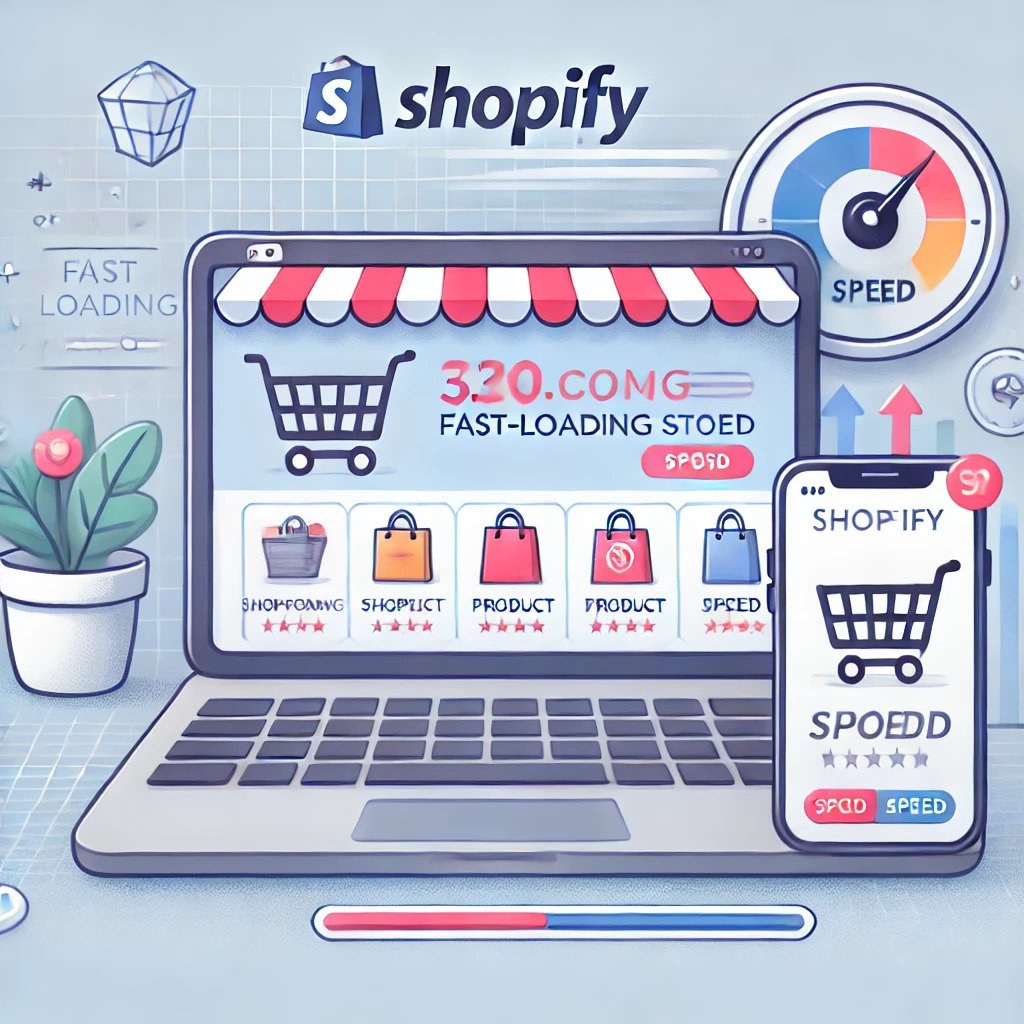
Page load speed is one of the most critical factors in Shopify’s performance. Studies show that 53% of mobile users abandon a site if it takes more than three seconds to load. This statistic highlights the importance of a fast-loading website for Shopify store owners. Slow page speeds not only frustrate users but also negatively impact search engine rankings, reducing your store’s visibility to potential customers.

Mobile Optimization

With the majority of online shopping happening on mobile devices, a mobile-optimized Shopify store is non-negotiable. Poor mobile performance can lead to a high bounce rate, low customer engagement, and missed sales opportunities. Ensuring your store is responsive and user-friendly on all devices is crucial for maximizing e-commerce success.

SEO and Visibility

Search engine optimization (SEO) plays a significant role in driving organic traffic to your Shopify store. However, Shopify’s performance directly impacts SEO. For example, Google’s algorithms prioritize fast-loading and mobile-friendly websites. If your store’s performance doesn’t meet these criteria, it’s less likely to rank high in search results, leading to reduced traffic and sales.

Also read: How Can You Optimize ROI in 2025 Using SEO and GMB Strategies?

How Shopify Performance Affects Customer Experience

A seamless shopping experience is at the heart of e-commerce success. Shopify performance impacts several aspects of the customer journey:

Navigation and Usability

Easy navigation and an intuitive interface are essential for keeping customers engaged. If your Shopify store has laggy menus, broken links, or slow-loading product pages, customers are more likely to leave without making a purchase.

Cart Abandonment Rates

High cart abandonment rates are a common challenge for e-commerce businesses. Slow checkout processes and glitches can frustrate customers, causing them to abandon their carts. Streamlining the checkout experience is key to reducing abandonment rates and increasing conversions.

Customer Retention

First impressions matter. A poorly performing Shopify store can deter customers from returning, while a fast, reliable, and user-friendly store encourages repeat business. Loyal customers are more likely to recommend your store to others, boosting your brand’s reputation and reach.

Tools and Tips to Optimize Shopify Performance

To ensure your Shopify store operates at peak performance, consider these optimization strategies:

Optimize Images

Large, uncompressed images can significantly slow down your website. Use tools to compress images without sacrificing quality and choose the right file formats for web usage.

Leverage Shopify Apps Wisely

While Shopify apps can enhance functionality, too many apps can slow down your store. Regularly audit and uninstall unnecessary apps to keep your store running efficiently.

Implement a Content Delivery Network (CDN)

A CDN helps deliver website content quickly to users by using servers located close to their geographical location. Shopify’s built-in CDN is a valuable feature that improves load times and overall performance.

Use Fast and Responsive Themes

Shopify offers a variety of themes, but not all are created equal. Opt for lightweight, well-coded themes that prioritize speed and responsiveness. Regularly update your theme to ensure compatibility with the latest Shopify features.

Monitor and Test Performance

Regularly test your store’s performance using tools like Google PageSpeed Insights or Shopify’s analytics. Identify areas for improvement and address issues promptly to maintain optimal performance.

Real-World Examples of Shopify Performance Impact

Increased Conversions

A Shopify store that loads quickly and offers a seamless experience can significantly boost conversion rates. For example, an online clothing retailer saw a 25% increase in sales after optimizing their site’s load speed and checkout process.

Enhanced SEO Rankings

Improved site performance often translates to better search engine rankings. A tech accessories store improved its Google ranking from page three to page one by optimizing images, implementing a CDN, and enhancing mobile usability.

Better Customer Retention

A health and wellness brand experienced a 30% increase in repeat customers after revamping its Shopify store to improve speed and navigation. These changes encouraged customers to return and make additional purchases.

FAQ

What are the key factors affecting Shopify’s performance?

Key factors include page load speed, mobile optimization, usability, and the number of installed apps. Addressing these areas can significantly enhance your store’s performance.

How does Shopify’s performance affect SEO?

Shopify performance impacts SEO by influencing site speed and mobile usability, both of which are critical ranking factors for search engines like Google.

Can too many apps slow down my Shopify store?

Yes, too many apps can increase load times and affect overall performance. Regularly audit and remove unnecessary apps to maintain optimal speed.

What tools can I use to test my Shopify store’s performance?

Tools like Google PageSpeed Insights, GTmetrix, and Shopify’s analytics can help you measure and improve your store’s performance.

How often should I monitor my Shopify store’s performance?

Regular monitoring is essential. Aim to check your store’s performance at least once a month or after implementing significant changes.

Conclusion

The question “How can Shopify’s performance impact your e-commerce success?” underscores the importance of maintaining a fast, efficient, and user-friendly store. From enhancing customer experience to boosting SEO rankings and increasing conversions, Shopify’s performance is integral to your e-commerce growth. By investing in performance optimization, you can set your business up for long-term success and outpace the competition.
if you need any help with Digital Marketing then contact us
Upselling & Cross-Selling-HanuiT solutions

How to Upselling & Cross-Selling for E-Commerce Growth?

How to Upselling & Cross-Selling for E-Commerce Growth?

In the fast-paced world of e-commerce, driving more revenue from every transaction is a critical strategy for growth. Two proven techniques that help maximize profitability are Upselling & Cross-Selling. Both methods encourage customers to spend more while improving their shopping experience, making them essential tools for any eCommerce business. In this article, we will explore upselling and cross-selling, why they are vital for eCommerce growth, and how to implement them effectively.

What is Upselling?

Upselling is offering a customer a more expensive or enhanced version of the product they are already considering. The key here is introducing products with additional features, higher quality, or greater benefits, thereby adding value to the customer’s purchase decision.

For example, if a customer is interested in purchasing a laptop with basic specifications, you could upsell by recommending a model with better features such as more RAM, faster processing power, or additional storage. This increases the customer’s total spend while enhancing their shopping experience.

What is Cross-Selling?

Cross-selling refers to the practice of suggesting complementary or related products that enhance the customer’s original purchase. The goal of cross-selling is not to replace the primary product but to offer additional items that complete or improve the customer’s experience.

A common example of cross-selling is when a customer adds a smartphone to their cart, and the online store recommends items like phone cases, screen protectors, or headphones. These items are related to the initial purchase and add value by offering a more complete product solution.

 Also read: How to Increase Conversion Rates Tips for E-Commerce Success

Why are Upselling & Cross-Selling Important for eCommerce Growth?

Upselling & Cross-Selling are essential to increasing both revenue and customer satisfaction. Here’s why these techniques are so valuable:

Increased Average Order Value (AOV):
By encouraging customers to spend more on each transaction, upselling and cross-selling boost your Average Order Value (AOV). This means higher revenue without needing to acquire new customers.

Improved Customer Experience:
When done correctly, upselling and cross-selling can improve the customer’s shopping experience by offering them better, more comprehensive solutions that meet their needs more effectively.

Higher Customer Retention Rates:
Satisfied customers are more likely to return. By offering products that enhance their original purchase or solve additional problems, you build trust and increase the likelihood of repeat business.

Optimized Product Visibility:
Cross-selling is a great way to highlight products that customers might not have considered. By showcasing complementary items, you increase the visibility and sales of products that may not move as quickly on their own.    Also read: How Can You Optimize Website Speed & Improve User Experience

Best Practices for Effective Upselling & Cross-Selling

1. Understand Your Customers’ Needs

Knowing your customers is key to effective Upselling & Cross-Selling. Use data analytics tools to gather insights into customer behavior, preferences, and purchase history. This will allow you to make personalized recommendations that feel relevant, rather than pushing random products that might overwhelm or annoy customers.

2. Focus on Value, Not Just Price

When upselling, focus on the value of the higher-priced item rather than just the price difference. Customers will be more inclined to upgrade if they see clear benefits, such as increased durability, enhanced features, or long-term savings. For example, instead of simply showing a more expensive laptop, explain how the upgraded version will help the customer work faster and more efficiently.

3. Use Timing Wisely

Timing is everything when presenting upsell or cross-sell opportunities. The checkout process is one of the best times to offer product upgrades or complementary items, as customers are already in the mindset of making a purchase. You can also introduce these offers during product viewing or immediately after a customer adds an item to their cart.

4. Offer Bundles and Discounts

Cross-selling is more effective when it includes value-added offers, such as product bundles or discounts. For instance, if a customer is buying a laptop, offering a bundle that includes a laptop case, mouse, and external hard drive at a discounted price is more enticing than offering each item separately. Customers perceive bundles as convenient and cost-saving, making them more likely to complete the purchase.

5. Limit the Number of Suggestions

Avoid overwhelming your customers with too many options. Limit your upsell or cross-sell offers to 1-3 products that are highly relevant to their purchase. This reduces decision fatigue and increases the likelihood of conversion.

6. Leverage Product Reviews and Social Proof

When presenting an upsell or cross-sell option, include customer reviews and testimonials to show that others have benefited from the products. Social proof builds trust and helps convince customers that upgrading or adding a complementary product is a wise choice.

7. Post-Purchase Cross-Selling

The relationship with the customer doesn’t end after they make a purchase. Follow up with post-purchase emails to suggest complementary products that they may have missed during checkout. For example, if someone buys a camera, you could suggest lenses, memory cards, or carrying cases in a follow-up email.

Tools and Technologies for Upselling & Cross-Selling

AI-Powered Recommendations

AI tools help eCommerce businesses make personalized upsell and cross-sell recommendations based on customer behavior and preferences. These tools analyze previous purchases, browsing habits, and cart data to deliver relevant suggestions in real-time.

Pop-Ups and In-Cart Suggestions

Adding pop-ups or in-cart product recommendations can help gently nudge customers toward adding more items to their orders. Just be sure that these suggestions are relevant and non-intrusive.

Automated Email Campaigns

Use email automation tools to send post-purchase cross-sell emails. These campaigns can introduce customers to new products or remind them about related items they might have overlooked during their initial purchase.

FAQs

What is the main difference between upselling and cross-selling?

Upselling encourages customers to buy a more expensive or upgraded version of the product they are considering, while cross-selling suggests complementary products to enhance the customer’s main purchase.

How can I ensure my upselling and cross-selling strategies don’t annoy customers?

To avoid annoying your customers, focus on offering personalized, relevant suggestions. Limit the number of options you present and ensure the timing is right—such as during checkout or after the customer has shown interest in a particular product.

Should I use discounts to encourage cross-selling?

Yes, offering discounts or creating product bundles can be a powerful way to encourage cross-selling. Customers are more likely to purchase related items when they feel they’re getting a good deal.

Can upselling and cross-selling work for small e-commerce businesses?

Absolutely. Whether your eCommerce business is large or small, upselling and cross-selling can increase revenue and improve customer satisfaction. For small businesses, it’s important to focus on personalization and to use customer data to make strategic recommendations.

How do I track the effectiveness of my upselling and cross-selling strategies?

Use analytics tools to track metrics such as conversion rates, Average Order Value (AOV), and Customer Lifetime Value (CLTV). These metrics will help you gauge the effectiveness of your upselling and cross-selling efforts.

What is the ideal time to offer upsell and cross-sell suggestions?

The best times are during the checkout process, on product detail pages, or after a customer adds an item to their cart. You can also send post-purchase emails with cross-sell suggestions to encourage repeat purchases.

Conclusion

Upselling & Cross-Selling are essential strategies for driving e-commerce growth. When done correctly, they not only boost revenue but also enhance the customer experience. By focusing on personalization, offering value, and leveraging tools like AI and automated emails, you can implement these techniques effectively and see tangible results in your eCommerce business.

if you need any help with your product Sales Page? then contact us 
Boost Sales

How to Boost Sales in Your E-Commerce Store: 10 Proven Tips

How to Boost Sales in Your E-Commerce Store: 10 Proven Tips

In today’s competitive e-commerce landscape, finding effective ways to boost sales is essential for any online business. With millions of online stores vying for consumer attention, deploying the right strategies can set your store apart and drive significant revenue growth. Here are ten proven tips to help you boost sales and enhance your e-commerce performance.

1. Optimize Your Website for Conversions

To boost sales, your website must be optimized for conversions. This means ensuring that every element of your site is designed to encourage visitors to complete a purchase. Key aspects to focus on include:

Fast Loading Times: Slow websites can deter customers and lead to abandoned carts. Aim for loading times under 3 seconds to keep visitors engaged.

Responsive Design: Your site should provide a seamless experience on all devices, including desktops, tablets, and smartphones. A mobile-friendly site is crucial as more consumers shop on their phones.

Clear Navigation: Ensure your site is easy to navigate with a clear menu structure and intuitive search functionality. This will help visitors find products quickly and reduce frustration.

2. Implement Effective SEO Strategies

Search Engine Optimization (SEO) is pivotal in boosting sales by improving your store’s visibility in search engine results. Focus on the following SEO practices:

Keyword Research: Identify and target relevant keywords, including “boost sales,” in your product descriptions, meta titles, and headers. This helps search engines understand your content and rank it higher.

Content Creation: Regularly publish valuable content such as blog posts, buying guides, and how-to articles that address customer needs and incorporate targeted keywords.

On-Page SEO: Optimize individual product pages with well-written descriptions, high-quality images, and appropriate meta tags to improve their search engine ranking.

3. Leverage Social Proof

Social proof can significantly boost sales by building trust and credibility with potential customers. Here’s how to leverage it effectively:

Customer Reviews: Display customer reviews and ratings prominently on your product pages. Positive reviews can reassure new customers about the quality of your products.

Testimonials: Feature testimonials from satisfied customers on your homepage or landing pages to showcase real experiences with your brand.

Social Media Mentions: Highlight positive mentions or endorsements from influencers and satisfied customers on your social media channels.

 Also read: How Can Hanu IT Solutions Help Solar Firms Stand Out Online?

4. Offer Discounts and Promotions

Discounts and promotions are powerful tools to drive sales and attract new customers. Consider implementing the following strategies:

Limited-Time Offers: Create a sense of urgency with time-limited discounts or flash sales. Use countdown timers to visually reinforce the urgency.

Bundle Deals: Offer discounts on product bundles or multi-buy options to increase the average order value and encourage customers to purchase more.

Free Shipping: Provide free shipping on orders over a certain amount or for first-time customers to incentivize purchases.

5. Utilize Email Marketing

Email marketing remains one of the most effective ways to boost sales and maintain customer engagement. Here’s how to make the most of it:

Build a Subscriber List: Collect email addresses through sign-up forms, pop-ups, and at checkout. Offer incentives like discounts or exclusive content to encourage sign-ups.

Segment Your Audience: Divide your email list into segments based on factors such as purchase history, browsing behavior, or location. This allows you to send personalized and relevant content.

Craft Targeted Campaigns: Send targeted email campaigns featuring product recommendations, special offers, and updates tailored to each segment. Use automation to trigger emails based on customer actions, such as cart abandonment or previous purchases.

6. Enhance Customer Experience

A positive customer experience is crucial for boosting sales and fostering brand loyalty. Focus on the following areas:

Customer Support: Offer responsive customer support through live chat, email, or phone. Quick and helpful responses to inquiries and issues can lead to higher customer satisfaction and repeat business.

Easy Returns: Implement a hassle-free return policy that makes it easy for customers to return or exchange products. This can reduce the perceived risk of purchasing and encourage more sales.

User-Friendly Checkout: Simplify the checkout process by minimizing the number of steps required and offering multiple payment options. Ensure that the checkout page is secure and easy to navigate.

7. Optimize for Mobile

With mobile commerce on the rise, optimizing your e-commerce store for mobile devices is essential. Here’s how to ensure a smooth mobile experience:

Responsive Design: Ensure your site adjusts seamlessly to different screen sizes and resolutions. A responsive design enhances usability and can lead to higher conversion rates.

Mobile-Friendly Navigation: Implement touch-friendly navigation elements and ensure that buttons and links are easily clickable on mobile devices.

Streamlined Checkout: Optimize the mobile checkout process by minimizing form fields and offering mobile payment options like Apple Pay or Google Wallet.

8. Implement Upselling and Cross-Selling

Upselling and cross-selling strategies can effectively boost sales by encouraging customers to purchase additional or higher-value items. Here’s how to implement these tactics:

Product Recommendations: Use algorithms to recommend related products or complementary items based on customers’ browsing and purchase history. Display these recommendations on product pages and during checkout.

Bundled Offers: Create bundle deals that offer a discount when customers purchase related products together. This can increase the average order value and enhance the customer’s overall experience.

Upgrade Options: Offer premium versions of products with additional features or benefits. Highlight the advantages of upgrading to encourage customers to choose higher-value options.

9. Analyze and Use Data Insights

Data analytics provide valuable insights into customer behavior and sales performance, enabling you to make informed decisions. Here’s how to use data to boost sales:

Track Key Metrics: Monitor metrics such as conversion rates, average order value, and customer lifetime value to understand how well your strategies are performing.

Identify Trends: Use data to identify trends in customer behavior, such as popular products, peak shopping times, and purchasing patterns. Adjust your marketing and sales strategies accordingly.

A/B Testing: Conduct A/B tests on various elements of your website, such as product pages, headlines, or call-to-action buttons, to determine what drives better performance and optimize your site based on the results.

10. Invest in Paid Advertising

Paid advertising can drive targeted traffic to your e-commerce store and boost sales. Here’s how to maximize the impact of your ad campaigns:

Targeted Ads: Use platforms like Google Ads, Facebook Ads, and Instagram Ads to reach specific audiences based on demographics, interests, and online behavior. Create tailored ads that resonate with your target customers.

Retargeting Campaigns: Implement retargeting campaigns to reach visitors who have previously interacted with your site but did not complete a purchase. Remind them of your products and offer incentives to return.

Monitor and Optimize: Regularly monitor the performance of your ads and adjust your campaigns based on metrics such as click-through rates, conversion rates, and ROI. Optimize your ad spend to focus on the most effective channels and strategies.

FAQ

What are some effective strategies to boost sales in an e-commerce store?

Effective strategies to boost sales include optimizing your website for conversions, implementing SEO strategies, leveraging social proof, offering discounts and promotions, utilizing email marketing, enhancing customer experience, optimizing for mobile, implementing upselling and cross-selling, analyzing data insights, and investing in paid advertising.

How does SEO help in boosting sales?

SEO boosts sales by improving your store’s visibility in search engine results, driving organic traffic to your site. By targeting relevant keywords and creating valuable content, you increase your chances of attracting potential customers and converting them into buyers.

Why is social proof important for increasing sales?

Social proof, such as customer reviews and testimonials, builds trust and credibility with potential customers. Positive feedback and endorsements can reassure new visitors about the quality of your products and encourage them to make a purchase.

How can email marketing contribute to boosting sales?

Email marketing boosts sales by keeping your brand top-of-mind and delivering personalized offers, recommendations, and updates directly to subscribers. Effective email campaigns drive repeat purchases, increase customer engagement, and encourage conversions.

What role does mobile optimization play in boosting sales?

Mobile optimization ensures that your e-commerce store provides a seamless experience on mobile devices. A mobile-friendly site improves usability, reduces friction during the checkout process, and can lead to increased conversions and sales as more consumers shop on their phones.

Conclusion

Boosting sales in your e-commerce store is a multifaceted challenge that requires a strategic blend of innovation, customer insight, and operational excellence. The ten proven tips outlined in this article provide a comprehensive roadmap for enhancing your sales performance and achieving long-term success in the competitive online marketplace.

if you need any help with your product Sales Page? then contact us